AWS
AWS Microsoft Azure
 Google Cloud

You shouldn’t need 21 product demos just to build a shortlist. We compare 21 cloud cost optimization tools, including our own platform, Usage.ai, to help you understand how each approaches savings, what it automates, and how its pricing works.
These platforms solve different problems. Some manage cloud commitments to secure better rates. Others help engineers rightsize infrastructure, optimize Kubernetes workloads, or identify resources they no longer need. Cost allocation platforms help teams understand who is spending what and connect that spending to the business. Your shortlist should reflect the problem you need to solve and the services you actually use.
The comparison spans AWS, Azure, Google Cloud, and Kubernetes, with dashboard screenshots and customer reviews alongside each tool’s strengths and limitations. We also distinguish recommendations from actions the software can carry out, so you can judge how much work stays with your team and whether the pricing makes sense for the value you expect.
Reviewed October 19, 2026. Disclosure: We publish this guide at Usage.ai and include our own platform in the comparison.
Quick picks



Cloud cost optimization tools comparison
| Tool | Best fit | Cloud coverage | What it automates | Pricing basis | Main limitation |
|---|---|---|---|---|---|
| Usage.ai | Continuous optimization with predictive purchasing and Cashback protection | AWS, Azure, Google Cloud | 24/7 analysis and commitment purchasing; rightsizing recommendations | Share of realized savings | We recommend rightsizing; your team implements resource changes |
| Finout | Shared cost allocation across cloud, AI, and SaaS | AWS, Azure, Google Cloud, OCI, Kubernetes, and other integrations | Billing consolidation, virtual allocation, shared cost distribution, recommendations | Fixed contract fee tied to committed spend tier and scope | Allocation rules need ownership; execution scope requires separate evaluation |
| nOps | Commitment management alongside cost visibility | AWS, Azure, Google Cloud; additional Kubernetes, SaaS, and AI visibility | Rate optimization, cost allocation, anomaly detection | Rate optimization: share of savings; visibility: fixed fee based on spend | Visibility and optimization have separate commercial scopes |
| Zesty | Kubernetes resource optimization with commitment options | Kubernetes environments; AWS and Azure commitments | Workload resource optimization, pod placement, storage scaling, commitments by product | Based on actual usage and realized savings; request quote | Kubernetes support does not imply equal commitment coverage across clouds |
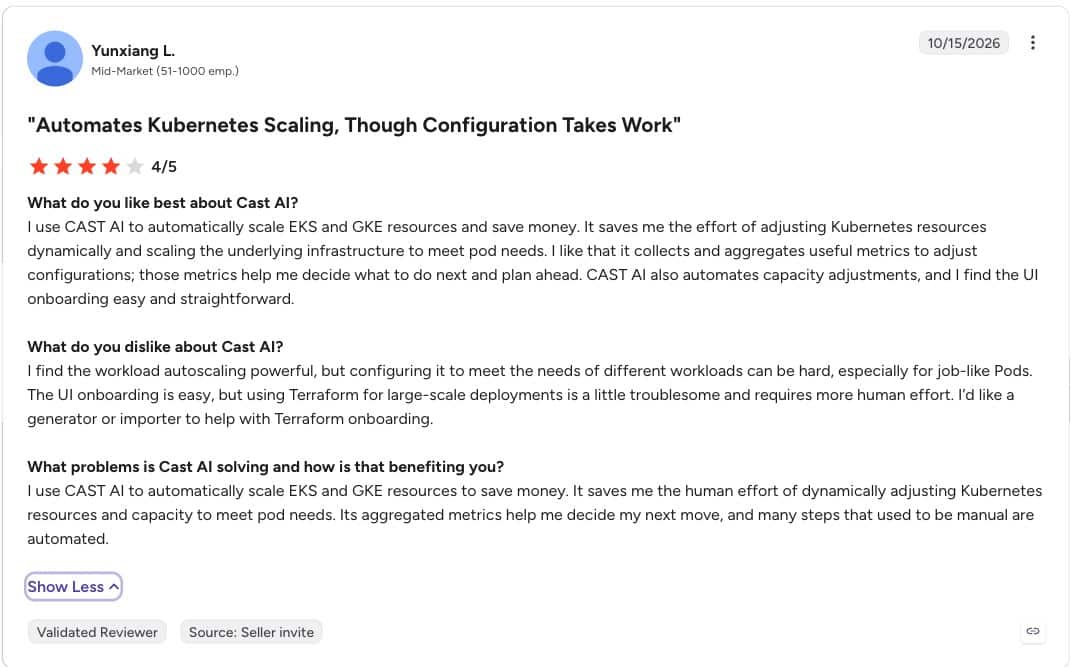
| CAST AI | Kubernetes node and workload automation | EKS, GKE, AKS and other documented environments | Node scaling, instance selection, Spot orchestration, workload optimization | Custom quote for environment and scope | Execution changes cluster resources and requires operational controls |
| Kubex | Resource optimization across containers and cloud instances | AWS, Azure, Google Cloud, OCI; Kubernetes and hybrid environments | Resource sizing and policy-controlled optimization | Custom quote for environment and scope | Requires utilization data and integration with change workflows |
| StormForge by CloudBolt | Kubernetes CPU and memory rightsizing | Kubernetes clusters across cloud and on premises | Workload request and limit tuning within configured controls | Quote for paid plans; trial available | Workload tuning must coordinate with existing autoscalers |
| IBM Kubecost | Kubernetes cost allocation and optimization | Kubernetes across clouds and hybrid environments | Allocation, recommendations, and supported resource automation | Free Foundations tier; enterprise quote | Free tier has core and retention limits |
| OpenCost | Open source Kubernetes cost measurement | Kubernetes; cloud billing integrations | Cost measurement, allocation, and reporting | Free software; infrastructure and operating costs remain | Teams operate it and implement optimization separately |
| CloudZero | Cost per customer, product, or business activity | AWS, Azure, Google Cloud, Kubernetes, and other integrations | Cost attribution, anomaly detection, recommendation workflows | Custom subscription quote | Savings depend on implementing recommendations and maintaining allocation logic |
| ProsperOps | Automated discount portfolio management | AWS, Azure, Google Cloud; Scheduler availability differs | Discount management; separate resource scheduling product | Discount management: share of savings; Scheduler: fee per managed resource | Products have different execution scopes and fee bases |
| IBM Cloudability | Enterprise cloud financial management | AWS, Azure, Google Cloud; additional integrations | Allocation, planning, optimization workflows; separate savings automation offering | Quote for selected products and capabilities | Confirm which automation and container capabilities the package includes |
| CloudHealth | Governance across accounts and customer estates | AWS, Azure, Google Cloud | Policy evaluation, reporting, and configured action workflows | Request sales or partner quote | Policy coverage and action permissions vary by provider and rule |
| Vantage | Cost reporting with a published entry price | AWS, Azure, Google Cloud, Kubernetes, AI, and SaaS integrations | Reporting, virtual tagging, alerts; AWS Savings Plans via Autopilot | Free tier; Pro $30/month; Business $200/month; enterprise quote | Tracked spend and user limits apply; confirm automation charges |
| Ternary | Finance ownership of technology spending | AWS, Azure, Google Cloud, OCI, and other data sources | Billing ingestion, allocation, reporting, and planning | Request quote; SaaS and self-hosted options | Broader cost visibility does not establish automatic resource execution |
| Turbo360 | Azure cost allocation and governance | Azure | Reporting, alerts, budgets, and optimization insights | Quote based on modules and subscriptions; service provider terms differ | Azure focus limits its role in a multicloud program |
| CoreStack FinOps | Cost governance within a broader cloud governance platform | AWS, Azure, Google Cloud; additional provider support varies by feature | Allocation, policy checks, optimization analysis, and configured workflows | Request quote for scope | Provider and execution coverage differ across capabilities |
| Infracost | Cost estimates before infrastructure deployment | AWS, Azure, Google Cloud; supported infrastructure definitions | Change cost estimates and policy checks in development workflows | Free CI/CD tier; Starter $250/month; Cloud $1,000/month; enterprise quote | Estimates depend on resource support and usage assumptions |
| Harness | Cost controls connected to engineering workflows | AWS, Azure, Google Cloud, Kubernetes, and AI integrations | AutoStopping, commitment orchestration, cluster optimization, governance | Request quote for selected cost management capabilities | Resource changes and financial purchases need different controls |
| CloudKeeper | FinOps products with managed support options | AWS and Google Cloud; Tuner and Commit have narrower scope | Visibility, usage recommendations, and AWS RI management by product | Published standalone rates: Lens/Tuner 2% of monthly bill each; Commit 18% of savings | Product coverage and package economics differ |
| DoiT | Cloud intelligence with optimization products and expert support | AWS, Azure, Google Cloud and other integrations | Allocation, workflows, commitment and Kubernetes optimization by product | Free Essentials option; paid platform and optimization products quoted | Define the software, automation, and service scope in the proposal |
For an AWS-focused comparison, see our best AWS cost optimization tools guide. Read our methodology and pricing notes.
Tools for cloud savings and cost visibility
These platforms take different approaches to reducing cloud spend, from automated commitment purchasing to cost allocation and reporting. Compare the workflow you need and the actions each tool supports.
1. Usage.ai
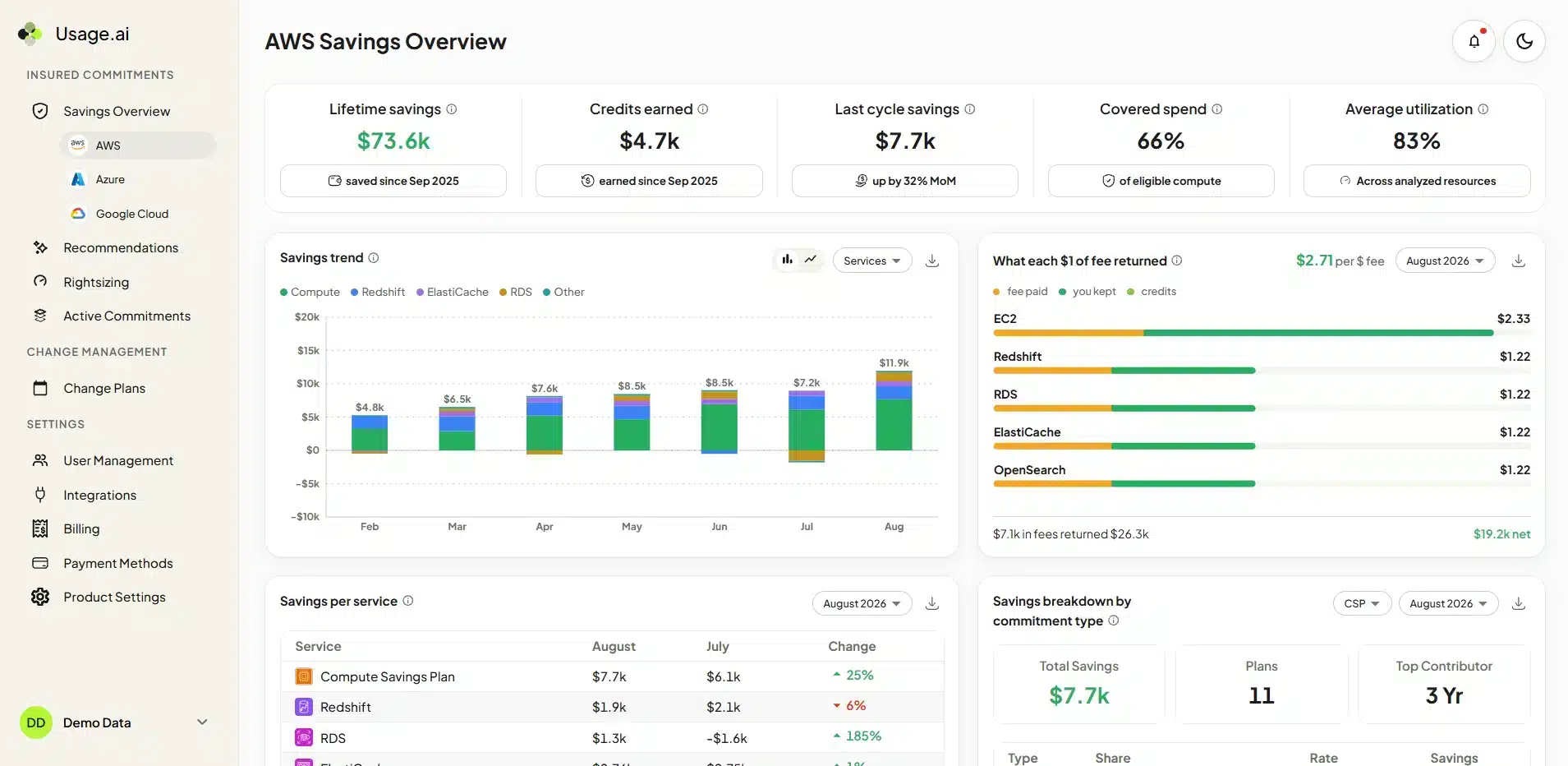
Our cloud savings dashboard.
Best for: Continuous cloud optimization, predictive commitment purchasing, and Cashback protection.
Cloud coverage: AWS, Azure, and Google Cloud across 50+ services.
We built Usage.ai to keep finding savings as your cloud environment changes. Our algorithms analyze your cloud usage 24/7, looking for opportunities across compute, databases, storage, and more. Our cloud optimization platform covers 50+ services across AWS, Azure, and Google Cloud, bringing broad savings opportunities into one workflow.
We use predictive modeling to forecast demand and decide when to buy your next commitment, how much to buy, and when to wait. Our Autopilot executes purchases within the controls you set and adjusts future buying as usage changes. With Copilot, your team can review and approve our recommendations.
We also provide rightsizing recommendations to help you reduce oversized resources and establish a more efficient usage baseline before buying commitments. Bringing rightsizing and purchasing together helps you avoid locking unnecessary capacity into a long-term discount. Your team controls infrastructure changes while we manage the commitment strategy.
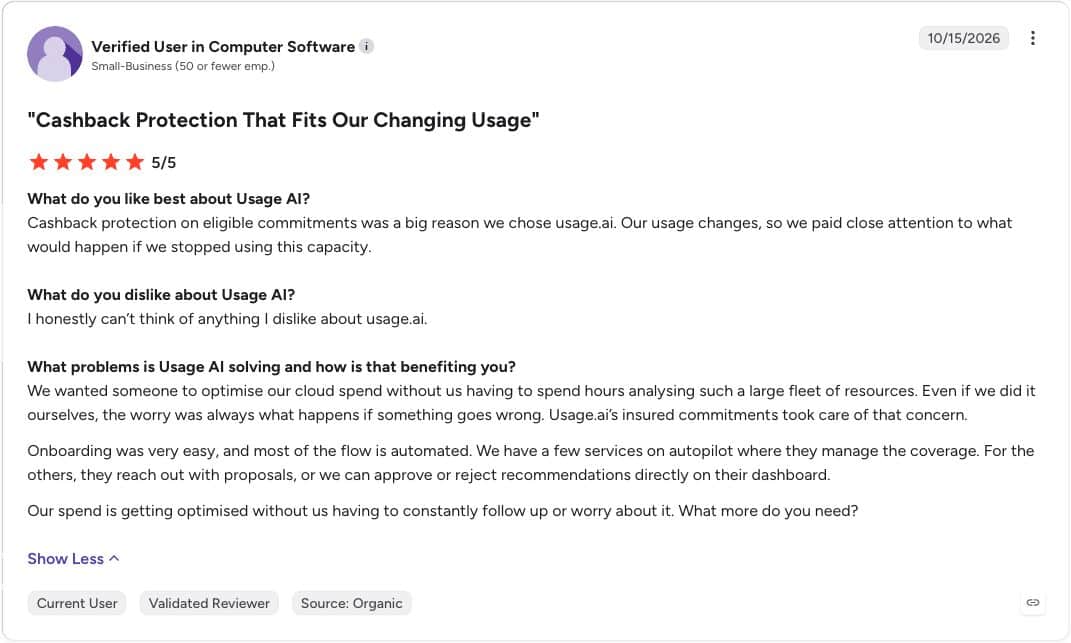
Every Flex Commitment we buy and manage includes Cashback protection. Think of it as a financial safety net for your committed cloud spend: when demand drops and a managed commitment costs more than the equivalent on-demand usage, Cashback helps cover that difference under our program terms. Our Cashback guide explains how we calculate losses and when payments arrive.
We charge a share of realized savings, with no upfront platform fee. We agree on the savings baseline and fee with you before purchasing. Our goal is to keep reducing your cloud bill while giving your team less purchasing work and protection when demand changes.
What users say
See how we combine predictive purchasing, rightsizing recommendations, and Cashback protection across your clouds.
No cloud connection needed
2. Finout
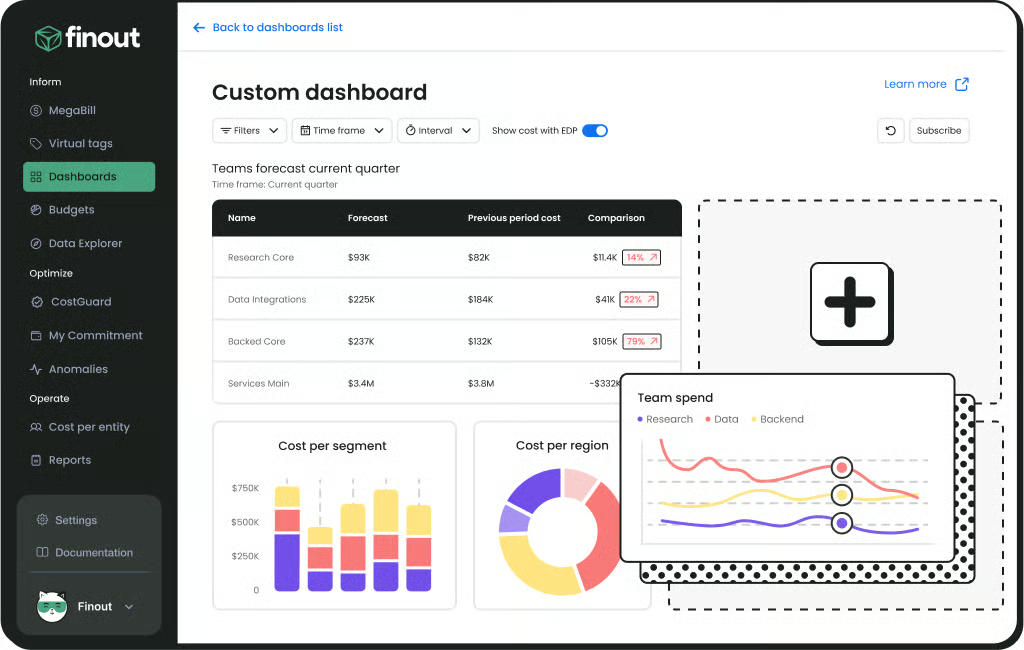
Finout dashboard. Source: vendor-supplied product image.
Best for: Shared cost allocation across cloud, AI, and SaaS.
Cloud coverage: AWS, Azure, Google Cloud, OCI, Kubernetes, and other integrations.
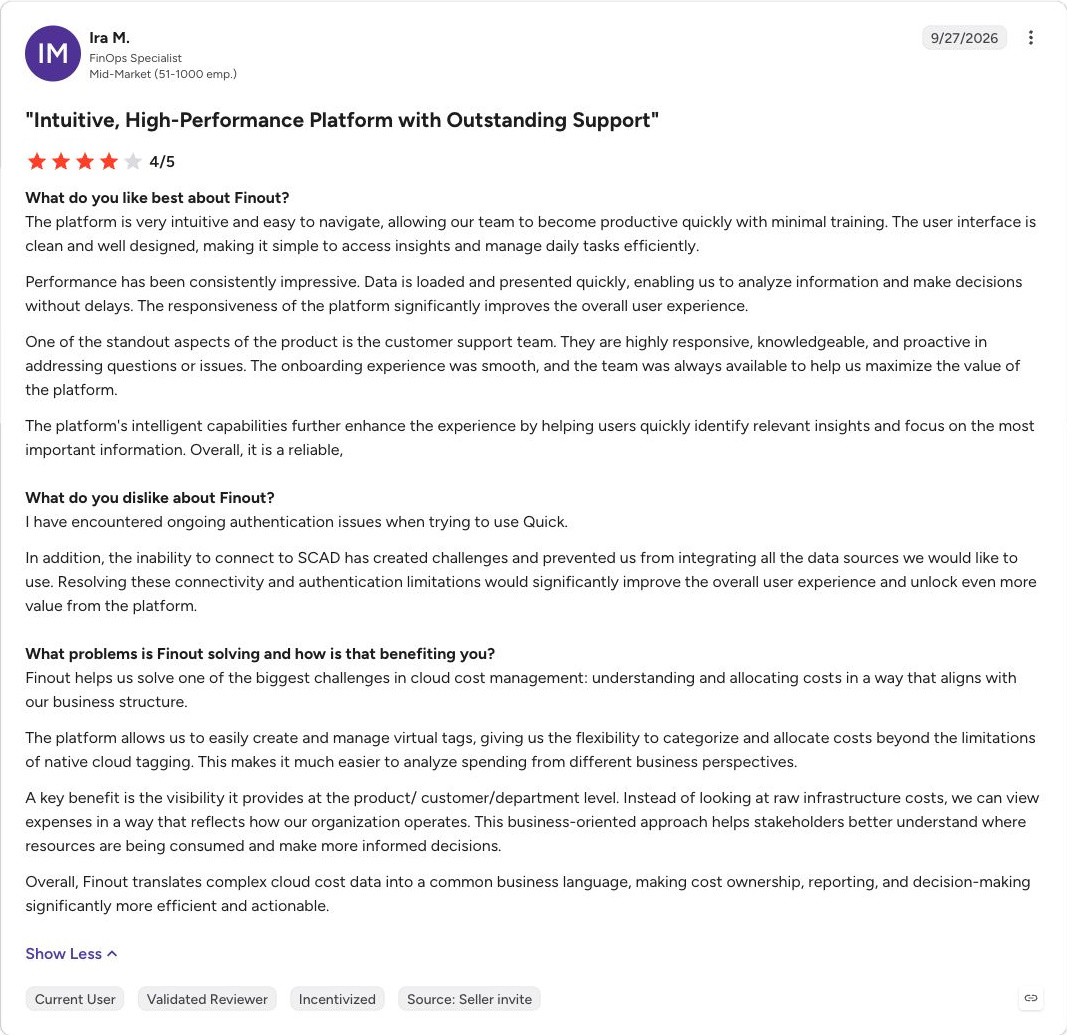
Finout consolidates cloud, Kubernetes, AI, and SaaS spending, with virtual allocation and shared cost distribution. Its documented integrations include AWS, Azure, Google Cloud, and OCI. CostGuard adds optimization recommendations.
It fits teams struggling to allocate shared infrastructure or reconcile several technology bills into one financial model. Ask the vendor to reproduce a difficult allocation case and explain how rule changes affect past reporting.
Finout describes a fixed contract fee tied to a committed cloud and AI spend tier, with scope influenced by cost centers, data volume, and integrations. It is not a fee that automatically fluctuates with each month's spending. Confirm remediation capabilities separately from billing ingestion and recommendation generation, and assign ownership for allocation rules.
What users say
3. nOps
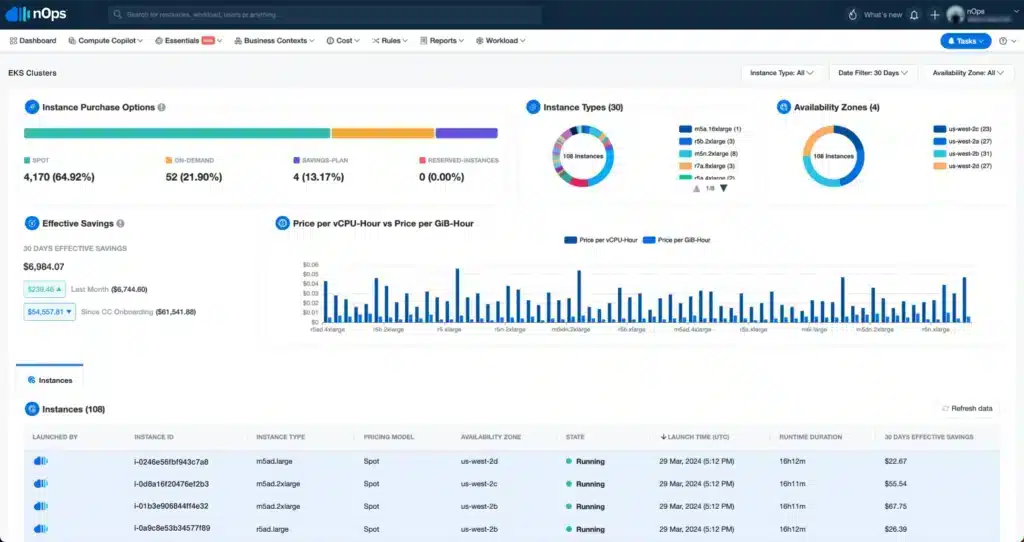
nOps dashboard example.
Best for: Commitment management alongside cost visibility.
Cloud coverage: AWS, Azure, Google Cloud; additional Kubernetes, SaaS, and AI visibility.
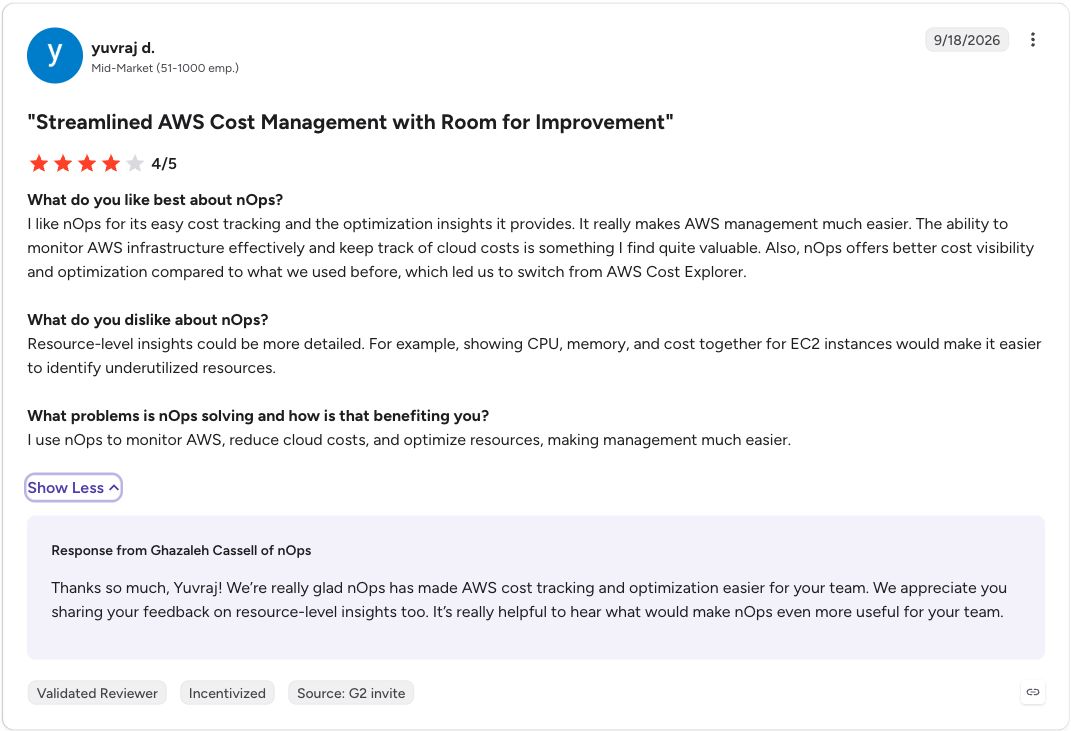
nOps combines autonomous rate optimization with cost visibility and allocation. Its current pricing page lists rate optimization for AWS, Azure, and Google Cloud, alongside visibility into Kubernetes, SaaS, and AI costs.
The commercial models differ by offering: autonomous rate optimization uses a share of realized savings, while visibility and allocation use a fixed fee based on cloud spend. Compare the combined fee if you need both.
Shortlist nOps when commitment management and cost investigation belong in the same evaluation. Ask it to demonstrate the exact actions available for each service in your environment. Multicloud reporting alone does not establish identical optimization coverage. Our Usage.ai vs nOps comparison covers the buying considerations in more detail.
What users say
Tools for workload and Kubernetes optimization
These tools can change resource configuration or capacity. Evaluate them with the engineers responsible for workload performance, deployment policies, and recovery.
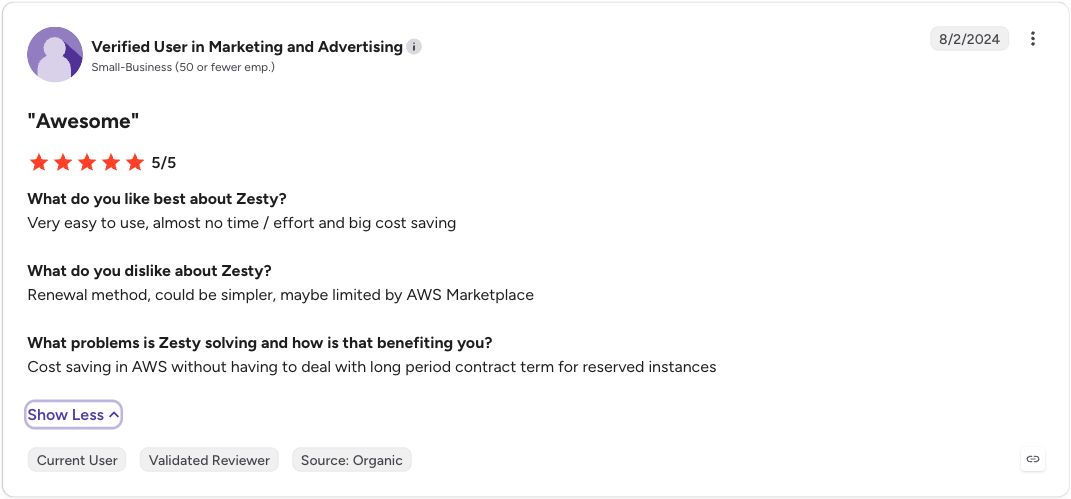
4. Zesty
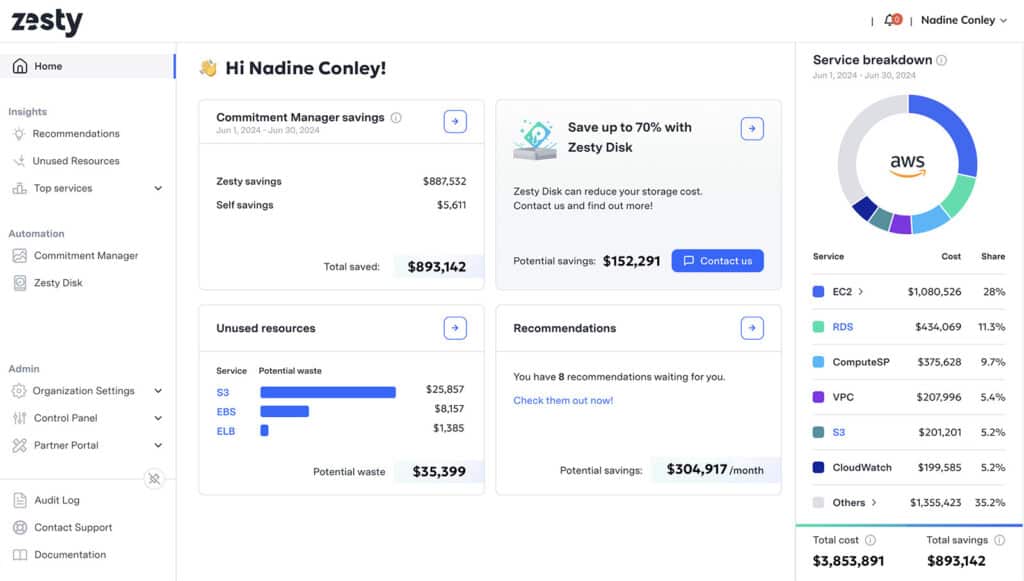
Zesty dashboard example.
Best for: Kubernetes resource optimization with commitment options.
Cloud coverage: Kubernetes environments; AWS and Azure commitments.
Zesty focuses on autonomous Kubernetes optimization, including workload resource sizing, pod placement, persistent volume scaling, and GPU resource allocation. It also offers commitment optimization for AWS and Azure.
Its pricing page describes pricing based on actual usage and realized savings, with a workload assessment before a proposal. Request the calculation for the products you plan to enable.
Zesty is worth evaluating when Kubernetes resource waste is a priority and commitment management may also be useful. Start by reviewing recommendations, then define the workloads and controls for execution. Confirm storage, cluster, and cloud support separately: a Kubernetes integration does not imply commitment management for every cloud.
What users say
5. CAST AI
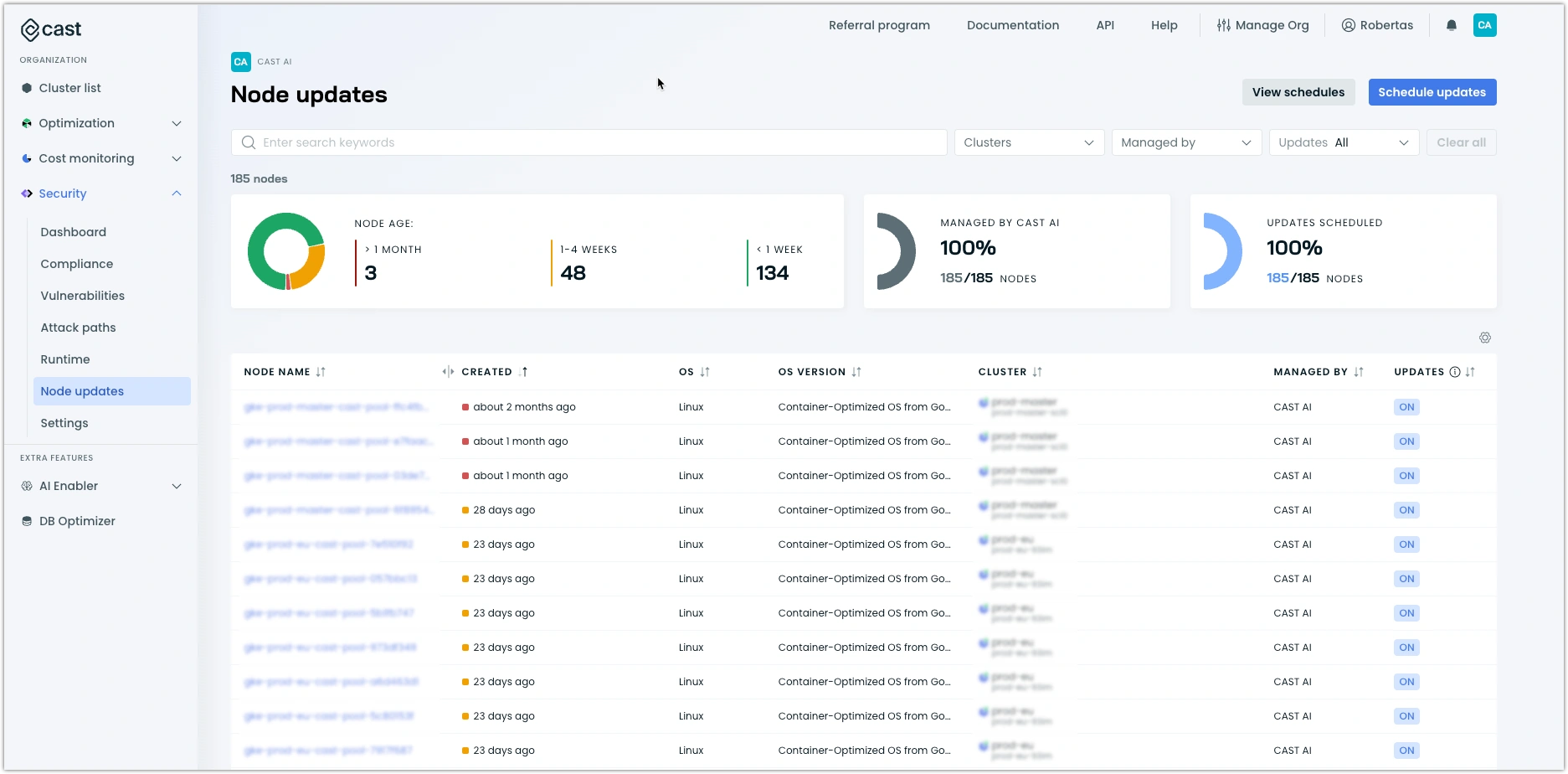
CAST AI dashboard example.
Best for: Kubernetes node and workload automation.
Cloud coverage: EKS, GKE, AKS and other documented environments.
CAST AI automates Kubernetes capacity and workload optimization, including node autoscaling, instance selection, bin packing, Spot orchestration, and workload sizing. Its documented environments include Amazon EKS, Google GKE, and Azure AKS, with additional environments carrying different support levels.
This is a fit for platform teams prepared to let software make ongoing cluster changes. A useful pilot should measure performance and interruptions alongside cost, and show how CAST AI coordinates with existing scheduling and scaling controls.
Pricing requires a custom quote based on the environment. Confirm which optimization features the proposal includes. CAST AI's Kubernetes focus also means it should not be assumed to cover every database, storage, or non-container cost elsewhere in the bill.
What users say
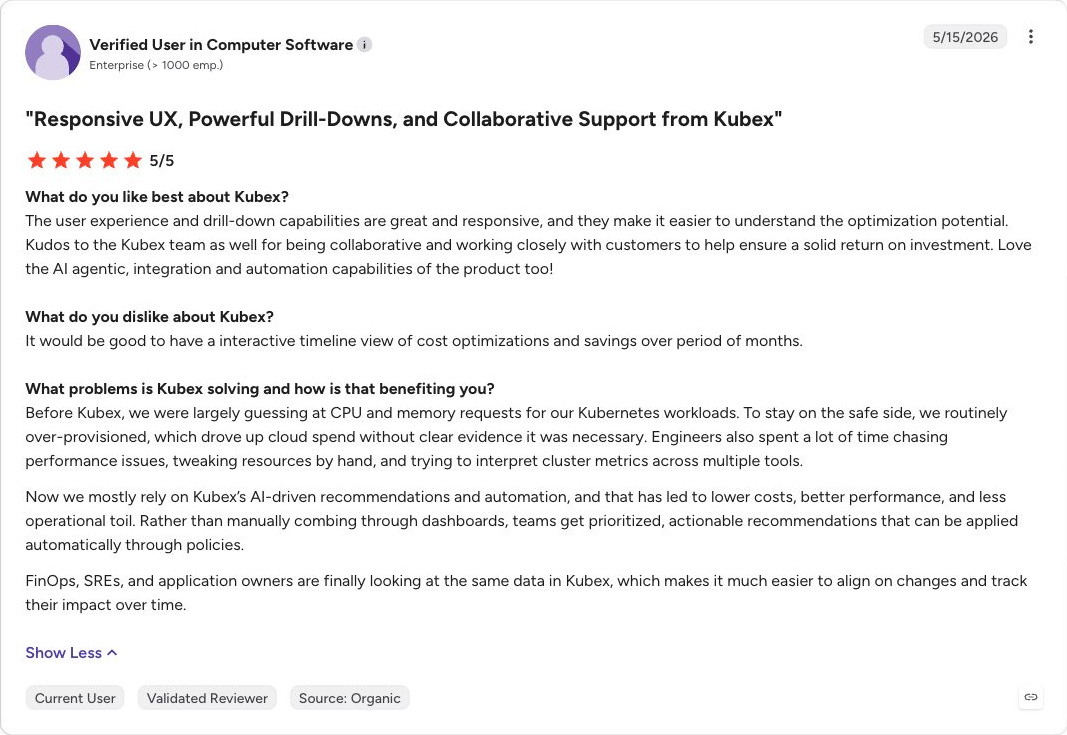
6. Kubex
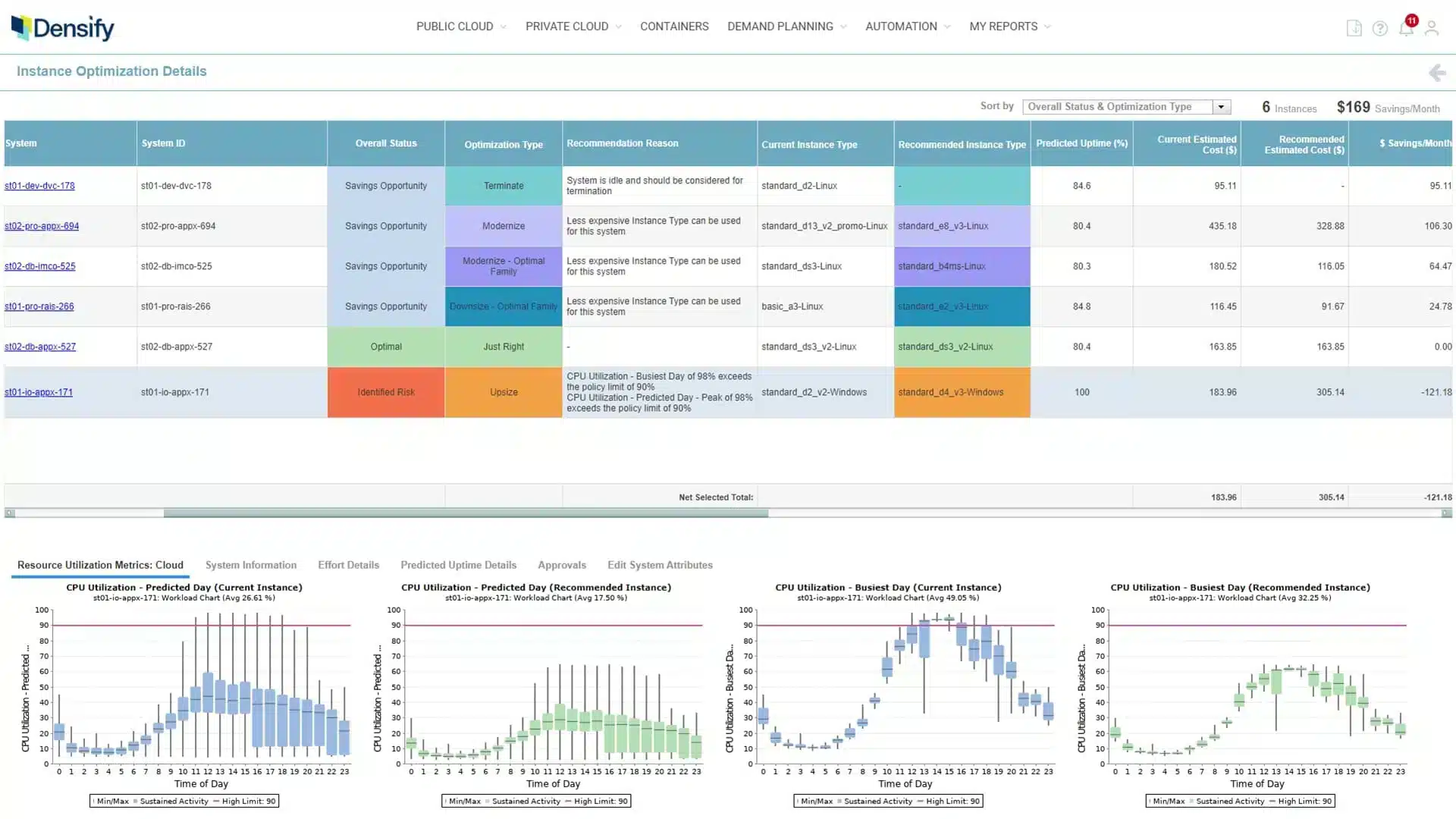
Kubex dashboard example.
Best for: Resource optimization across containers and cloud instances.
Cloud coverage: AWS, Azure, Google Cloud, OCI; Kubernetes and hybrid environments.
Kubex optimizes resources across Kubernetes, GPU workloads, and cloud infrastructure. Densify rebranded the company to Kubex in January 2026; cloud optimization continues within the unified platform.
Its cloud resource optimizer evaluates instance choices across AWS, Azure, Google Cloud, and OCI. Kubernetes capabilities include resource sizing and policy-controlled automation. This makes it relevant when a team wants utilization analysis across containers and the infrastructure beneath them.
Pricing is a custom quote for the environment and scope. Evaluate how recommendations become approved changes in your deployment workflows. Reliable utilization data and control of overlapping automation are practical requirements; a recommendation for a cheaper instance still needs to suit the application.
What users say
7. StormForge by CloudBolt
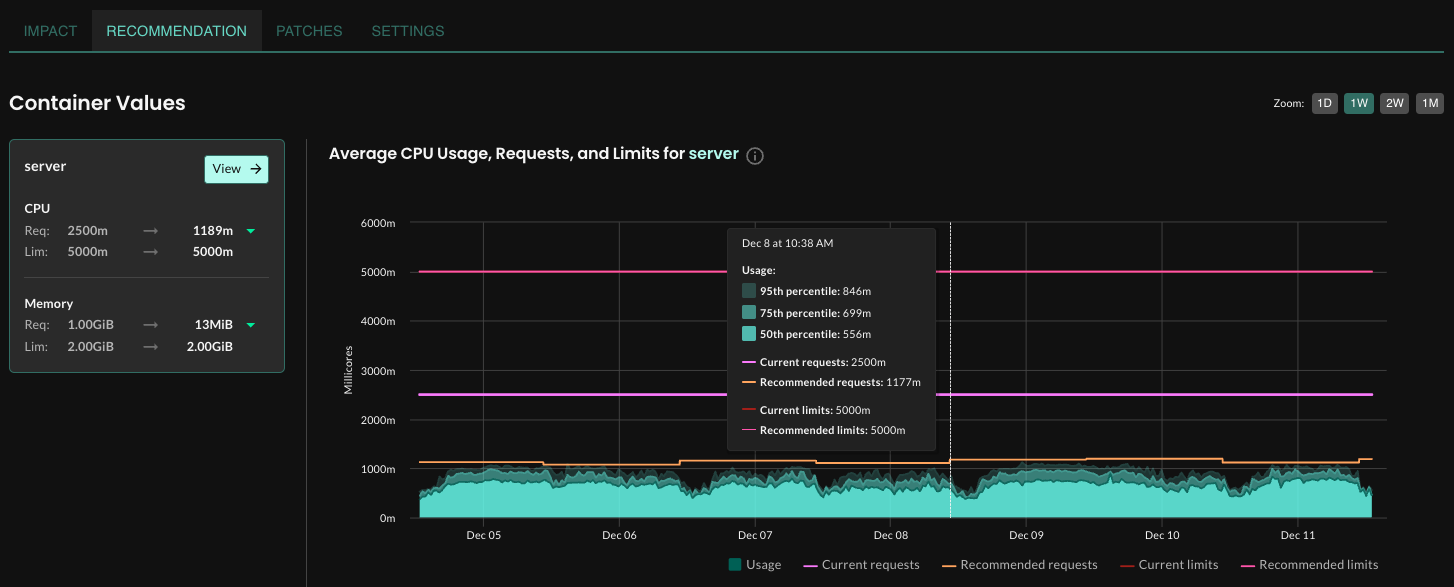
StormForge recommendation summary, supplied by CloudBolt.
Best for: Kubernetes CPU and memory rightsizing.
Cloud coverage: Kubernetes clusters across cloud and on premises.
StormForge by CloudBolt specializes in Kubernetes workload optimization. It analyzes usage to recommend and apply CPU and memory requests and limits, and now also documents Kubernetes cost allocation.
It is a fit when platform teams need ongoing workload tuning across clusters. Its in-cluster components and SaaS control plane introduce deployment and access requirements. Review how it works alongside the Horizontal Pod Autoscaler and your node autoscaler before enabling automatic changes.
The official product page offers a trial; request a quote for paid scope. Evaluate results over representative workload cycles. Rightsizing requests is useful, but actual bill reduction also depends on whether the cluster can release or avoid purchasing capacity.
Platforms for cloud financial management
These tools help teams understand, allocate, or optimize cloud spending. Their focus ranges from billing and business metrics to commitment purchasing, so compare the specific job each product handles.
8. IBM Kubecost
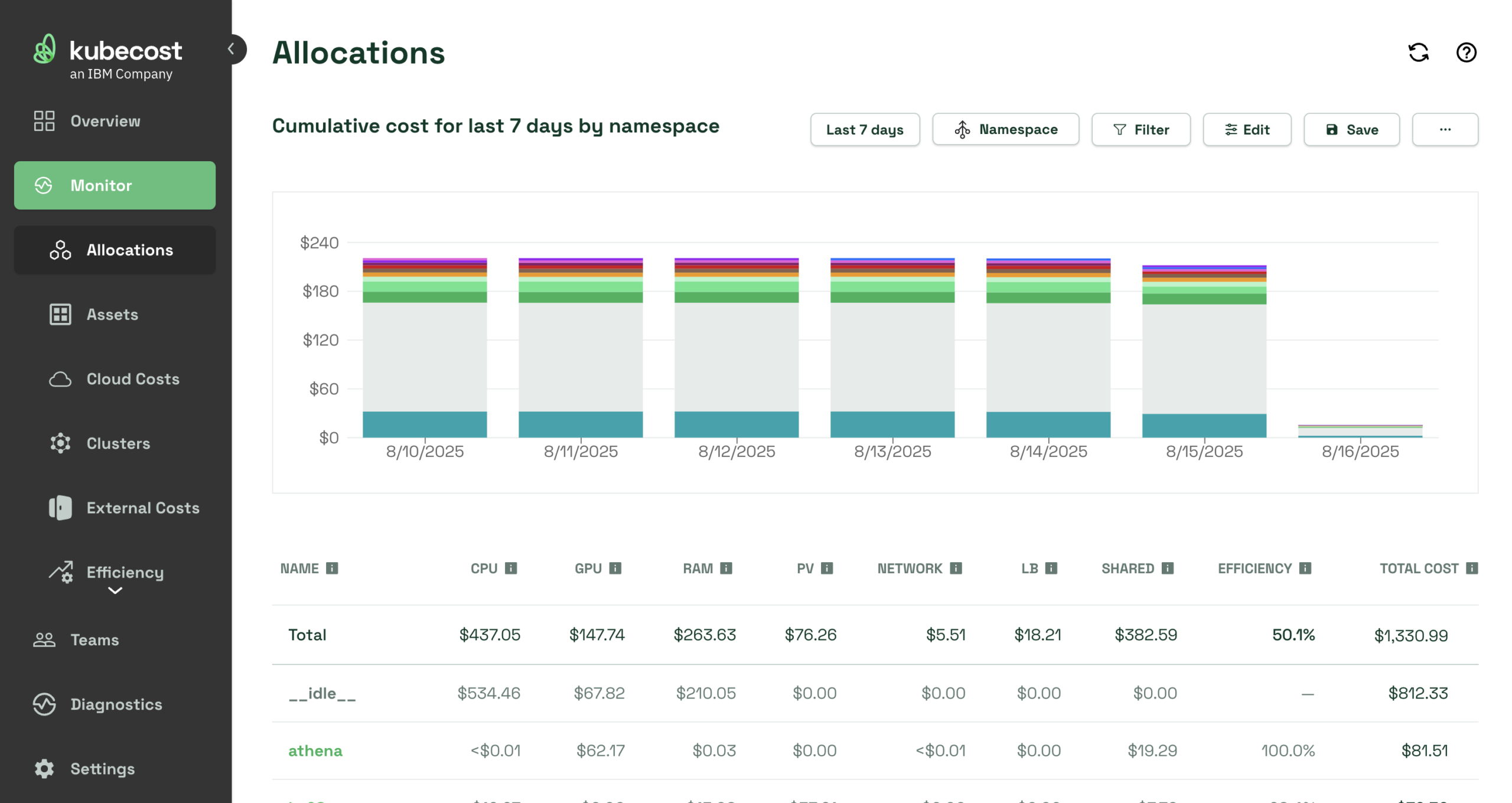
IBM Kubecost dashboard. Source: vendor-supplied product image.
Best for: Kubernetes cost allocation and optimization.
Cloud coverage: Kubernetes across clouds and hybrid environments.
IBM Kubecost measures Kubernetes spending across clusters, teams, namespaces, workloads, and shared resources. It supports cost allocation and reconciliation with cloud billing, plus recommendations and automation such as request sizing and namespace turndown.
The current Foundations tier is free for unlimited clusters up to 250 cores, with 15-day metric retention. Enterprise self-hosted and cloud options require a quote.
Kubecost is a useful starting point for Kubernetes showback and chargeback. Check which edition includes your required automation, retention, and access controls. Its Kubernetes focus means you may still need another system for organization-wide spending outside the clusters. Self-hosted deployments also require an owner for operation and upgrades.
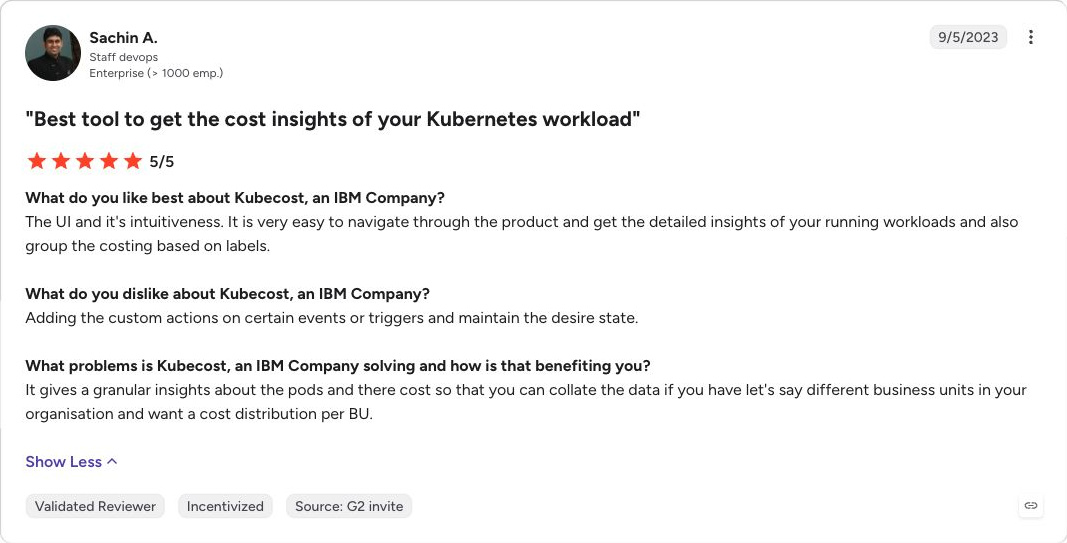
What users say
9. OpenCost
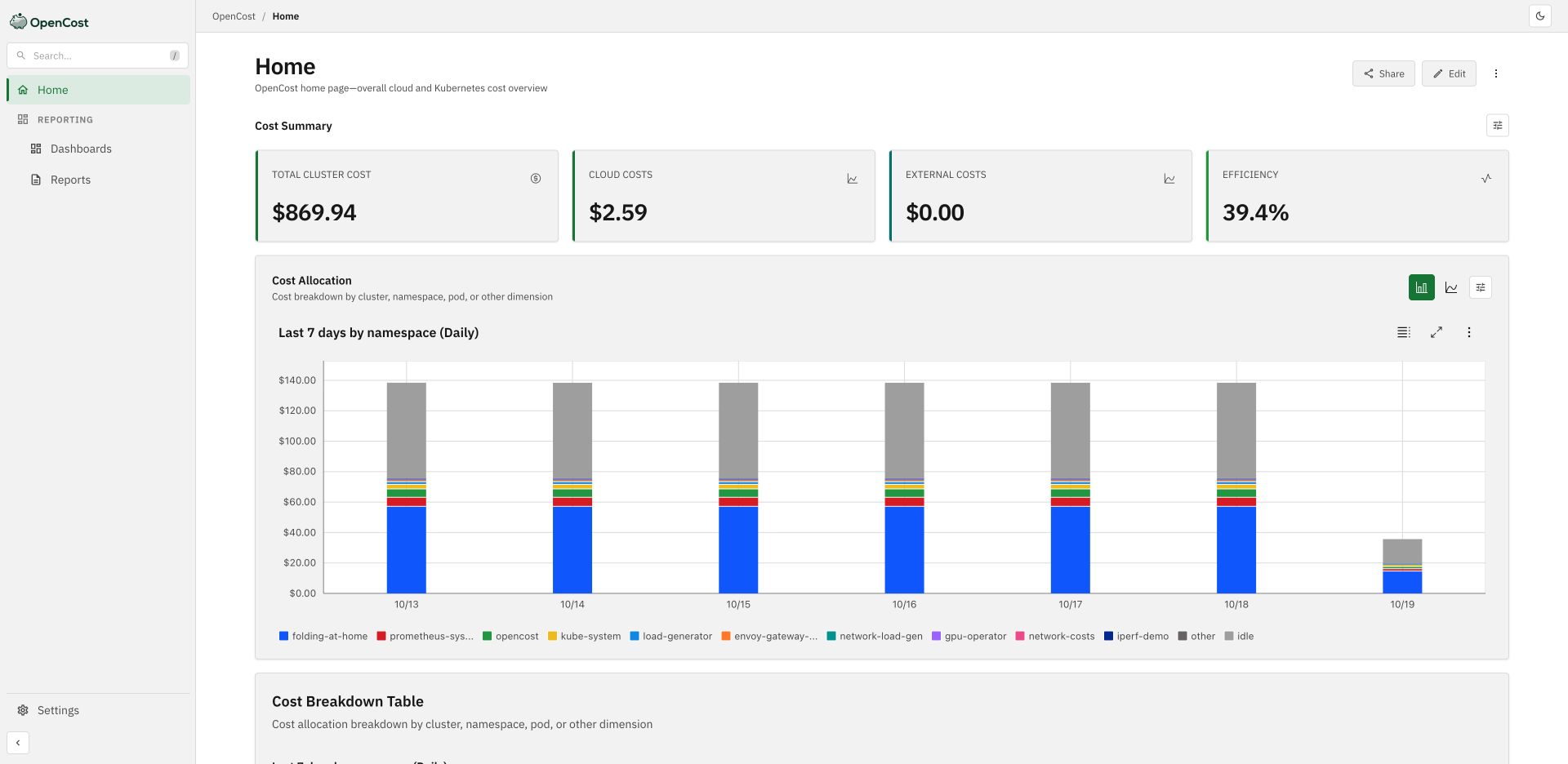
OpenCost dashboard from the official live demo, captured October 19, 2026.
Best for: Open source Kubernetes cost measurement.
Cloud coverage: Kubernetes; cloud billing integrations.
OpenCost is an open source project for measuring and allocating cloud native costs. It gives engineering teams a foundation for Kubernetes cost reporting that they can operate and integrate themselves.
The software is free, while collection, storage, dashboards, and maintenance consume infrastructure and engineering time. It fits teams that want control over their cost data and already have the skills to operate the supporting components.
OpenCost focuses on measurement and allocation. Plan separately for purchasing commitments, changing workloads, and coordinating approvals. Compare its total operating cost with a managed alternative before treating a zero license price as a zero-cost deployment.
10. CloudZero
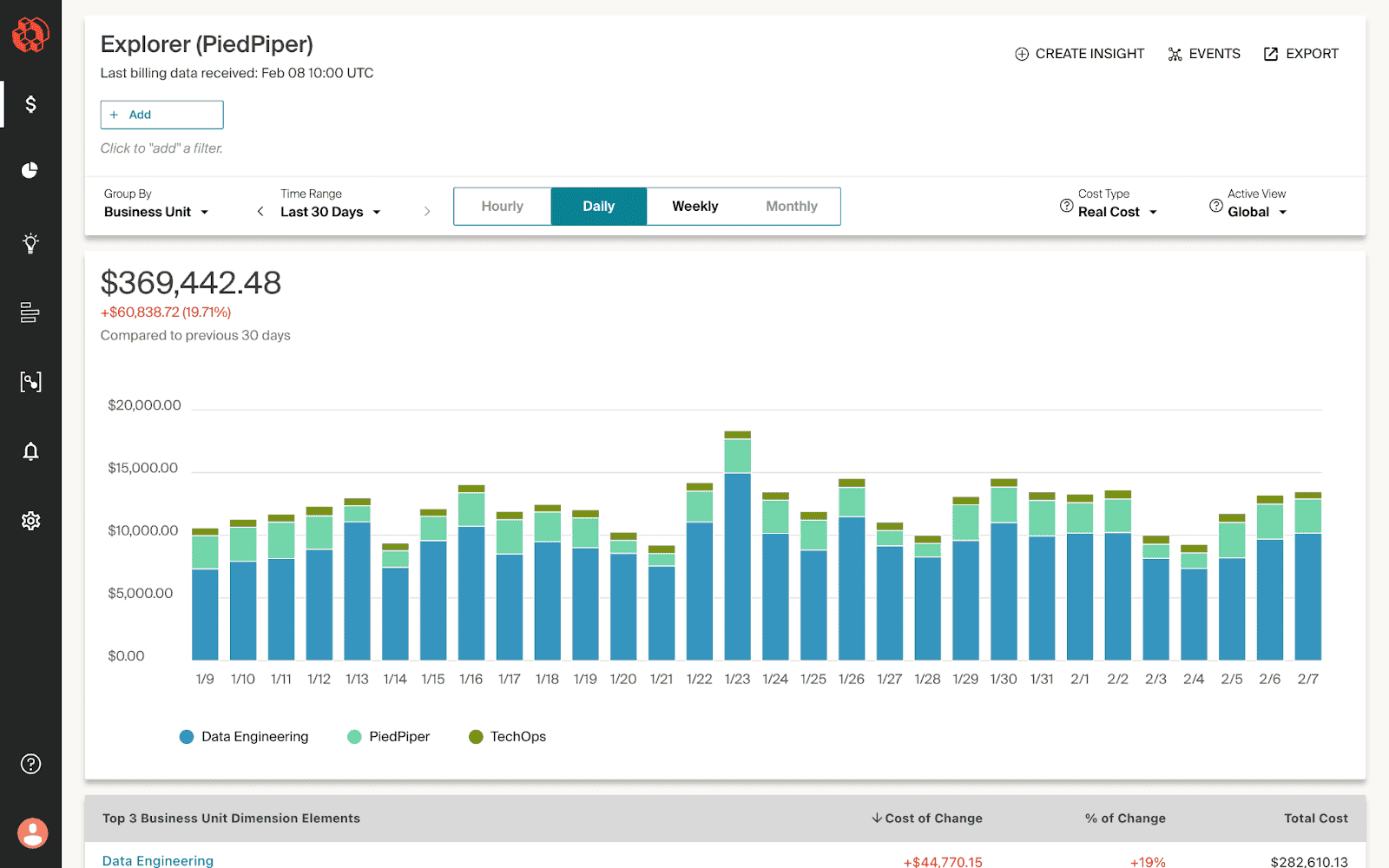
CloudZero dashboard example.
Best for: Cost per customer, product, or business activity.
Cloud coverage: AWS, Azure, Google Cloud, Kubernetes, and other integrations.
CloudZero is worth shortlisting when the business needs to understand cost per customer, product, feature, or unit of activity. Its integrations span AWS, Azure, Google Cloud, Kubernetes, and other technology providers.
CloudZero combines allocation with anomaly detection, planning, and optimization recommendations. Optimize adds prioritized recommendations and engineering workflows, including Jira and Slack integrations.
Pricing is a custom subscription quote. Bring a concrete allocation problem to the evaluation, such as splitting shared database costs between products, and ask for a demonstration using your data. Cost attribution needs business rules and ownership, while recommendation workflows need an implementation owner. Check the proposal for any execution or partner capabilities you expect to use.
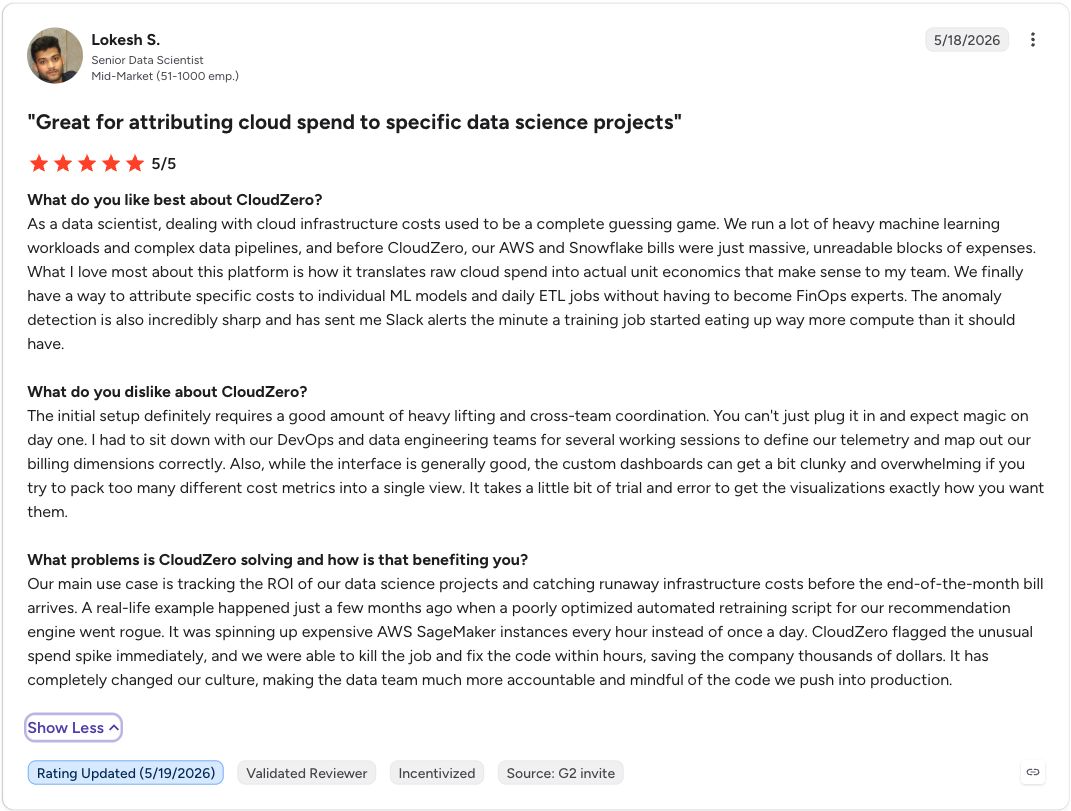
What users say
11. ProsperOps
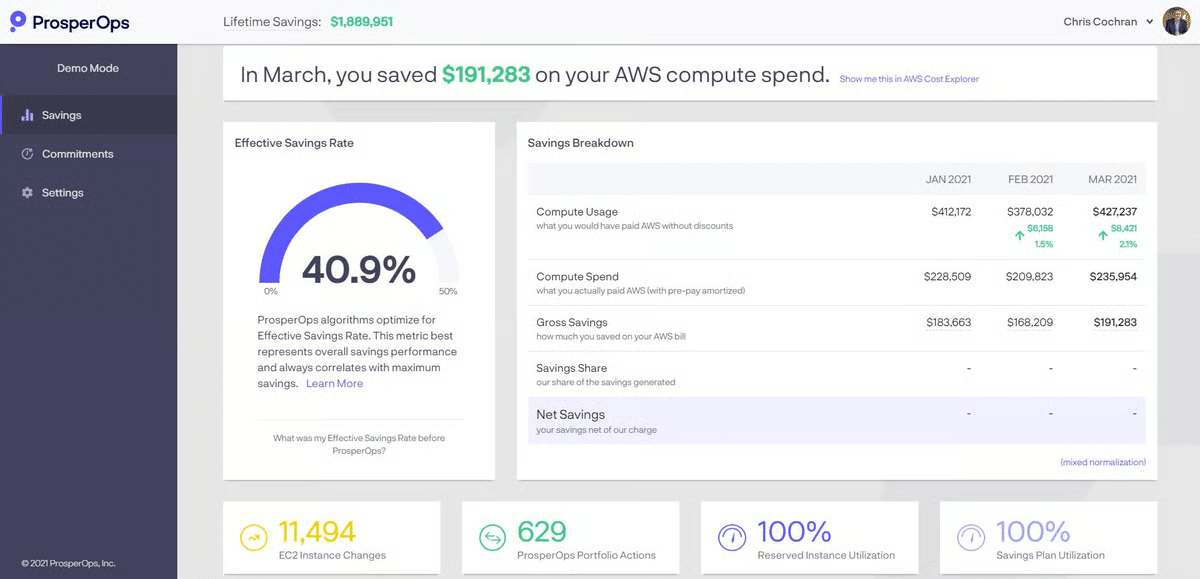
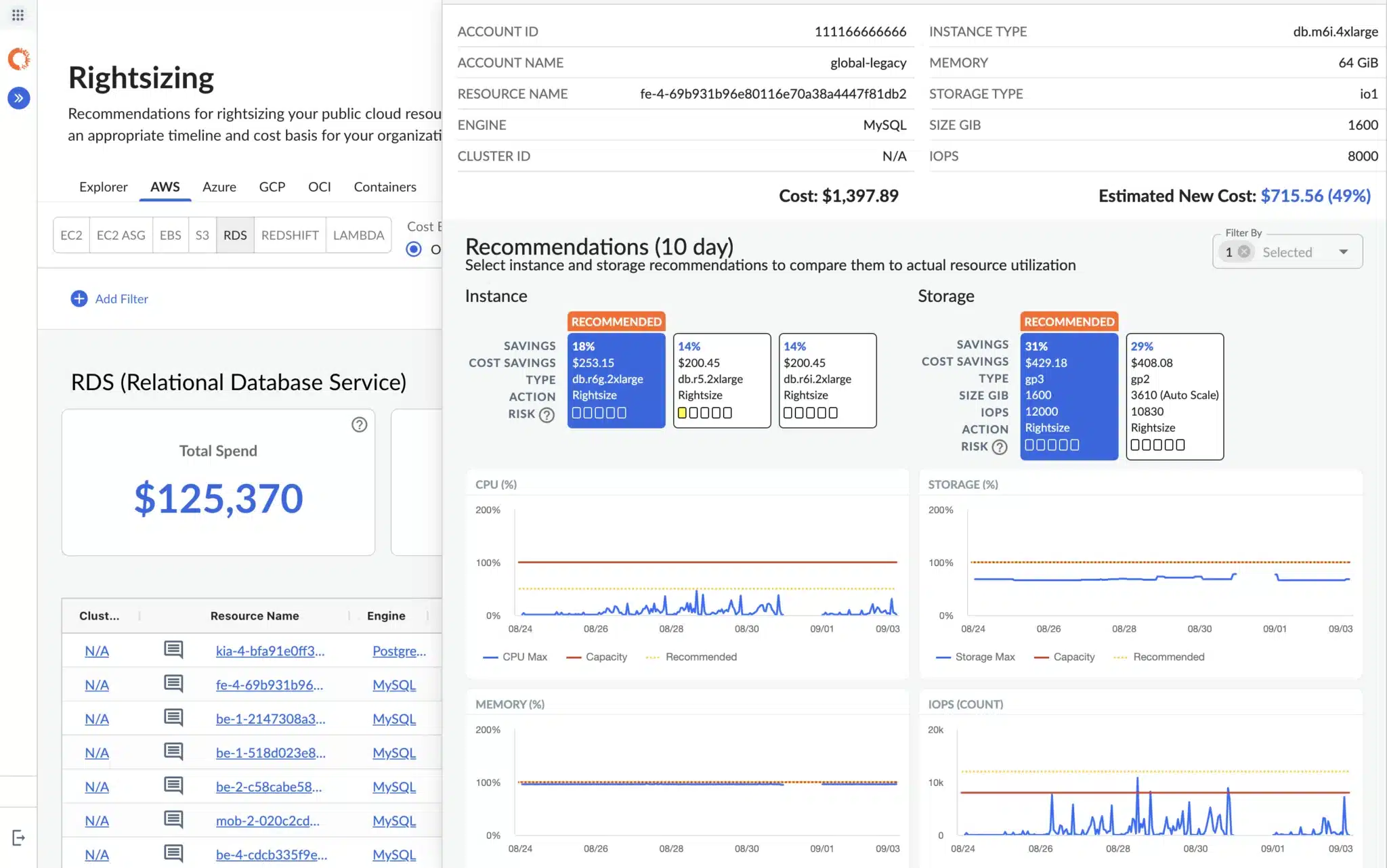
ProsperOps dashboard. Source: vendor-supplied product image.
Best for: Automated discount portfolio management.
Cloud coverage: AWS, Azure, Google Cloud; Scheduler availability differs.
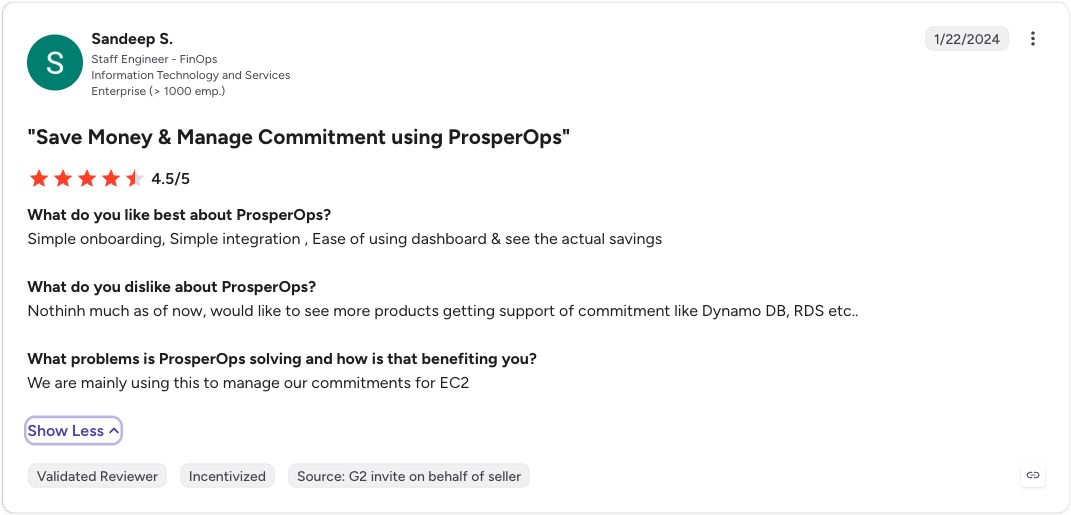
ProsperOps offers Autonomous Discount Management for AWS, Azure, and Google Cloud. It suits teams that want a service to manage discount coverage and adjust a commitment portfolio as usage changes.
Its pricing distinguishes discount management, charged through SavingsShare, from its resource management Scheduler, charged per managed resource. The published SavingsShare definition includes inherited savings. Compare that fee base with the savings you would retain without the service, and review exit terms.
Scheduler introduces resource start and stop actions that differ from discount purchasing. Confirm current cloud availability, selected products, and required permissions. For a closer comparison of commitment approaches, read Usage.ai vs ProsperOps.
What users say
12. IBM Cloudability
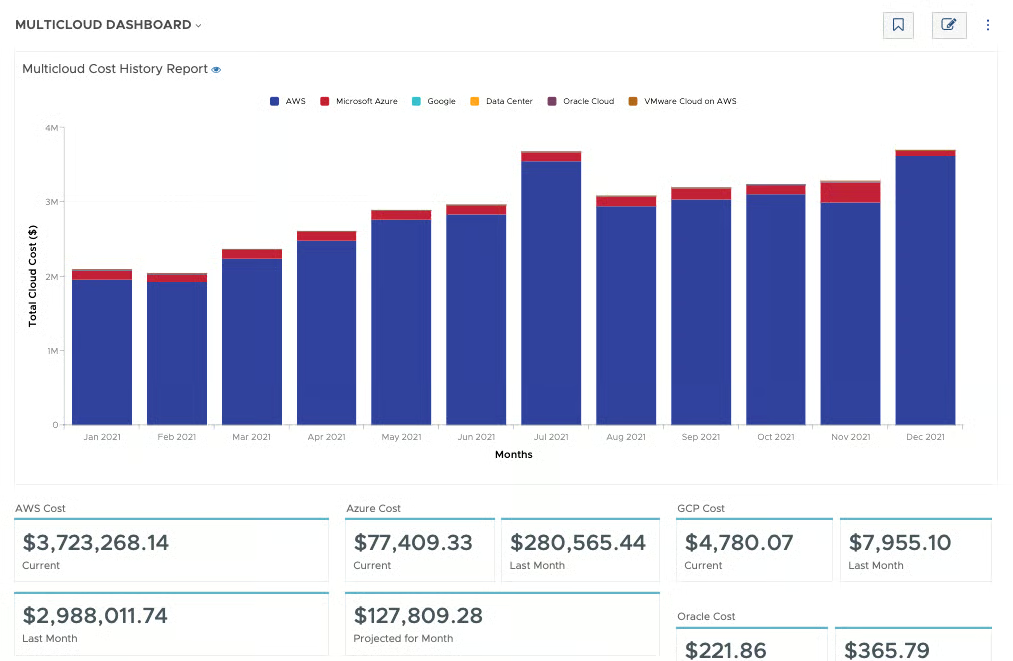
IBM Cloudability dashboard example.
Best for: Enterprise cloud financial management.
Cloud coverage: AWS, Azure, Google Cloud; additional integrations.
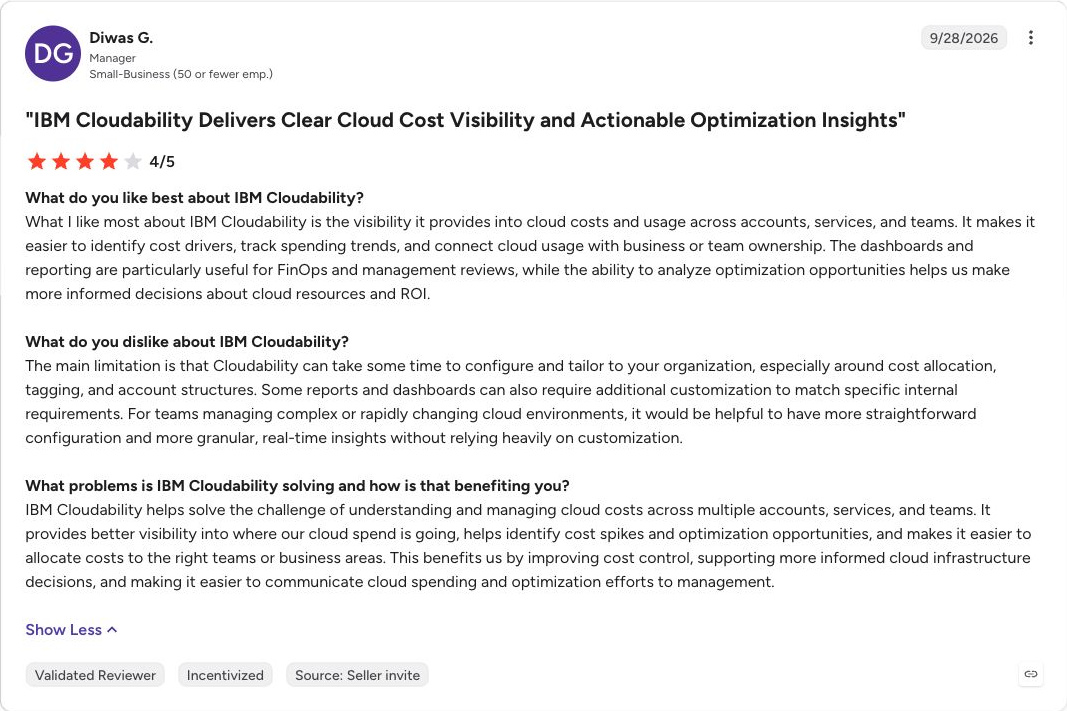
IBM Cloudability brings cost allocation, budgeting, forecasting, and optimization into enterprise cloud financial management. It supports AWS, Azure, and Google Cloud, with capabilities for container costs and broader technology spending through integrations.
It suits organizations that need consistent financial definitions across teams and cloud providers. The product family also includes Cloudability Savings Automation, so a comparison that describes Cloudability as reporting alone misses part of the offering.
Request pricing for the specific products and capabilities required. During evaluation, separate the core financial management requirements from commitment execution and Kubernetes automation. Confirm packaging, access, and implementation work for each. A single brand name does not establish that every capability is included in the proposed subscription.
What users say
13. CloudHealth
CloudHealth dashboard. Source: vendor-supplied product image.
Best for: Governance across accounts and customer estates.
Cloud coverage: AWS, Azure, Google Cloud.
CloudHealth is relevant for organizations and service providers managing governance across many cloud accounts. Its documentation covers policy-based governance for AWS, Azure, and Google Cloud, alongside reporting and recommendations.
Policies can include action workflows with authorizers and approvers. Evaluate the exact provider, resource type, and action you need, rather than assuming every policy can perform the same operation everywhere.
Request a sales or partner quote for your estate. A useful demonstration should cover cost grouping, a policy trigger, approval, and the resulting action or notification. Service providers should also evaluate customer reporting and billing requirements. Maintaining policies and account mappings remains part of operating the platform.
What users say
14. Vantage
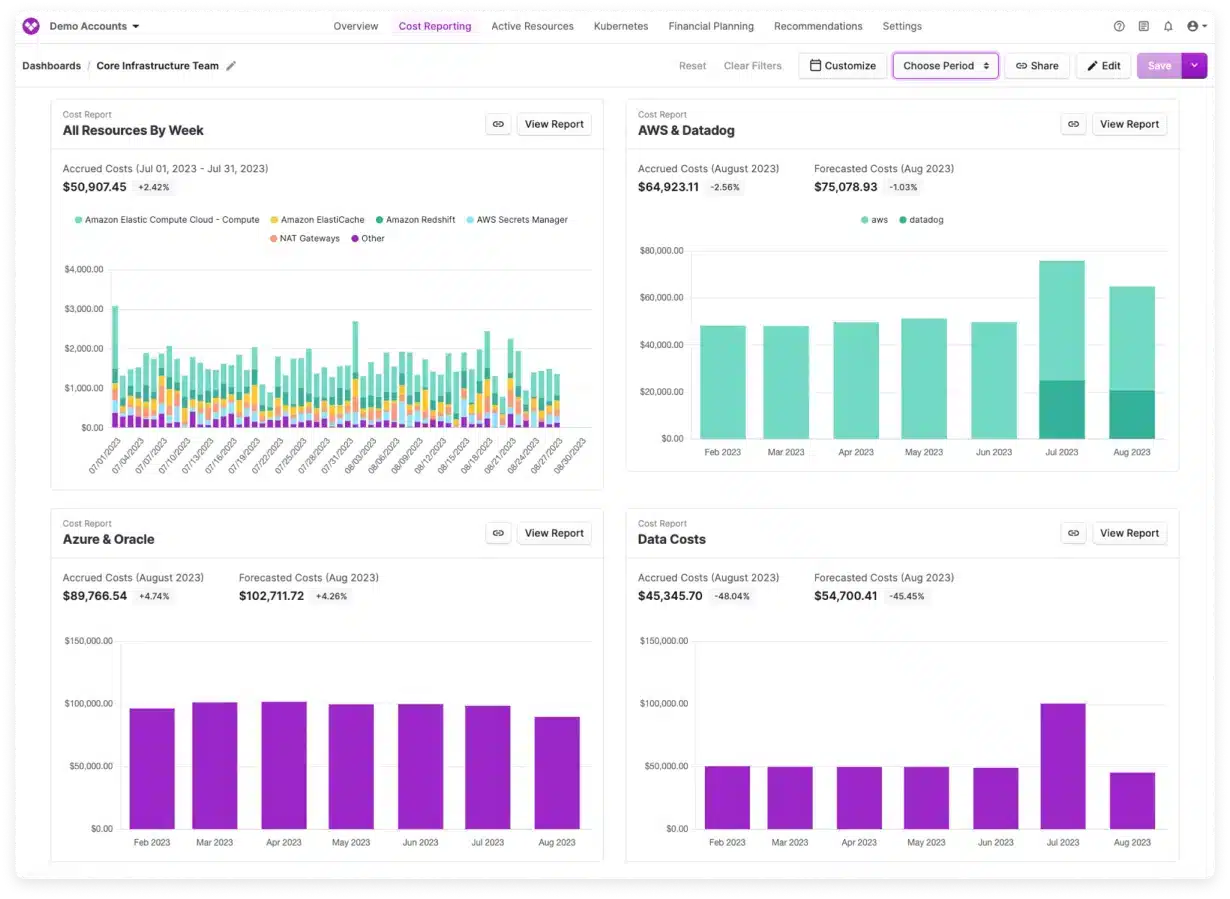
Vantage dashboard example.
Best for: Cost reporting with a published entry price.
Cloud coverage: AWS, Azure, Google Cloud, Kubernetes, AI, and SaaS integrations.
Vantage combines cost reporting, virtual tagging, budgets, and anomaly alerts across cloud, AI, SaaS, and Kubernetes integrations. Autopilot for AWS Savings Plans and an enterprise FinOps Agent extend its automation scope.
The published Starter tier is free up to $2,500 of tracked monthly cloud spend. Pro costs $30/month up to $7,500 of tracked spend, and Business costs $200/month up to $20,000. User limits apply; Enterprise uses custom pricing.
This makes Vantage an accessible reporting option to evaluate against a small live account. Check how spend growth changes the tier and confirm charges for automation features. Its broad reporting coverage should not be treated as equivalent commitment purchasing support across all connected providers.
What users say
15. Ternary
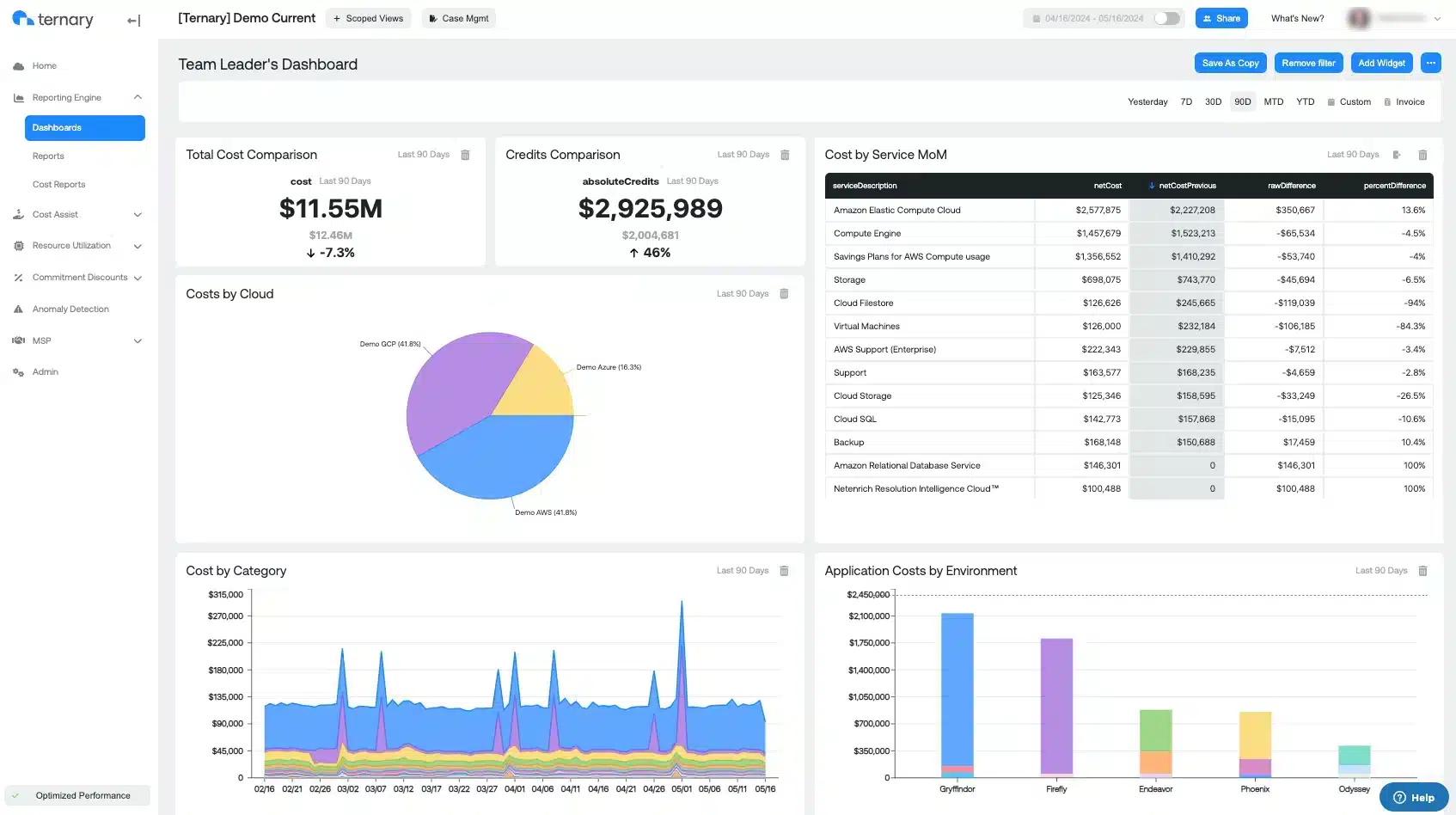
Ternary dashboard example.
Best for: Finance ownership of technology spending.
Cloud coverage: AWS, Azure, Google Cloud, OCI, and other data sources.
Ternary focuses on giving finance a usable view of technology spending. Its model covers cloud and other technology costs, with reporting and planning connected to financial ownership. Documented integrations include AWS, Azure, Google Cloud, OCI, and additional data sources.
Ternary is worth evaluating when finance needs to reconcile technology consumption with budgets and business responsibilities. It offers SaaS and self-hosted deployment options; request pricing for the required scope.
Use a pilot to test invoice reconciliation, shared costs, and the handoff between finance and engineering. Self-hosting adds infrastructure and operational responsibility. If automatic infrastructure changes are a requirement, evaluate that workflow explicitly instead of inferring it from the platform's reporting breadth.
16. Turbo360
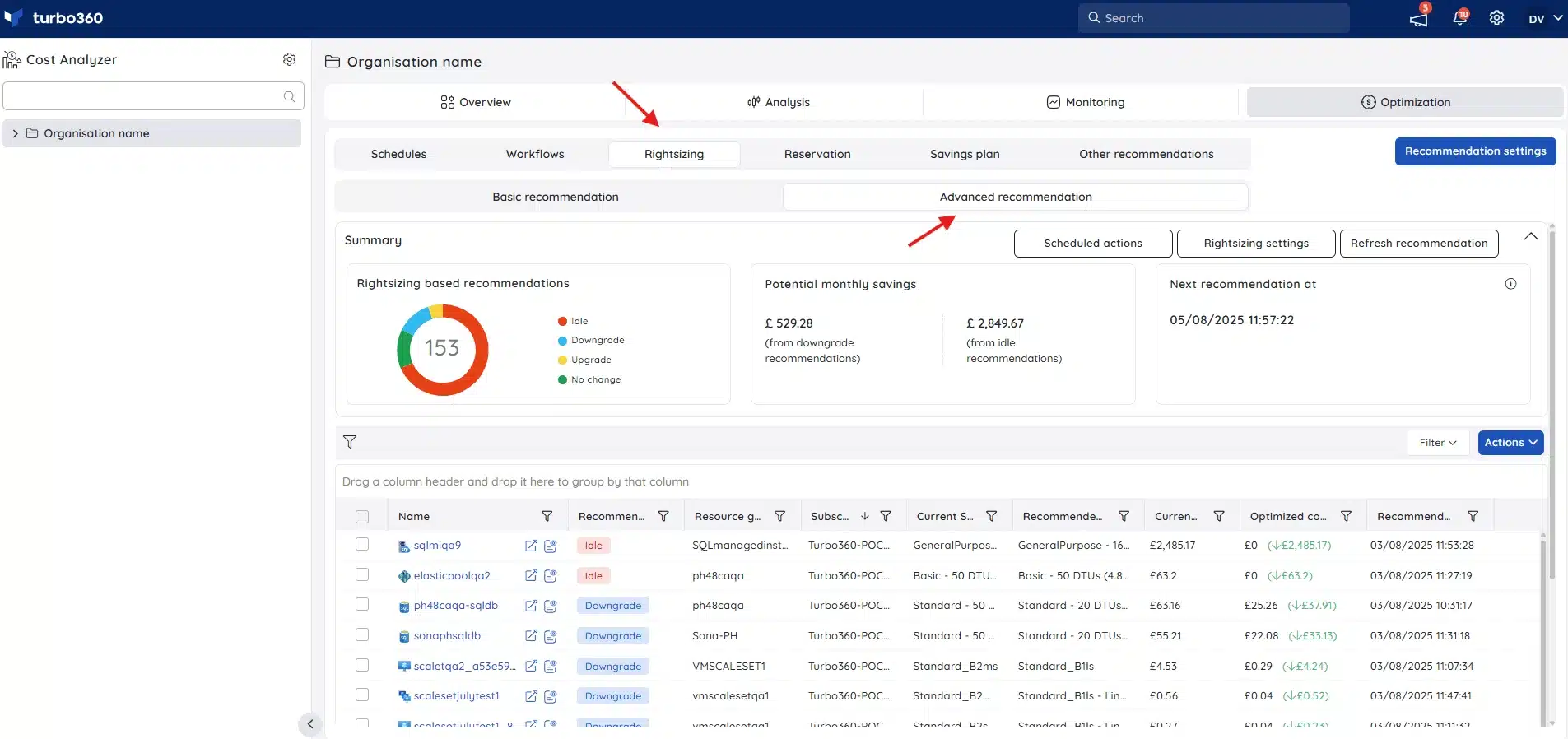
Turbo360 dashboard example.
Best for: Azure cost allocation and governance.
Cloud coverage: Azure.
Turbo360 focuses on Azure, with cost analysis, allocation, budgets, optimization insights, and reservation or savings-plan guidance. The broader platform also includes monitoring and documentation modules.
It fits teams whose main cost management problem sits inside Azure, including service providers managing customer estates. Commercial pricing depends on enabled modules and the number of subscriptions; service provider pricing follows a different model. The page advertises a starting price, but a scoped quote is more useful than treating it as a universal monthly rate.
Test reporting across your actual subscriptions and billing arrangements. Azure specialization is the main limitation for a multicloud program, which may still need a consolidated financial view elsewhere.
What users say
17. CoreStack FinOps
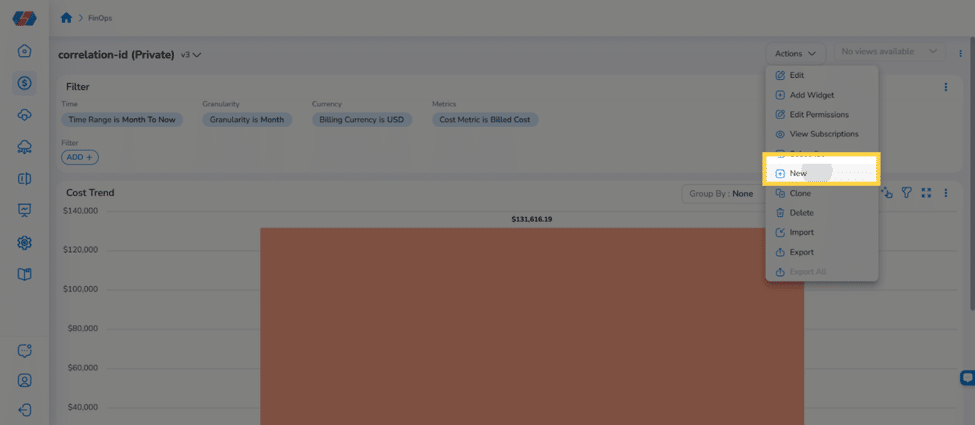
CoreStack FinOps dashboard with filters and Cost Trend. Source: CoreStack dashboard documentation.
Best for: Cost governance within a broader cloud governance platform.
Cloud coverage: AWS, Azure, Google Cloud; additional provider support varies by feature.
CoreStack combines FinOps with broader cloud governance. Its current documentation describes consolidated AWS, Azure, and Google Cloud cost visibility, allocation dimensions, and commitment portfolio analysis. Optimization policies have provider-specific coverage.
The Yotascale platform is now part of CoreStack. Teams evaluating an older Yotascale shortlist should request the current product scope and proposal instead of relying on historical standalone descriptions.
CoreStack is worth considering when cost governance needs to sit alongside other cloud controls. Request a quote and demonstrate the policies, approvals, and remediation required for your estate. Its own release notes show that provider support differs between capabilities, so confirm analysis and execution coverage separately.
What users say
Tools for engineering workflows and cost controls
These options help engineers see the cost of changes or apply controls through the systems they already use.
18. Infracost
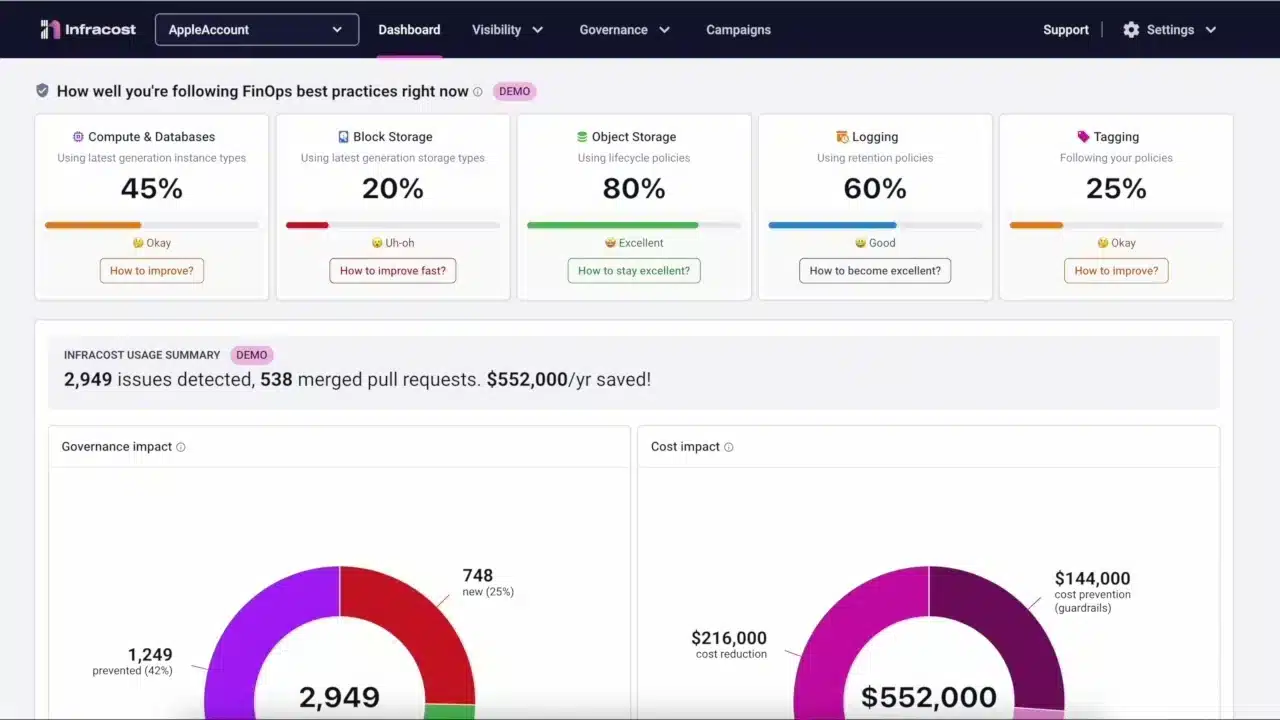
Infracost dashboard example.
Best for: Cost estimates before infrastructure deployment.
Cloud coverage: AWS, Azure, Google Cloud; supported infrastructure definitions.
Infracost estimates infrastructure costs before deployment. It supports AWS, Azure, and Google Cloud resources through supported infrastructure definitions, making it useful when engineers need cost feedback during review.
Its current pricing includes a free CI/CD tier with 1,000 runs per month, Starter at $250/month with 10,000 runs, and Cloud at $1,000/month, with separate enterprise pricing. Check seat and feature terms for the selected product.
Use it to catch expensive design changes and enforce cost policies before resources are created. Estimates still depend on usage assumptions, discounts, and supported resources. Infracost complements actual billing analysis; it does not replace invoice reconciliation or commitment portfolio management.
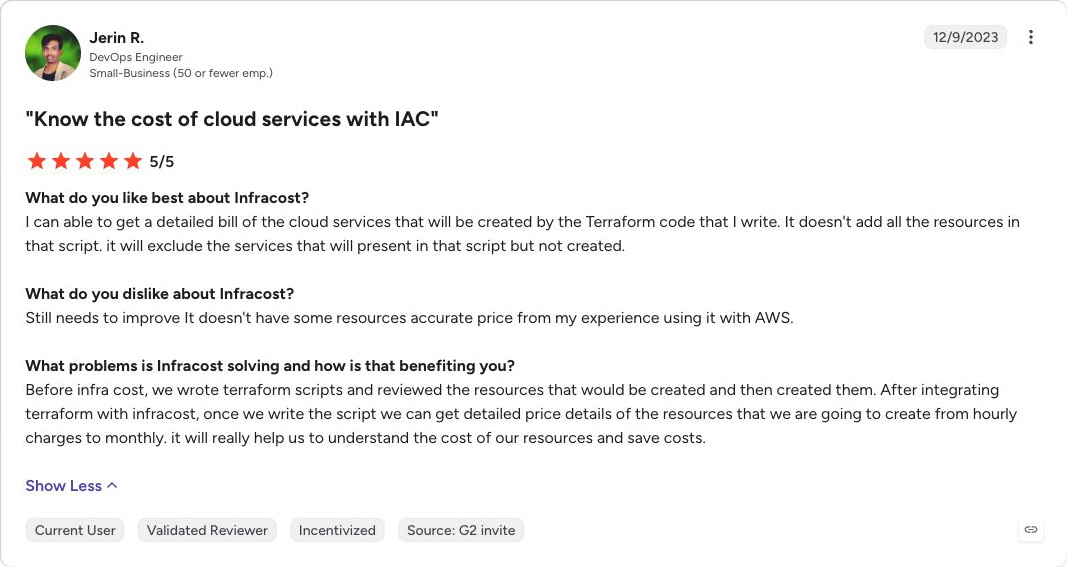
What users say
19. Harness Cloud AI Cost Management
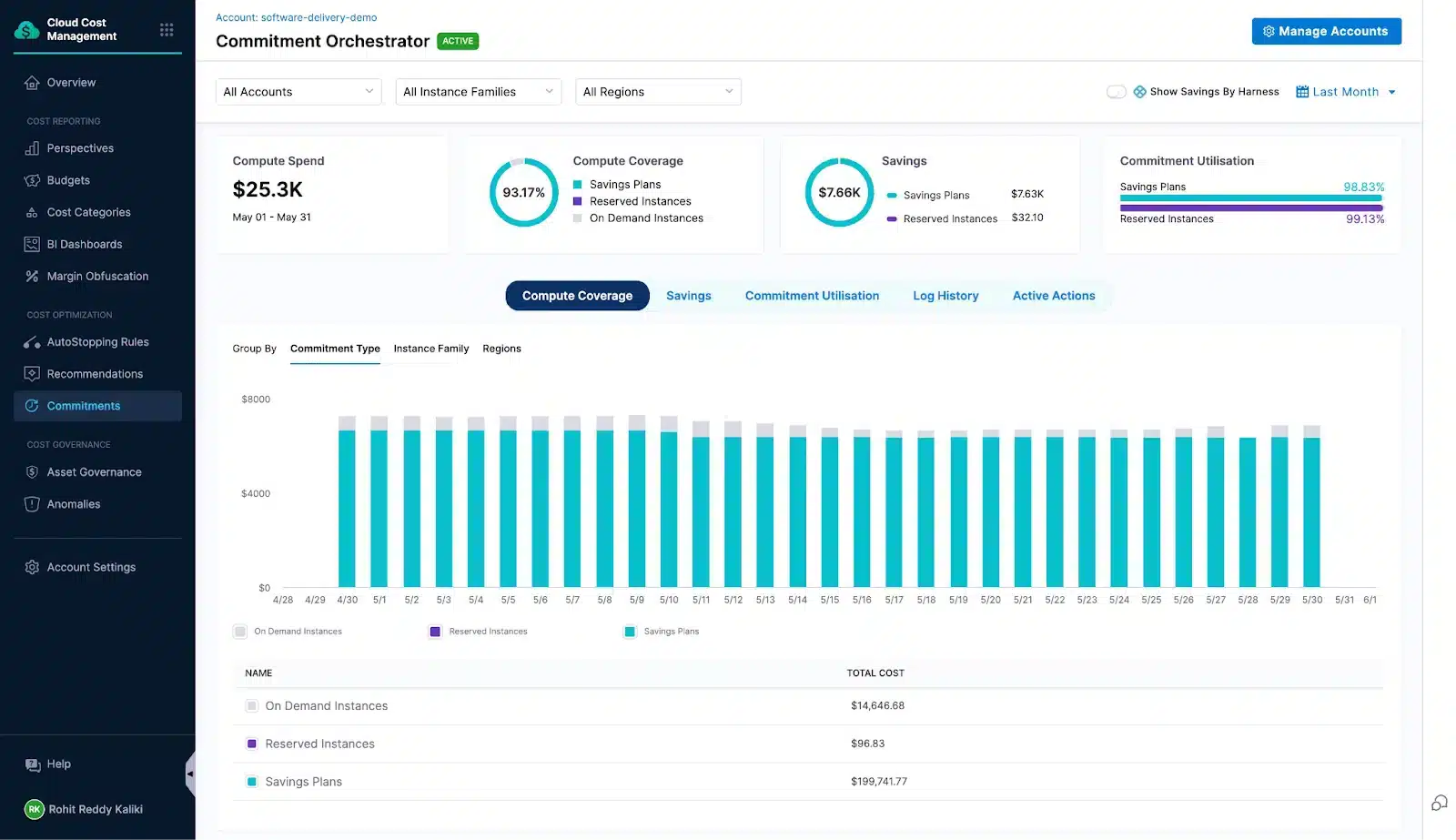
Harness dashboard example.
Best for: Cost controls connected to engineering workflows.
Cloud coverage: AWS, Azure, Google Cloud, Kubernetes, and AI integrations.
Harness combines cloud and AI cost visibility with execution capabilities. Its documented features include AutoStopping for idle workloads, commitment orchestration, Kubernetes cluster optimization, and cost governance across AWS, Azure, Google Cloud, and Kubernetes.
It is relevant when engineering teams want reporting, approvals, and optimization integrated into their operating workflows. Request a quote for the cost management capabilities you need; the general platform plans do not establish the price of every cost management scope.
Evaluate each action separately. Stopping a development workload, changing cluster capacity, and purchasing a commitment have different permissions and consequences. Confirm exclusions, restart behavior, approval rules, and audit records during the pilot.
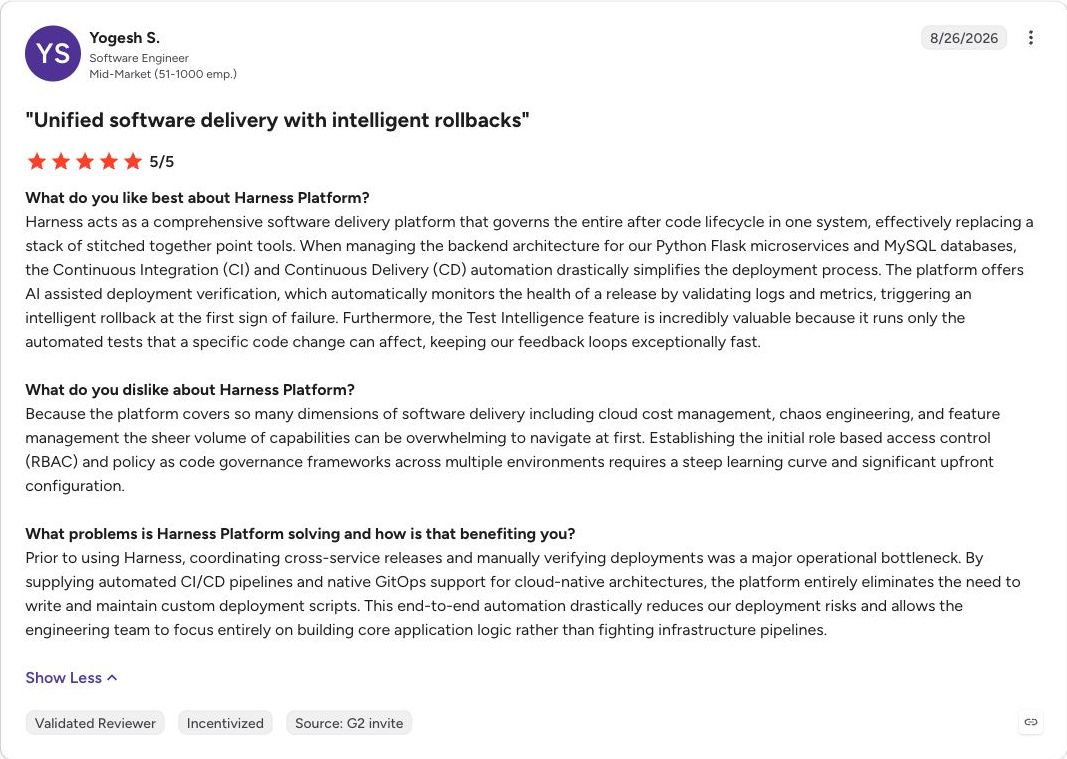
What users say
Platforms with managed FinOps support options
These vendors combine software with service options. Compare the specific product proposal with the amount of work your own team wants to retain.
20. CloudKeeper
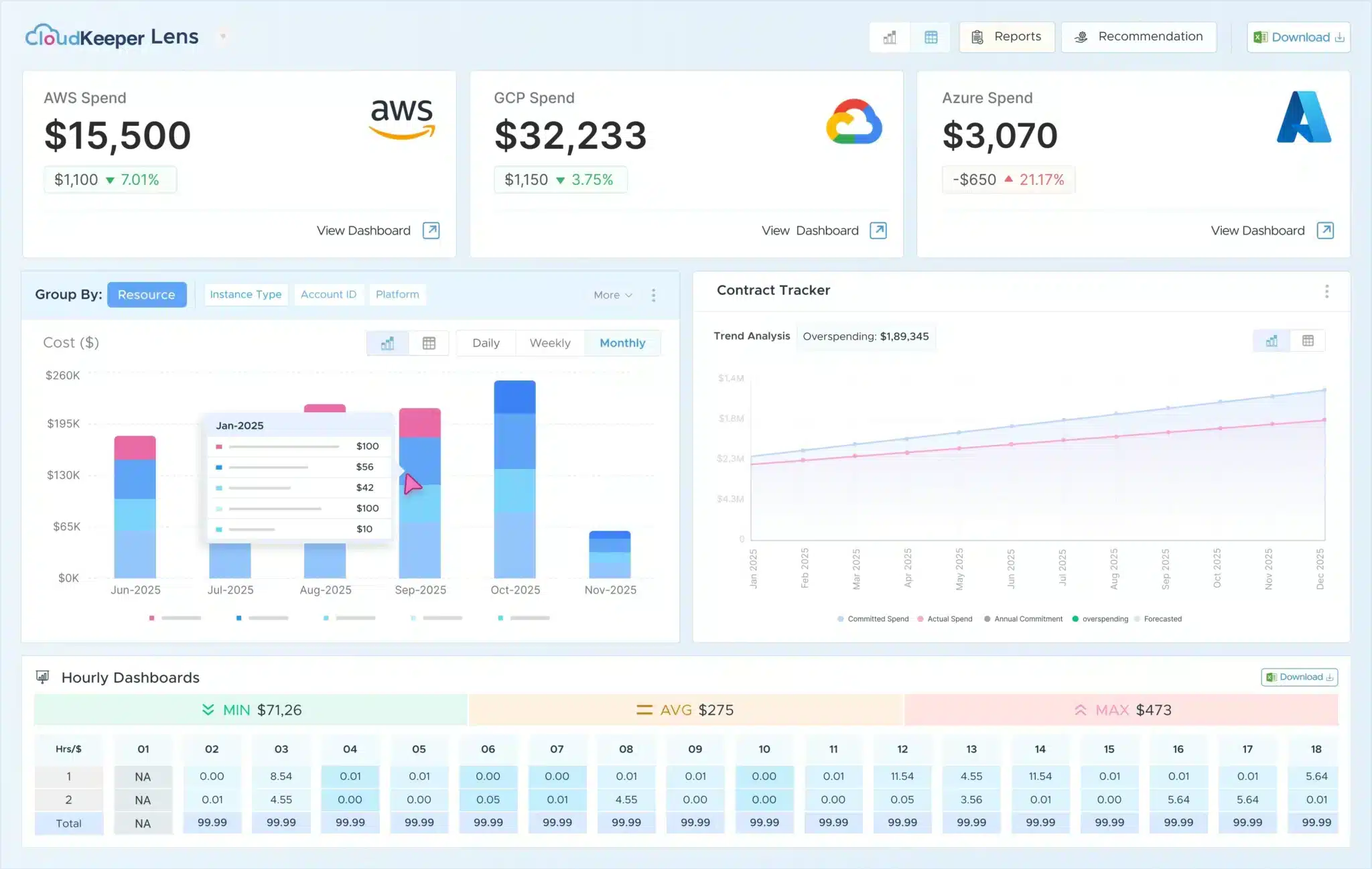
CloudKeeper dashboard example.
Best for: FinOps products with managed support options.
Cloud coverage: AWS and Google Cloud; Tuner and Commit have narrower scope.
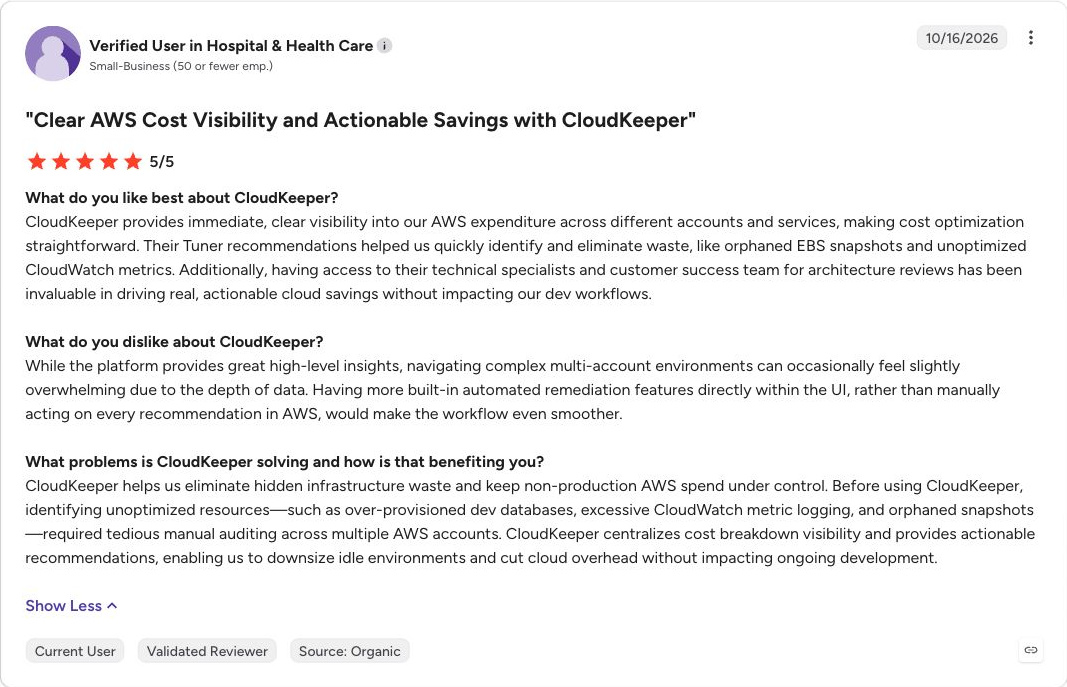
CloudKeeper offers separate products for cost visibility, usage optimization, and commitment management, alongside managed support options. Lens supports AWS and Google Cloud; the pricing FAQ identifies Tuner as AWS-focused, while Commit covers AWS RI management.
The published standalone prices are 2% of the monthly cloud bill for Lens, 2% for Tuner, and 18% of savings delivered for Commit. Package terms can differ, so compare a combined proposal with buying individual products.
It suits teams looking for tools and ongoing FinOps assistance. Confirm who implements recommendations, how savings are measured, and whether the selected commercial arrangement changes cloud billing or procurement responsibilities. Support across two clouds does not mean every product covers both.
What users say
21. DoiT
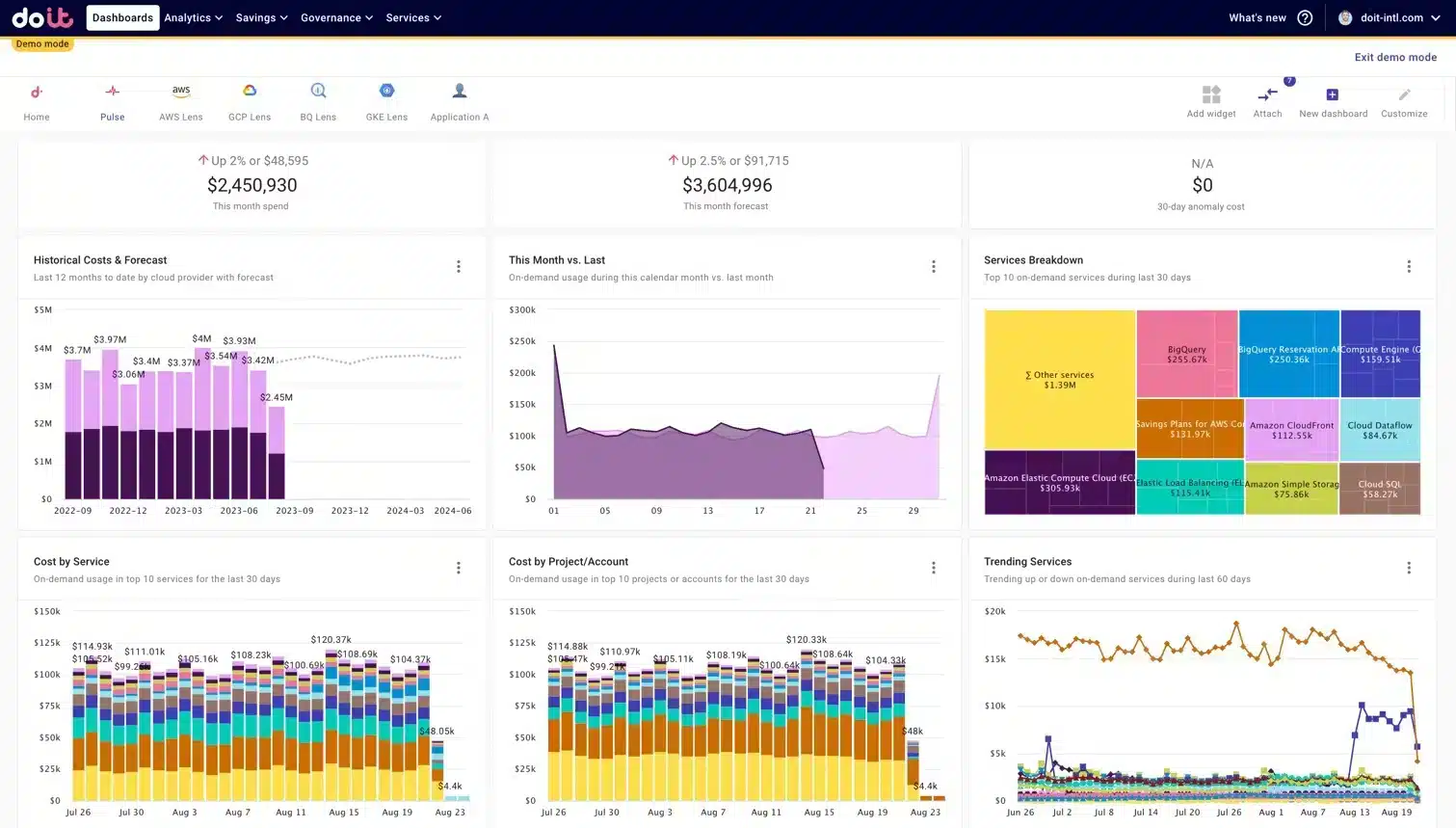
DoiT dashboard example.
Best for: Cloud intelligence with optimization products and expert support.
Cloud coverage: AWS, Azure, Google Cloud and other integrations.
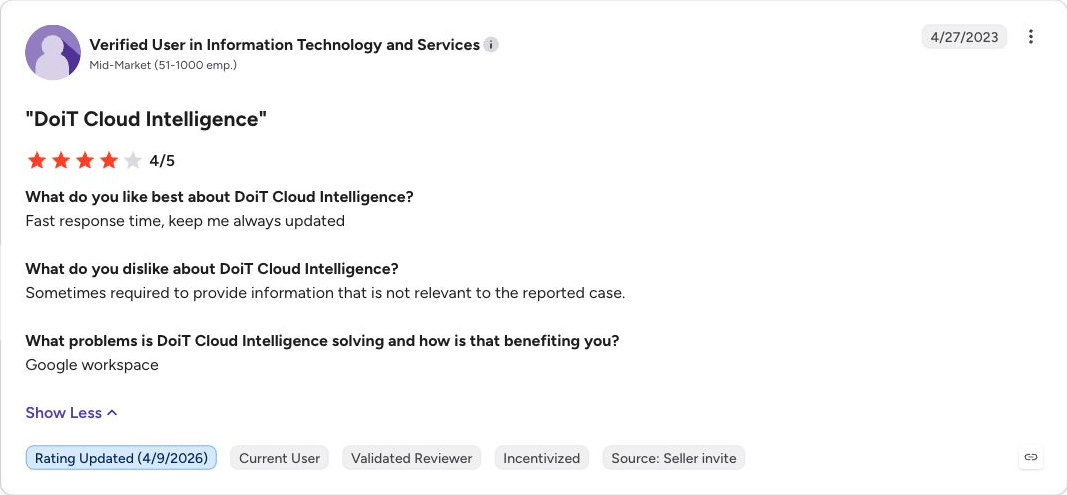
DoiT offers Cloud Intelligence for cost analysis and allocation, with workflow automation and separate optimization products. Its portfolio includes PerfectScale for commitments, Kubernetes, and data platforms, plus expert service options.
The current pricing page lists a free Cloud Intelligence Essentials option and bespoke Enhanced and Enterprise plans. Commitment optimization is quoted separately for AWS, Google Cloud, and Azure. Kubernetes optimization has its own plans.
DoiT is worth evaluating when a team wants a combination of software, optimization, and cloud expertise. Define which products and service deliverables the quote includes. Runtime attribution, billing ingestion, commitment purchases, and cluster changes have different integration requirements, so evaluate access and deployment for the selected components.
What users say
How we compared these tools
We reviewed official product pages, pricing pages, and technical documentation for cloud coverage, supported actions, deployment requirements, commercial structure, and limitations. This is a documentation-based comparison, not a benchmark from testing all 21 products in the same environment. The profiles explain each tool’s main buying use case; their position is not a universal performance ranking.
Cloud coverage describes the product family, not identical support for every service or action. Prices reflect the linked vendor pages on the review date. A quote is needed where there is no comparable public price for the scope shown. Free tiers and paid plans can have different capabilities.
Screenshots illustrate product interfaces. The values shown are not a standardized benchmark or evidence of comparative savings.
We distinguish between collecting billing data, generating recommendations, routing work for approval, and executing purchases or infrastructure changes. A product can support several of these stages, sometimes through separately priced modules.
“Best fit” reflects our assessment of the documented capabilities. Confirm your services, negotiated cloud rates, access requirements, and contract terms during a pilot.
Cloud cost management tools vs cloud cost optimization tools
Cloud cost management covers the financial work around cloud spending: allocation, budgets, forecasting, reporting, and accountability. Cloud cost optimization focuses on improving the economics of what you run and how you buy it.
There is substantial overlap. Several management platforms also execute optimization actions, and some optimization products include reporting and allocation. Compare the specific capability you need instead of deciding from the category name alone.
For example, a finance team may need reliable product-level chargeback, while an infrastructure team needs to reduce oversized Kubernetes requests. A commitment manager addresses a different issue: paying a lower rate for usage that supports commitment discounts and that the business expects to keep running. Our guide to cloud cost management vs. cloud cost optimization explains the distinction in more detail.
Best cloud cost management tools for allocation, budgeting, and reporting
Start with the reporting problem you need to solve. A finance team reconciling shared costs needs a different evaluation from a platform team investigating a spending spike. This shortlist links to the full profiles and pricing notes in this guide.
- For enterprise budgets and forecasts, evaluate IBM Cloudability. Test how its planning workflows connect spending with cost ownership across teams.
- For finance-led technology cost reporting, evaluate Ternary. Check how it brings cloud bills into your financial model.
- For shared cost allocation across cloud, AI, and SaaS, consider Finout. Test its virtual allocation rules against a shared service in your own environment.
- For cost per customer, product, or feature, consider CloudZero. Bring the business metric you want to measure alongside your billing data.
- For cost reports, virtual tags, budgets, and anomaly alerts, evaluate Vantage. Check the tracked-spend and user limits of the plan you need.
- For policy-based governance across many cloud accounts, evaluate CloudHealth. Confirm the actions and approval workflows supported for your cloud providers.
- For Azure cost allocation, budgets, and governance, consider Turbo360. Test reporting across your actual subscriptions and billing arrangements.
During a pilot, reconcile a reporting period with your cloud bill and check how the platform assigns shared costs. Compare a forecast with actual spending, and confirm which reports and alerts the quoted package includes.
If costs are already allocated and your steady usage is still billed at on-demand rates, review our cloud optimization profile alongside your reporting platform.
How to choose a cloud cost optimization tool
Identify the source of the cost problem
Start with a bill and a workload inventory. If usage supports commitment discounts and is stable but discount coverage is low, evaluate commitment management. If capacity is oversized or idle, evaluate resource optimization. If nobody can explain which product owns the bill, fix allocation and accountability.
Many teams need more than one capability. Assign a clear owner to each purchasing or infrastructure action so two products do not compete to optimize the same resource. Our cloud cost optimization guide covers the wider operating process.
Check services and actions, not just cloud logos
Ask vendors to map your largest cost categories to supported features. A platform may ingest the entire bill while optimizing only a subset. Kubernetes monitoring, pod rightsizing, node scaling, and commitment purchasing are separate capabilities.
Require a demonstration of one complete workflow using a representative resource: detection, owner assignment, approval, execution, and verification. Record any step your team must perform manually.
Separate analysis access from execution authority
Billing read access lets a tool analyze spending. Buying Savings Plans or reservations requires financial authority. Stopping instances, resizing resources, and changing cluster configuration require additional operational access.
Agree on who can approve each action, which environments are excluded, and how to stop automation. For infrastructure changes, test recovery and performance under representative load. For purchases, test limits on term length, coverage, and commitment amount.
Compare the full commercial model
Request a written calculation showing the monitored spend, measured savings, fee base, and included products. A percentage of savings can apply to a different number from a percentage of total cloud spend. A fixed subscription can still grow when your tracked spend or product scope changes.
Include data collection and storage costs, implementation work, and the engineering time needed to act on recommendations. Ask whether a savings fee includes benefits from commitments you already owned. For commitment programs, review remaining obligations and fees when the service ends.
Measure realized net savings
Potential savings are an opportunity estimate. Validate the outcome against an agreed baseline, adjusting for changes in usage, negotiated rates, and workloads. Check that two recommendations do not count the same saving twice.
An illustrative monthly calculation is:
| Item | Amount |
|---|---|
| Measured gross savings against the agreed baseline | $10,000 |
| Tool or service fee | $2,000 |
| Additional operating cost | $500 |
| Net savings retained | $7,500 |
These figures are an example, not a Usage.ai price or savings forecast. Include any commitment losses and one-time implementation costs in the evaluation period as well.
Test what happens when usage falls
Model a workload shutdown, migration, and material decline in demand before approving new commitments. Determine which commitments remain payable, who bears the loss, and whether any protection applies.
If a proposal includes reimbursement or protection, check coverage, exclusions, calculation method, payout timing, and what happens after cancellation. Financial protection and the ability to cancel the underlying cloud commitment are different contractual questions.
Free cloud cost tools vs paid platforms
Built-in tools provide a useful baseline before buying another platform:
- AWS: Use Cost Explorer to investigate spending and Cost Optimization Hub to review optimization opportunities. Account for Cost Explorer API and hourly data charges when building additional reporting.
- Azure: Microsoft Cost Management is available at no additional cost and provides cost analysis, budgets, allocation, and reporting. Azure Advisor adds optimization recommendations.
- Google Cloud: Cost Management includes reporting, budgets, and optimization recommendations at no additional charge. Supporting services such as BigQuery and Cloud Storage can still incur charges.
Native tools may be sufficient when their reporting meets your needs and your team can implement the actions. A paid platform becomes easier to justify when it solves a measurable gap, such as shared cost allocation across providers, continuous execution, or managing a discount portfolio with less ongoing work.
OpenCost, IBM Kubecost Foundations, Vantage Starter, and Infracost's free CI/CD tier provide other entry points for their respective use cases. Their free scopes differ, and the team still needs to own deployment, interpretation, and action where those tasks are not included.
Frequently asked questions
What is a cloud cost optimization tool?
A cloud cost optimization tool helps reduce the cost of delivering cloud workloads. It may improve purchase rates, identify waste, change resource configuration, or bring cost checks into development. Some tools generate recommendations; others also execute actions.
How do cloud cost management tools differ from optimization tools?
Management tools organize the financial work around spending, including allocation, budgets, forecasts, and reporting. Optimization tools improve rates or resource efficiency. Many platforms offer both, so compare the features and execution scope of the proposed package.
Which cloud cost optimization tools support multiple clouds?
Options in this comparison span different multicloud jobs. We support AWS, Azure, and Google Cloud with commitment management and rightsizing recommendations. nOps and ProsperOps also offer commitment management across all three clouds. Platforms such as CloudZero and Finout consolidate several providers for cost analysis. Verify support for each service and action instead of treating multicloud visibility as identical optimization coverage.
Do these tools recommend changes or execute them?
Both models exist. Execution may involve buying a commitment, stopping an idle workload, changing Kubernetes resource settings, or applying a governance rule. Ask for a demonstration of the exact action, approval path, permissions, and audit record you intend to use.
How should I compare tool fees with net savings?
Subtract the fee, implementation and operating costs, and any commitment losses from measured savings over the same period. Use the same baseline for each proposal and distinguish existing discounts from additional savings delivered by the tool. Also compare the work each vendor expects your team to perform.
What happens if committed usage falls?
The commitment may continue to incur charges even when usage falls. The result depends on the cloud instrument and the vendor agreement. Review remaining obligations and any protection terms before purchasing. We include Cashback protection with every Flex Commitment we buy and manage, helping cover losses when its cost exceeds equivalent on-demand usage. Our program terms define the calculation and payout timing.
Let us find your next cloud savings opportunity
We help you find savings across AWS, Azure, and Google Cloud, from rightsizing recommendations to predictive commitment purchasing. Bring us your cloud cost goals, and we will show you how our automation and Cashback protection work together.
You can estimate your AWS savings as an initial step. For a personalized assessment, we review your billing and usage data and walk you through the opportunities we find.
See how we combine predictive purchasing, rightsizing recommendations, and Cashback protection across your clouds.
No cloud connection needed