.png)


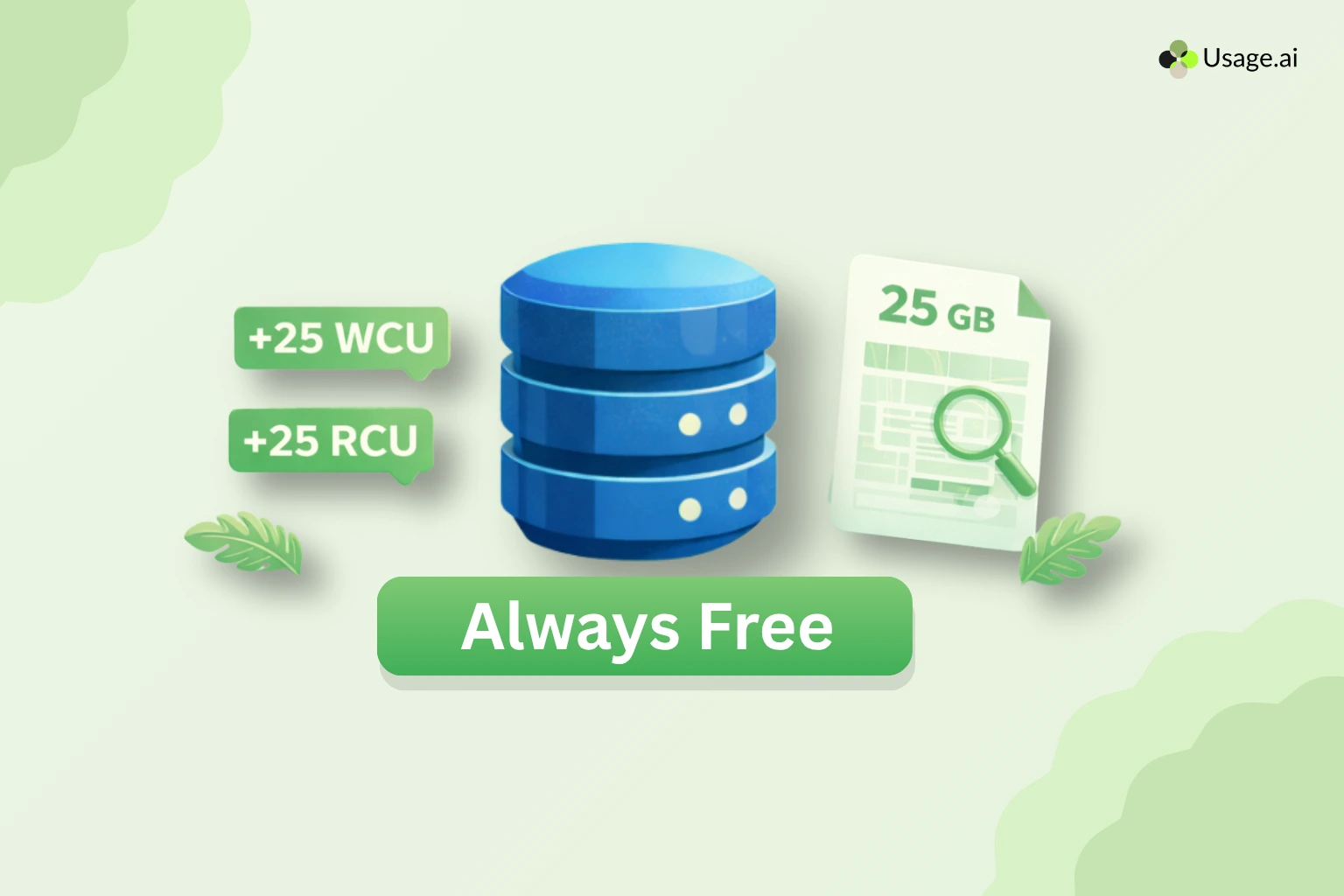
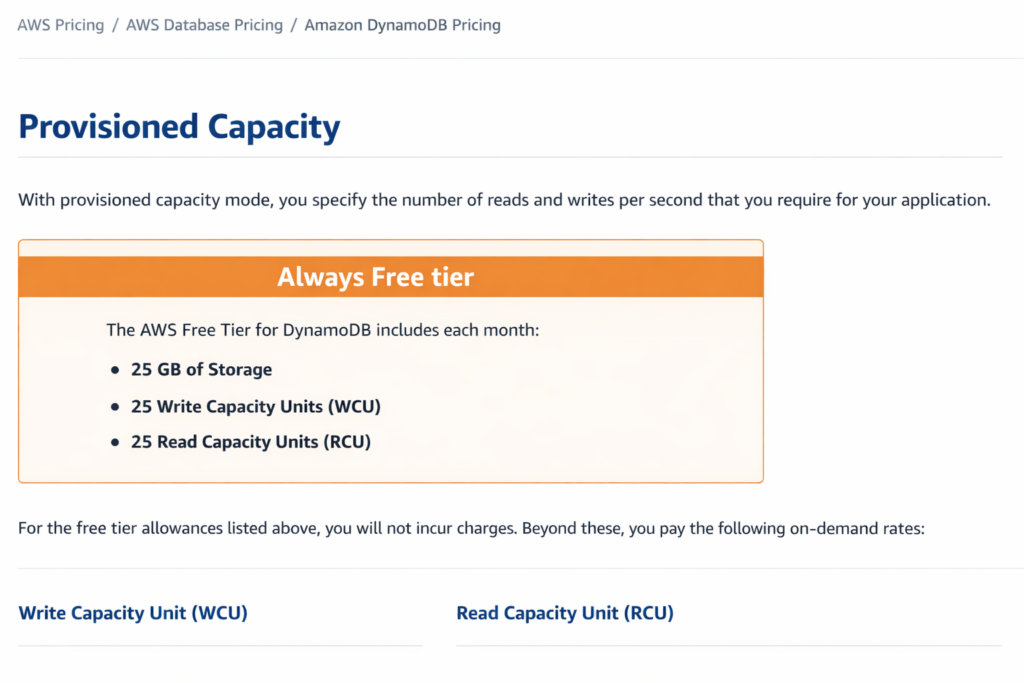
Amazon DynamoDB provides an Always Free tier that does not expire after 12 months: 25 GB of standard table class storage, 25 provisioned Write Capacity Units (WCU), and 25 provisioned Read Capacity Units (RCU) per month (verify at aws.amazon.com/dynamodb/pricing — rates change).
These allowances are shared across all DynamoDB tables in a single AWS account within a given region. At full utilization, 25 WCU and 25 RCU support approximately 200 million requests per month, assuming 1 KB items and eventually consistent reads. The free tier applies only to provisioned capacity mode — on-demand tables are charged per request from the first read or write.
What Exactly Does the DynamoDB Always Free Tier Include?
The DynamoDB Always Free tier is a permanent monthly allowance that applies to every AWS account, not just new ones. Unlike the 12-month AWS Free Tier (which covers services like EC2 and S3 for new accounts only), the DynamoDB free tier has no expiration date. Here is the complete breakdown of what is included.
| Resource | Monthly Free Allowance | Scope |
| Table Storage (Standard class) | 25 GB | Per account, per region |
| Write Capacity Units (WCU) | 25 WCU | Provisioned mode tables only |
| Read Capacity Units (RCU) | 25 RCU | Provisioned mode tables only |
| DynamoDB Streams Read Requests | 2.5 million reads | Per account, per region |
| Data Transfer Out (to internet) | 1 GB | Aggregated across all AWS services |
| Global Tables (replicated WCU) | 25 rWCU (2 regions) | Provisioned mode only |
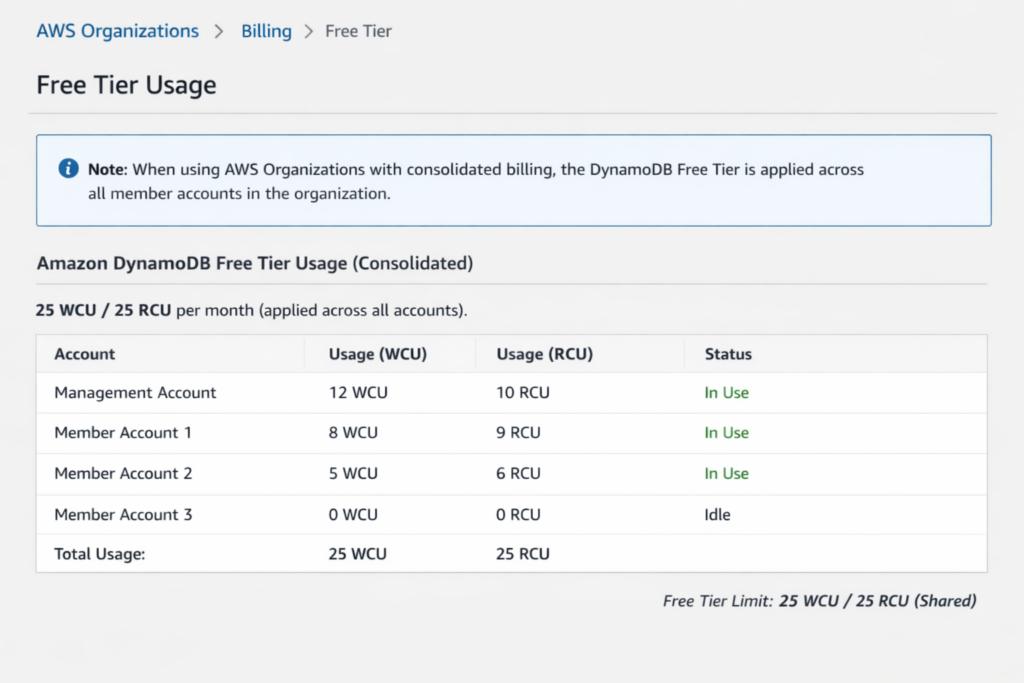
One detail that trips up new users: the 25 WCU and 25 RCU allowance is shared across all provisioned-mode DynamoDB tables in your account within a single region. If you have three tables each provisioned at 10 WCU, your total provisioned capacity is 30 WCU, meaning 5 WCU are billed at the standard rate.
How Many Requests Per Month Does the Free Tier Actually Support?
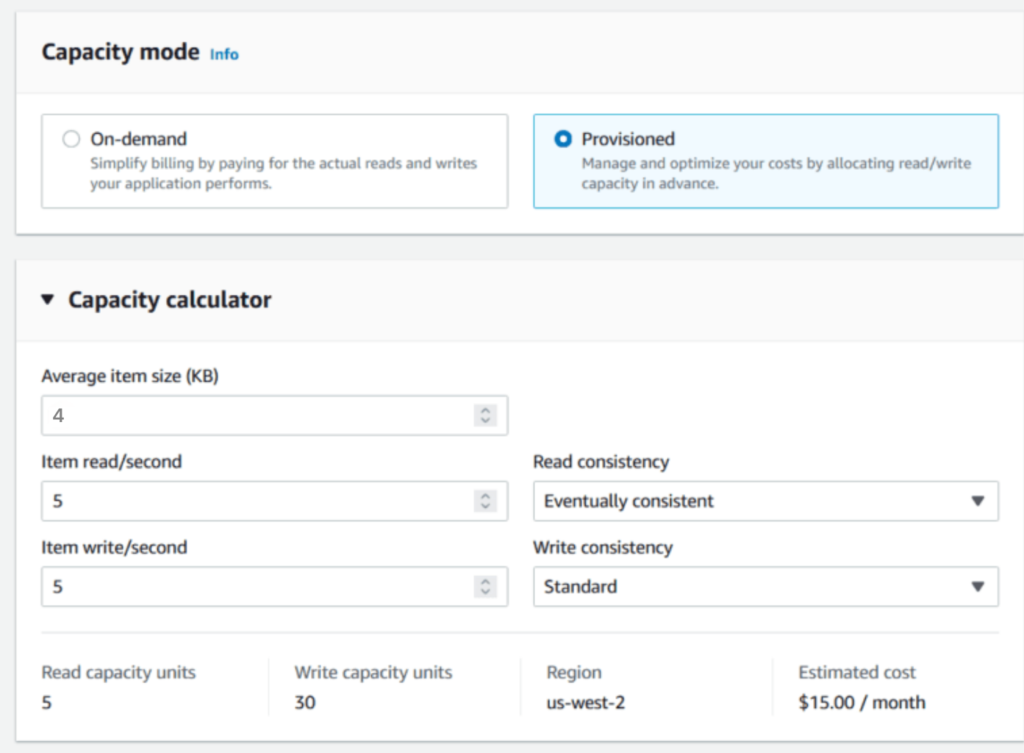
The raw numbers (25 WCU, 25 RCU) do not immediately tell you how many reads and writes you get. The conversion depends on item size and the consistency model.
Write Capacity Conversion
One WCU supports one standard write per second for items up to 1 KB. With 25 WCU running continuously: 25 writes/second x 60 seconds x 60 minutes x 24 hours x 30 days = 64,800,000 writes per month. For items larger than 1 KB, each additional KB (or fraction) consumes one additional WCU. A 3 KB item write consumes 3 WCU, reducing your effective throughput to roughly 21.6 million writes/month.
Read Capacity Conversion
One RCU supports one strongly consistent read per second (or two eventually consistent reads) for items up to 4 KB. With 25 RCU and eventually consistent reads: 50 reads/second x 60 x 60 x 24 x 30 = 129,600,000 reads per month. Switch to strongly consistent reads and that halves to 64.8 million. For items over 4 KB, each additional 4 KB (or fraction) consumes one additional RCU.
Practical Translation
For a typical application with 1 KB items using eventually consistent reads, the combined free tier supports approximately 194 million total requests per month. That is enough for a low-traffic microservice, a development or staging environment, a mobile app backend serving under 75 requests per second on average, or an IoT device fleet writing telemetry data at moderate frequency.
Why Does On-Demand Mode Not Qualify for the Free WCU/RCU Allowance?
This is the single most common billing surprise with DynamoDB free tier. The 25 WCU and 25 RCU allowance applies exclusively to provisioned capacity mode. Tables configured in on-demand mode are billed per request from the very first read or write, with zero free tier offset.
On-demand pricing as of April 2026 (verify at aws.amazon.com/dynamodb/pricing — rates change):
| Operation | On-Demand Price (US East – N. Virginia) |
| Write Request Unit (WRU) | $1.25 per million WRUs |
| Read Request Unit (RRU) | $0.25 per million RRUs |
If you run 200 million requests per month in on-demand mode (the same volume the free tier covers in provisioned mode), assuming a 50/50 read-write split, that is: 100 million WRUs x $1.25/million = $125.00, plus 100 million RRUs x $0.25/million = $25.00. Total: $150.00/month in request charges alone, for the exact same workload that costs $0.00 under provisioned mode with the free tier.
The 25 GB storage allowance does apply to on-demand tables. Only the request pricing differs.
What Costs Are Not Covered by the DynamoDB Free Tier?
The free tier covers provisioned WCU, RCU, standard table storage, Streams reads, and a small data transfer allowance. Everything else is billed from the first unit of usage. Here is the full list of charges that apply from day one, regardless of free-tier status.
Backup and Restore Costs
On-demand backups are charged at $0.10 per GB-month of backup storage (verify at aws.amazon.com/dynamodb/pricing — rates change). Restoring a backup is charged at $0.15 per GB. Point-in-Time Recovery (PITR) continuous backups are charged at $0.20 per GB-month. For a 25 GB table, PITR alone costs $5.00/month, which may exceed the value of any other free tier savings for small tables.
DynamoDB Streams Beyond Free Allowance
The free tier includes 2.5 million DynamoDB Streams read requests per month. Beyond that, each additional 100,000 read requests costs $0.02. Streams are commonly used for Lambda triggers, cross-region replication in Global Tables, and change data capture pipelines. If you have a busy table, Streams costs can accumulate quickly.
Global Tables Replication
Global Tables replicate data across AWS regions for multi-region availability. Replicated write capacity units (rWCU) are charged at a higher rate than standard WCU. In provisioned mode, rWCU costs $0.000975 per rWCU-hour in US East. The free tier includes 25 rWCU for two-region replication, but any additional regions or capacity are billed at the full rate.
Data Transfer Out
The 1 GB/month data transfer out allowance is shared across all AWS services, not just DynamoDB. If you use S3, EC2, or any other service that transfers data to the internet, that 1 GB fills up fast. Beyond the free allowance, data transfer out costs $0.09/GB for the first 10 TB/month (verify at aws.amazon.com/ec2/pricing/on-demand — rates change).
Standard-IA Table Class
DynamoDB offers a Standard-Infrequent Access (Standard-IA) table class with lower storage costs but higher request costs. The free tier storage allowance (25 GB) applies only to the Standard table class. Standard-IA tables do not receive a storage free tier allowance. If you switch a table to Standard-IA, you lose the storage benefit but still receive the WCU/RCU free tier on provisioned tables.
DAX (DynamoDB Accelerator)
DAX clusters are billed per node-hour regardless of free tier status. The smallest DAX node (dax.t3.small) costs approximately $0.04/hour, or roughly $29/month (verify at aws.amazon.com/dynamodb/pricing — rates change). DAX has no free tier of its own.
Additional Uncovered Charges
Contributor Insights costs $0.0001485 per CloudWatch event. Reserved capacity purchases (1-year or 3-year terms) are not offset by free tier. DynamoDB export to S3 costs $0.10 per GB of table data processed. DynamoDB import from S3 costs $0.15 per GB. Transactions consume 2x the WCU/RCU of standard operations.
How Does DynamoDB Free Tier Compare to Other AWS Database Free Tiers?
AWS offers free tiers on several database services, each with different structures and limitations. Here is a direct comparison for the most common options.
| Service | Free Tier Type | Allowance | Key Limitation |
| DynamoDB | Always Free | 25 GB + 25 WCU + 25 RCU | Provisioned mode only for WCU/RCU |
| Aurora Serverless v2 | None | No free tier | Minimum 0.5 ACU even when idle |
| RDS (db.t3.micro) | 12-month Free Tier | 750 hours/month + 20 GB SSD | Expires after 12 months |
| ElastiCache | 12-month Free Tier | 750 hours cache.t3.micro | Expires after 12 months |
| DocumentDB | 12-month Free Tier | 750 hours db.t3.medium | Expires after 12 months |
| Amazon Keyspaces | Always Free (partial) | 30M on-demand reads, 30M writes, 1 GB storage | On-demand mode included |
DynamoDB is the only major AWS database service with a permanent Always Free tier that includes both storage and throughput capacity. RDS, ElastiCache, and DocumentDB all expire after 12 months. Aurora Serverless has no free tier at all. Amazon Keyspaces has a permanent free tier for on-demand mode but is limited to Cassandra-compatible workloads.
What Happens the Moment You Exceed the Free Tier?
DynamoDB does not alert you by default when you cross a free tier boundary. Charges begin automatically at the standard rate for every unit above the free allowance.
Worked Cost Example: Crossing the Threshold
Suppose you have a single provisioned-mode table in US East (N. Virginia) with the following configuration: 40 WCU provisioned, 50 RCU provisioned, 30 GB storage.
Monthly charges would be calculated as follows:
Write capacity: 40 WCU – 25 free = 15 billable WCU. Cost: 15 WCU x 730 hours x $0.00065/WCU-hour = $7.12/month (verify at aws.amazon.com/dynamodb/pricing — rates change).
Read capacity: 50 RCU – 25 free = 25 billable RCU. Cost: 25 RCU x 730 hours x $0.00013/RCU-hour = $2.37/month (verify at aws.amazon.com/dynamodb/pricing — rates change).
Storage: 30 GB – 25 free = 5 billable GB. Cost: 5 GB x $0.25/GB-month = $1.25/month (verify at aws.amazon.com/dynamodb/pricing — rates change).
Total: $10.74/month for a modest production table just above the free tier boundary. Add PITR ($6.00/month for 30 GB at $0.20/GB) and you are at $16.74/month.
Setting Up Free Tier Alerts
AWS provides free tier usage alerts through the Billing and Cost Management console. Navigate to Billing > Billing preferences > Free Tier Usage Alerts. Enable alerts and specify an email address. AWS will notify you when your usage reaches 85% of the free tier limit for any service. You can also create custom CloudWatch alarms on the ConsumedWriteCapacityUnits and ConsumedReadCapacityUnits metrics to get more granular threshold notifications.
When Does the DynamoDB Free Tier Stop Making Sense?
The free tier is designed for development workloads, low-traffic production tables, and proof-of-concept applications. At a certain point, the provisioned capacity model itself becomes a cost optimization decision, and the free tier offset becomes negligible compared to total spend.
The Break-Even Point
For applications spending under $20/month on DynamoDB, the free tier offset covers a meaningful percentage of your total cost. Once your provisioned capacity exceeds 100 WCU or 100 RCU, the free tier offset (25 WCU/RCU) covers only 25% of your capacity cost, and the remaining 75% is billed at standard rates.
At 500 WCU/500 RCU, the free tier offset saves you roughly $15/month against a total bill of approximately $285/month, covering just 5% of your spend. At this scale, reserved capacity becomes the primary cost optimization lever, offering 30-53% discounts on provisioned throughput (verify at aws.amazon.com/dynamodb/pricing — rates change).
Provisioned vs. On-Demand: The Cost Crossover
On-demand pricing is $1.25 per million write request units and $0.25 per million read request units (US East, verify at aws.amazon.com/dynamodb/pricing — rates change). Provisioned mode at 25 WCU costs $0.00/month (free tier). On-demand mode processing the same 64.8 million writes/month costs approximately $81.00/month.
The crossover point where on-demand becomes cheaper than provisioned depends on traffic burstiness. If your peak-to-average ratio exceeds 10:1 and traffic is highly unpredictable, on-demand may cost less despite losing the free tier benefit. For steady or moderately variable workloads, provisioned mode with the free tier is almost always cheaper at low scale.
How Does the Free Tier Apply Across Multiple Tables and Regions?
The free tier allowance is per account, per region, shared across all provisioned-mode tables within that region. It is not per table.
Multi-Table Accounting
If you run five tables in US East (N. Virginia), each provisioned at 10 WCU and 10 RCU, your total provisioned capacity is 50 WCU and 50 RCU. The free tier covers 25 WCU and 25 RCU, leaving 25 WCU and 25 RCU billed at the standard rate. AWS applies the free tier offset at the account level during billing, not at the table level.
Multi-Region Behavior
Each region gets its own independent free tier allowance. A table provisioned at 25 WCU/25 RCU in US East (N. Virginia) and another table provisioned at 25 WCU/25 RCU in EU West (Ireland) would both be entirely within the free tier. This makes multi-region development environments effectively free for small workloads, as long as each region stays within its own 25 WCU/25 RCU/25 GB limit.
AWS Organizations and Consolidated Billing
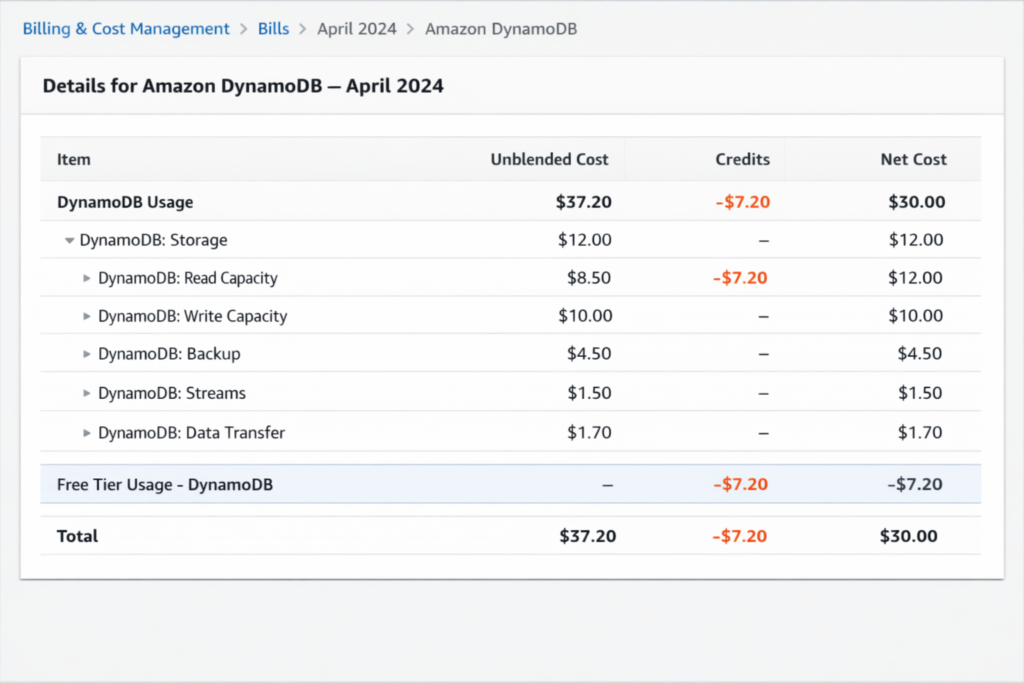
Under AWS Organizations with consolidated billing, the free tier is applied once across the entire organization, not per account. If the management account and three member accounts each run DynamoDB tables, the 25 WCU/25 RCU/25 GB allowance is shared across all four accounts. This is a significant detail for organizations running multiple AWS accounts for development, staging, and production: only one account effectively gets the free tier benefit.
Also read: On-Demand vs Reserved vs Spot Instances: The Complete AWS Pricing Guide
What Are the Best Practices for Staying Within the DynamoDB Free Tier?
If your goal is to run DynamoDB at zero cost, there are specific architectural and configuration decisions that maximize the free tier coverage.
Use Provisioned Mode, Not On-Demand
This is the most impactful decision. Provisioned mode is the only way to access the 25 WCU/25 RCU free allowance. If your workload is steady or predictable enough to estimate capacity needs, provisioned mode with auto scaling disabled (or set to a maximum of 25 WCU/25 RCU) keeps you within the free tier.
Use Eventually Consistent Reads
Eventually, consistent reads consume half the RCU of strongly consistent reads. With 25 free RCU and eventually consistent reads, you get roughly 129.6 million reads/month instead of 64.8 million. Unless your application requires read-after-write consistency, eventually consistent reads double your effective free throughput.
Keep Items Small
Items larger than 1 KB consume additional WCU per write, and items larger than 4 KB consume additional RCU per read. A 5 KB item write consumes 5 WCU, meaning your 25 free WCU only supports 5 writes per second for large items. Design your table schema to keep frequently accessed items under 1 KB for writes and under 4 KB for reads where possible.
Avoid PITR and On-Demand Backups Unless Needed
Point-in-Time Recovery costs $0.20/GB-month and on-demand backups cost $0.10/GB-month for storage. For a 25 GB table, PITR alone adds $5.00/month. If your data is reconstructible from other sources or you can tolerate data loss, skipping PITR keeps your cost at zero.
Use TTL to Control Storage Growth
DynamoDB Time to Live (TTL) deletes expired items automatically at no cost. There is no charge for TTL-based deletions. For tables that store session data, temporary tokens, or time-series events, TTL keeps your storage under 25 GB without manual cleanup.
Monitor Free Tier Usage Proactively
Set up AWS Budgets with a zero-dollar threshold on the DynamoDB line item. This creates an alert the moment any DynamoDB charge appears on your bill. Combined with CloudWatch alarms on ConsumedReadCapacityUnits and ConsumedWriteCapacityUnits metrics, you get an early warning before charges accumulate.
How Does Reserved Capacity Work Once You Outgrow the Free Tier?
When your DynamoDB workload exceeds the free tier meaningfully (roughly above 100 WCU or 100 RCU), reserved capacity becomes the primary cost optimization tool. DynamoDB reserved capacity works differently from EC2 Reserved Instances or Savings Plans. You purchase a specific number of WCU or RCU at a discounted rate for a 1-year or 3-year term.
Reserved Capacity Pricing
Reserved capacity pricing for DynamoDB (US East — N. Virginia, verify at aws.amazon.com/dynamodb/pricing — rates change):
| Term | WCU Hourly Rate | RCU Hourly Rate | Savings vs. On-Demand |
| On-Demand (no term) | $0.00065/WCU-hour | $0.00013/RCU-hour | Baseline |
| 1-Year Reserved | $0.000306/WCU-hour | $0.0000612/RCU-hour | ~53% savings |
| 3-Year Reserved | $0.000174/WCU-hour | $0.0000348/RCU-hour | ~73% savings |
The savings are substantial: a 1-year reserved capacity commitment saves approximately 53% compared to provisioned on-demand pricing, and a 3-year commitment saves approximately 73%. However, reserved capacity requires an upfront payment and commits you to a minimum capacity level for the full term.
The Purchasing Decision Gets Complex Quickly
DynamoDB reserved capacity is purchased in blocks of 100 WCU or 100 RCU minimum. You need to forecast your baseline capacity accurately for the full commitment term. Over-purchasing means paying for unused capacity. Under-purchasing means the excess runs at full on-demand rates.
This is where the decision becomes a time and accuracy problem. AWS Cost Explorer generates reserved capacity recommendations, but these refresh every 72+ hours and use a 7-day or 30-day lookback window. Workloads that shift week-to-week can easily be misrepresented by stale data.
Usage.ai automates this exact purchasing decision for DynamoDB reserved capacity through its Flex Reserved Instances product. Instead of manually forecasting, purchasing, and monitoring reserved capacity utilization, Usage.ai continuously analyzes your DynamoDB throughput patterns and purchases reserved capacity blocks on your behalf.
The platform refreshes its recommendations every 24 hours, catching capacity changes 3 days faster than AWS Cost Explorer. If a reservation becomes underutilized because your workload shifted, Usage.ai provides cashback and credits on the unused portion — a guarantee no other platform offers for DynamoDB reserved capacity. The fee model is a percentage of realized savings only: if Usage.ai does not save you money, the cost is zero.
Also read: DynamoDB Contributor Insights Pricing: Monitoring Hot Keys at a Cost
How Does the DynamoDB Free Tier Work with Auto Scaling?
DynamoDB auto scaling automatically adjusts provisioned capacity based on actual usage. It is compatible with the free tier, but there is a critical nuance.
When auto scaling increases your provisioned capacity above 25 WCU or 25 RCU, you are immediately billed for the excess. When it scales back down, the billing stops for the excess. The free tier offset is applied continuously based on your provisioned capacity at any given time.
The risk: auto scaling can spike your provisioned capacity during traffic bursts, temporarily pushing you above the free tier. If the scaling policy does not scale back down quickly (default cooldown is 60 seconds for scale-down), you pay for the elevated capacity for the full cooldown period.
To stay within the free tier, set your auto scaling maximum to 25 WCU and 25 RCU. This caps your provisioned capacity at the free tier limit. The trade-off is that requests exceeding your provisioned capacity will be throttled rather than served.
DynamoDB Free Tier vs. DynamoDB Standard-IA Table Class: Which Saves More?
DynamoDB offers two table classes: Standard and Standard-Infrequent Access (Standard-IA). Standard-IA reduces storage costs by approximately 60% but increases read and write request costs by roughly 25%.
For tables within the free tier, Standard class is almost always the better choice because the 25 GB storage free tier covers Standard tables only. Switching to Standard-IA forfeits the storage savings and subjects you to higher request costs.
Standard-IA becomes advantageous only when your table stores large amounts of data (typically over 100 GB) with low read/write frequency. At 25 GB and below, the Standard class with the free tier storage allowance wins.
How Do DynamoDB Transactions Affect the Free Tier?
DynamoDB transactions (TransactWriteItems and TransactGetItems) consume double the WCU and RCU of standard operations. A transactional write on a 1 KB item consumes 2 WCU instead of 1 WCU. A transactional read on a 4 KB item consumes 2 RCU instead of 1 RCU.
With 25 free WCU, transactional writes effectively give you 12.5 transactional writes per second (25 WCU / 2 WCU per transaction). Over a month, that is approximately 32.4 million transactional writes, roughly half the non-transactional throughput.
If your application relies heavily on transactions, the free tier covers substantially fewer operations than the headline 200 million requests/month figure suggests.
What Is the Impact of Global Secondary Indexes on the Free Tier?
Global Secondary Indexes (GSIs) consume their own provisioned WCU and RCU, separate from the base table. Each GSI you add increases your total provisioned capacity, and the free tier does not provide additional WCU/RCU for indexes.
Example: A table provisioned at 15 WCU with one GSI provisioned at 15 WCU uses 30 WCU total. The free tier covers 25 WCU, so 5 WCU are billed. Adding a second GSI at 10 WCU pushes you to 40 WCU total, with 15 WCU billed.
To stay within the free tier on a table with GSIs, divide the 25 free WCU and 25 free RCU across the base table and all indexes. With one GSI, you might provision the table at 13 WCU and the GSI at 12 WCU to stay under 25 WCU total.