.png)


The Three DynamoDB Encryption Options and Their Costs
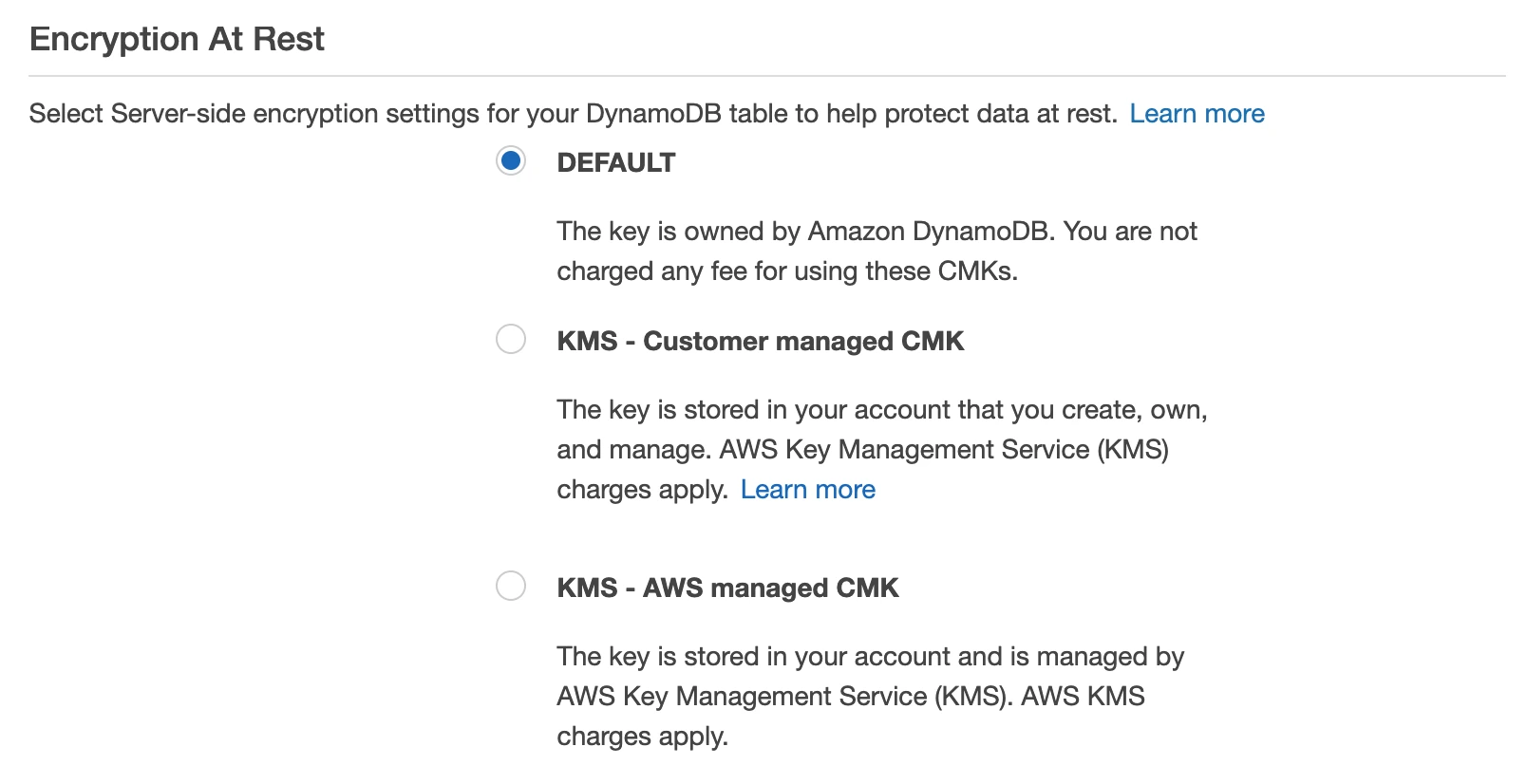
DynamoDB encrypts every table at rest by default. There is no unencrypted storage option. The question is which key type manages that encryption, and the cost difference between options ranges from $0 to several hundred dollars per month, depending on table throughput.
As of April 2026, DynamoDB supports three server-side encryption (SSE) key types (verify at aws.amazon.com/dynamodb/pricing and aws.amazon.com/kms/pricing rates change):
| Key Type | Monthly Key Fee | API Request Fee | Key Visibility | Key Control |
|---|---|---|---|---|
| AWS-Owned Keys (default) | $0 | $0 | Not visible in your account | None — AWS manages entirely |
| AWS Managed Keys (aws/dynamodb) | $0 | $0.03 per 10,000 requests | Visible in AWS KMS console | Limited — AWS rotates automatically |
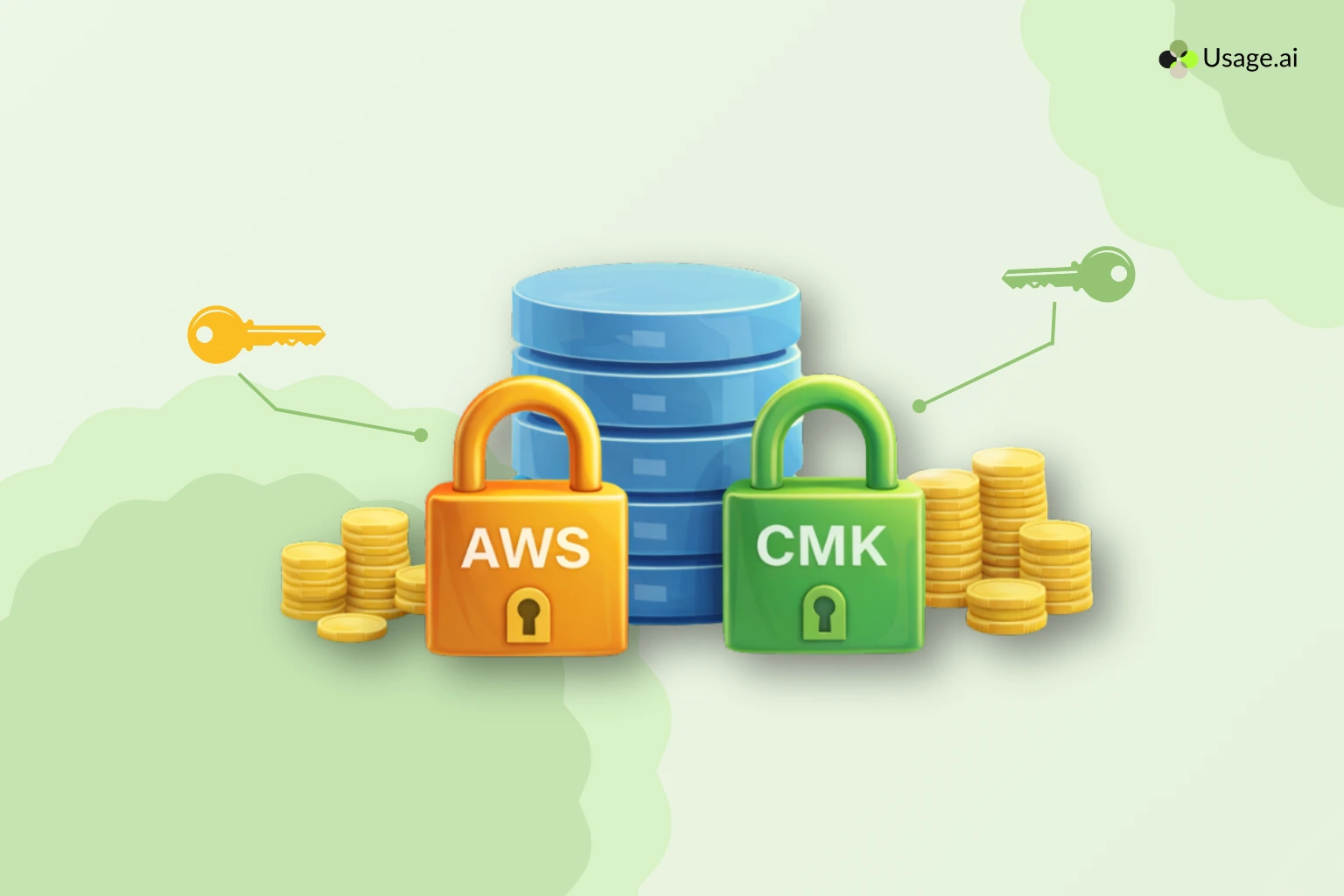
| Customer-Managed Keys (CMK) | $1.00 per key per month | $0.03 per 10,000 requests | Full visibility and audit trail | Full — you control rotation, policy, deletion |
The default option: AWS-Owned Keys, carries zero cost and zero configuration. Most teams should stop there unless a specific compliance or audit requirement drives them to one of the other two options.
Is DynamoDB Encrypted by Default?
Yes. AWS encrypts all DynamoDB data at rest by default using AWS-Owned Keys. This encryption is active on every new table without any configuration step, and it cannot be disabled. The encryption uses 256-bit AES, and the keys are owned and managed entirely by AWS within a shared key infrastructure that is not visible to your account.
When teams ask, “Is DynamoDB encrypted by default?” The answer is an unqualified yes, but the key is not in your account, not auditable by you, and not rotatable by you. That distinction matters only if your compliance framework says it matters.
What Is the Difference Between AWS-Owned, AWS Managed, and Customer-Managed KMS Keys for DynamoDB?
AWS-Owned Keys: These are multi-tenant keys owned by AWS and used across multiple customer accounts. They do not appear in your AWS KMS console. You cannot view them, audit their usage in CloudTrail, or rotate them on your schedule. They are free. For teams without explicit HIPAA, PCI-DSS, or FedRAMP requirements mandating customer-controlled key material, this is the correct default.
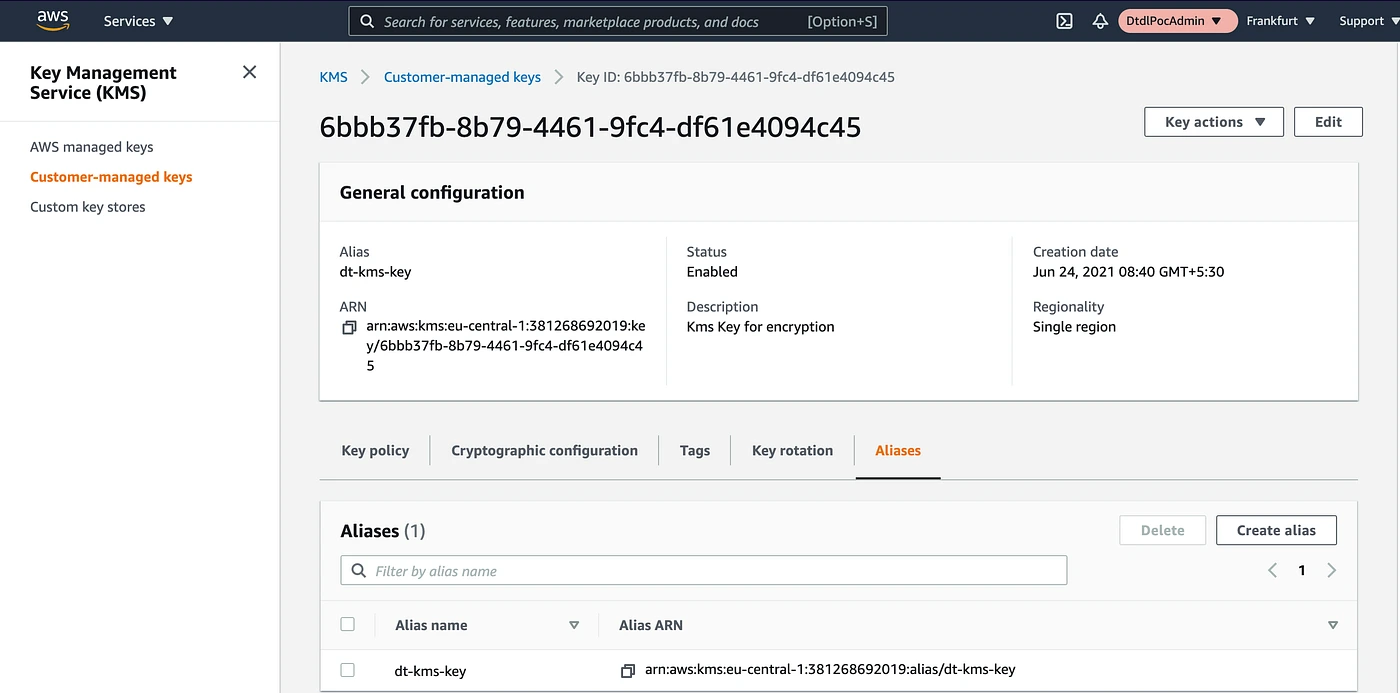
AWS Managed Keys (alias: aws/dynamodb): AWS creates and manages this key in your account. It is visible in your KMS console. CloudTrail logs all encryption and decryption calls. AWS automatically rotates this key annually. There is no monthly storage fee. However, every DynamoDB read and write operation that touches an encrypted item generates a KMS API call, and those calls are billed at $0.03 per 10,000 requests.
Also read: AWS Savings Plan Buying Strategy: Layering, Timing & Right-Sizing Commitment
Customer-Managed Keys (CMK): You create and manage this key. You control the key policy, which IAM principals can use it, whether automatic rotation is enabled, and you can disable or delete it at will. You get a full CloudTrail audit trail. The cost is $1.00 per key per month plus the same $0.03 per 10,000 API requests as AWS Managed Keys. The $1/month fee is pro-rated hourly, so a key used for one day costs approximately $0.033.
How Much Do KMS API Calls Cost at DynamoDB Scale?
This is where most teams get surprised. The $1/month key fee is trivial. The API call volume is not.
Every DynamoDB item read or write that uses AWS Managed Keys or a CMK generates a KMS API call. Specifically, writes generate a GenerateDataKey call; reads generate a Decrypt call. DynamoDB batches these through a local key cache, but the cache has a 5-minute TTL per table per node. At scale, the call volume accumulates faster than teams expect.
For instance:
Assume a provisioned DynamoDB table running at 10,000 WCU (write capacity units) and 10,000 RCU (read capacity units) sustained:
- Writes per second: 10,000 WCU = up to 10,000 item writes per second
- Reads per second: 10,000 RCU = up to 10,000 eventually-consistent item reads per second
- Combined throughput: 20,000 operations per second
- Operations per month: 20,000 x 60 x 60 x 24 x 30 = 51.84 billion operations
Due to DynamoDB’s per-node key caching, not every operation generates a KMS call. AWS does not publish the exact cache hit rate, but a conservative real-world estimate is one KMS call per roughly 50,000–100,000 DynamoDB operations. At 51.84 billion operations per month:
- Estimated KMS calls per month (conservative): ~518,400 to 1,036,800
- KMS calls per 10,000: 51.84 to 103.68
- Monthly KMS cost: $1.55 to $3.11 per month for API calls
Add $1.00 for the key itself: total monthly encryption cost is $2.55 to $4.11 for this example.
At 100,000 WCU + 100,000 RCU (10x scale), multiply by 10: $15.50 to $41.10 per month in KMS costs alone.
For most workloads, this is not material. For extremely high-throughput tables (500,000+ WCU), the KMS call cost can reach $150 to $400 per month per table, at which point the AWS-Owned Key option at $0 becomes a meaningful cost consideration.
DynamoDB KMS Cost by Throughput Level:
| Provisioned Capacity | Approx. Monthly KMS API Cost | Monthly Key Fee | Total Add-On Cost |
|---|---|---|---|
| 1,000 WCU + 1,000 RCU | $0.15 to $0.30 | $1.00 | $1.15 to $1.30 |
| 10,000 WCU + 10,000 RCU | $1.55 to $3.11 | $1.00 | $2.55 to $4.11 |
| 100,000 WCU + 100,000 RCU | $15.50 to $31.10 | $1.00 | $16.50 to $32.10 |
| 500,000 WCU + 500,000 RCU | $77.50 to $155.50 | $1.00 | $78.50 to $156.50 |
Note: On-Demand mode tables generate KMS calls proportional to actual request volume rather than provisioned capacity. These are estimates. Actual costs depend on item size, access patterns, and node count. Verify at aws.amazon.com/kms/pricing and use the AWS Pricing Calculator at calculator.aws.amazon.com.
AWS-Owned Keys vs Customer-Managed KMS Keys: Full Comparison
| Dimension | AWS-Owned Keys | AWS Managed Keys (aws/dynamodb) | Customer-Managed Keys (CMK) |
|---|---|---|---|
| Monthly key fee | $0 | $0 | $1.00 per key |
| API call fee | $0 | $0.03 / 10K calls | $0.03 / 10K calls |
| Visible in KMS console | No | Yes | Yes |
| CloudTrail audit logs | No | Yes | Yes |
| Key rotation control | None | Annual (AWS-managed) | Configurable (90-day minimum for auto-rotation) |
| Key deletion | Cannot delete | Cannot delete | Can disable and schedule deletion |
| Cross-account use | No | No | Yes, via key policy |
| Key policy customization | No | Limited | Full |
| Supports key grants | No | No | Yes |
| Compliance: HIPAA | Typically sufficient | Sufficient | Required by some interpretations |
| Compliance: PCI-DSS | Typically sufficient | Sufficient | May be required depending on QSA |
| Compliance: FedRAMP High | Not sufficient | Not sufficient | Required |
| Compliance: SOC 2 Type II | Sufficient | Sufficient | Sufficient |
When Does DynamoDB Encrypt Data At Rest?
DynamoDB encrypts data at rest from the moment a table is created. There is no delay and no manual step required. All data, including items, indexes, global secondary indexes (GSIs), local secondary indexes (LSIs), DynamoDB Streams data, and on-demand backups, is encrypted at rest under whichever key type you selected at table creation.
When table data is encrypted, encryption and decryption happen transparently at the storage layer. There is no performance penalty for standard encryption. Applications read and write items through the DynamoDB API exactly as they would with no encryption option; the encryption is invisible to the application layer.
Data in transit is separately secured via TLS on all DynamoDB connections. These are independent systems: at-rest encryption covers stored data; in-transit encryption covers network transport. Both are always active.
How to Check If Your DynamoDB Table Is Encrypted
Every DynamoDB table is encrypted. The question is which key type is in use.
Via AWS Console:
- Navigate to the DynamoDB console.
- Select a table.
- Go to the “Additional settings” tab.
- Scroll to the “Encryption” section.
- The SSE type field will show “AWS owned key (default),” “AWS managed key,” or the ARN of your CMK.
Via AWS CLI:
A response of {} or null indicates the default AWS-Owned Key. A response including “SSEType”: “KMS” and a “KMSMasterKeyArn” indicates either an AWS Managed Key or a CMK.
Via AWS Config Rule: The managed Config rule dynamodb-table-encrypted-kms checks whether DynamoDB tables are using KMS encryption (either AWS Managed or CMK). This rule returns NON_COMPLIANT for tables using AWS-Owned Keys, useful only if your compliance standard specifically requires KMS-managed encryption. Most SOC 2 and ISO 27001 frameworks do not require this.
Also read: DynamoDB Reserved Capacity: Pricing for Read & Write Throughput
How to Enable DynamoDB Encryption with a Customer-Managed KMS Key
Prerequisites:
- An existing KMS Customer-Managed Key in the same AWS Region as your DynamoDB table
- IAM permissions: kms:CreateGrant, kms:DescribeKey on the key; dynamodb:UpdateTable on the table
- The KMS key policy must grant DynamoDB service principal (dynamodb.amazonaws.com) permission to use the key
Step 1: Create a KMS Customer-Managed Key (if not already done)
–description “DynamoDB encryption key for production tables” \
–key-usage ENCRYPT_DECRYPT \
–origin AWS_KMS
Copy the KeyId from the response (format: xxxxxxxx-xxxx-xxxx-xxxx-xxxxxxxxxxxx).
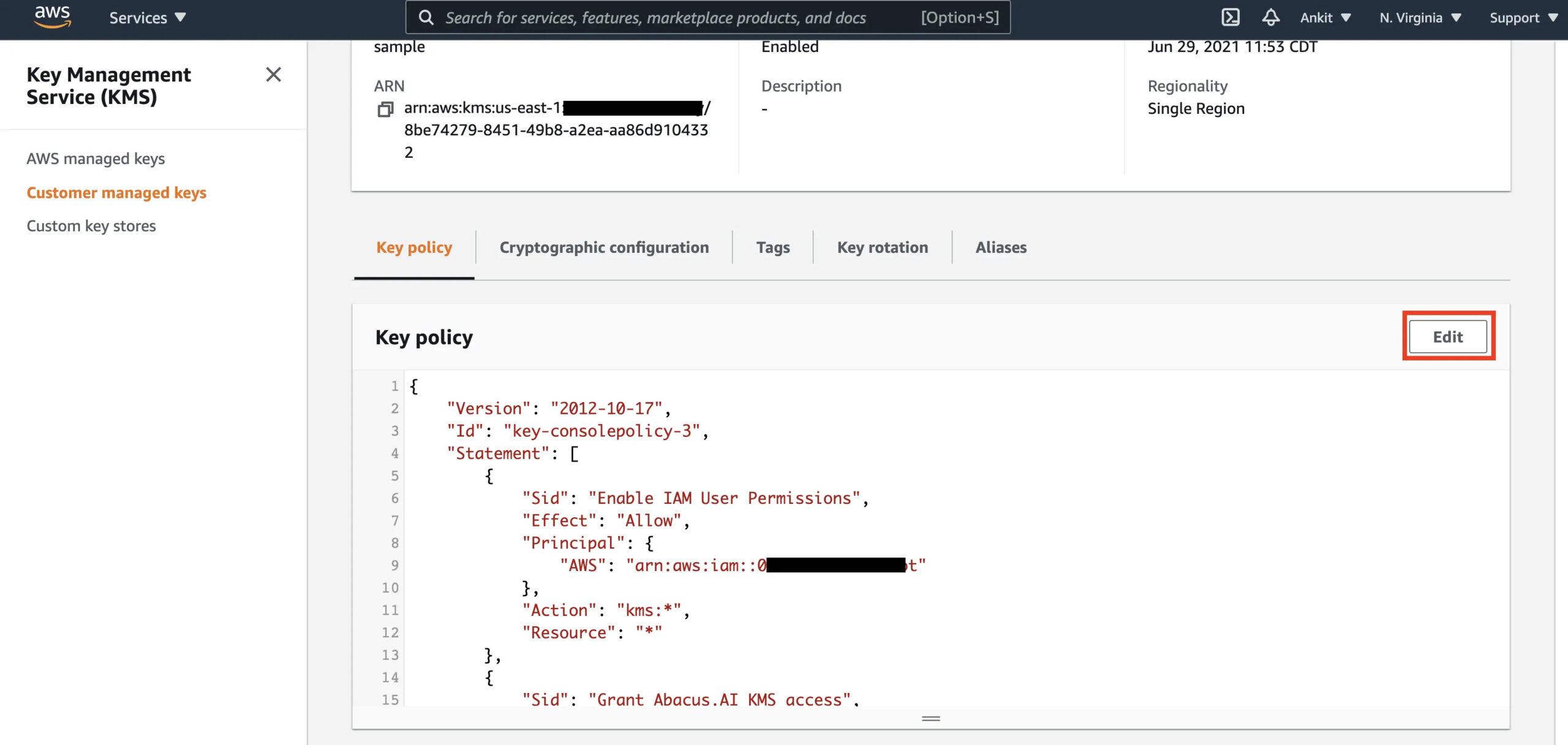
Step 2: Update the KMS key policy to allow DynamoDB access
The key policy must include a statement granting DynamoDB principal access. Add this statement to your key policy:
“Sid”: “Allow DynamoDB to use this key”,
“Effect”: “Allow”,
“Principal”: {
“Service”: “dynamodb.amazonaws.com”
},
“Action”: [
“kms:Encrypt”,
“kms:Decrypt”,
“kms:ReEncrypt*”,
“kms:GenerateDataKey*”,
“kms:DescribeKey”,
“kms:CreateGrant”
],
“Resource”: “*”
}
Step 3: Update the DynamoDB table to use the CMK
For an existing table:
–table-name YOUR_TABLE_NAME \
–sse-specification Enabled=true,SSEType=KMS,KMSMasterKeyId=YOUR_KEY_ARN
For a new table, specify SSE at creation:
–table-name YOUR_TABLE_NAME \
–attribute-definitions AttributeName=pk,AttributeType=S \
–key-schema AttributeName=pk,KeyType=HASH \
–billing-mode PAY_PER_REQUEST \
–sse-specification Enabled=true,SSEType=KMS,KMSMasterKeyId=YOUR_KEY_ARN
Step 4: Verify the key change was applied
–query “Table.SSEDescription”
Expected output:
“Status”: “ENABLED”,
“SSEType”: “KMS”,
“KMSMasterKeyArn”: “arn:aws:kms:us-east-1:123456789012:key/YOUR_KEY_ID”
}
The update is typically applied within a few minutes. DynamoDB performs the re-encryption in the background without downtime or performance impact.
What to do if the update fails:
The most common error is KMSAccessDeniedException. This means either the key policy does not grant DynamoDB access, or the IAM role executing the command lacks kms:CreateGrant on the key. Check both the key policy and the IAM policy attached to the caller.
How to Migrate a KMS-Encrypted DynamoDB Table to Another Region
Moving a KMS-encrypted DynamoDB table to another region requires that a corresponding CMK exist in the target region. AWS-Owned Keys and AWS Managed Keys are region-specific: they cannot be transferred. CMKs are also region-specific, but you can create a separate CMK in the target region and reference it during the migration.
Migration path using DynamoDB Export to S3:
- Export the source table to S3 using DynamoDB’s Point-in-Time Recovery (PITR) export (verify: the source table must have PITR enabled).
- Copy or replicate the exported S3 data to the target region’s S3 bucket.
- Import the S3 data into a new DynamoDB table in the target region using DynamoDB’s S3 import feature.
- Specify the target region’s CMK ARN in the new table’s SSE configuration.
For ongoing cross-region replication with encryption, use DynamoDB Global Tables. Each region in a Global Tables setup maintains its own encryption configuration, you can use different CMKs per region. Global Tables replication encrypts data in transit using TLS and applies the destination table’s at-rest encryption upon write in each region.
Note: KMS costs apply independently in each region where a CMK-encrypted table exists. A Global Tables setup with CMKs in three regions = three separate $1/month key fees plus API call costs in all three regions.
Also read: DynamoDB Reserved Capacity: 1-Year vs 3-Year Pricing Compared
Does DynamoDB Encryption Affect Performance?
No measurable latency impact exists for standard workloads using any of the three key types. Encryption and decryption at the DynamoDB storage layer are hardware-accelerated and operate below the service’s latency floor.
The one documented exception: if you have a CMK and the KMS service in your region experiences elevated latency or an availability event, DynamoDB reads and writes that require KMS calls can experience increased latency. This is documented by AWS in the DynamoDB Developer Guide. AWS-Owned Key tables do not call the KMS API and therefore have no dependency on KMS availability.
For workloads where P99 latency is critical and where compliance does not mandate CMKs, AWS-Owned Keys are the lower-risk option.
Which Compliance Frameworks Require Customer-Managed KMS Keys for DynamoDB?
This is the central decision point. The key question is not “which option is more secure”; all three provide strong AES-256 encryption. The question is what your compliance obligations actually state.
FedRAMP High: Requires customer-managed key material for all data at rest. AWS-Owned Keys and AWS Managed Keys do not satisfy this requirement because the customer does not control the key material lifecycle. CMKs are required.
HIPAA: The HIPAA Security Rule does not mandate a specific key management model. AWS-Owned Keys, AWS Managed Keys, and CMKs all satisfy HIPAA technical safeguard requirements when implemented on DynamoDB. However, some healthcare organizations’ internal policies or their Business Associate Agreements (BAA) impose stricter requirements. Verify with your compliance team.
PCI-DSS v4.0 (Requirement 3.7): PCI-DSS requires key management procedures, including key rotation, access control, and split knowledge/dual control for keys protecting cardholder data. AWS Managed Keys satisfy annual rotation. CMKs are typically required by PCI Qualified Security Assessors (QSA) who interpret 3.7.6 strictly, because split knowledge is only achievable with customer-controlled key material.
SOC 2 Type II: SOC 2 is a framework, not a prescriptive standard. AWS-Owned Keys satisfy the SOC 2 Common Criteria for encryption at rest. CMKs may be preferred for organizations that include key management in their SOC 2 scope to demonstrate control granularity to auditors.
ISO 27001: Does not prescribe key management technology. AWS-Owned Keys, AWS Managed Keys, and CMKs all comply when accompanied by appropriate documentation.
Summary: choose CMK when FedRAMP High or PCI-DSS QSA interpretation requires it. For HIPAA, SOC 2, and ISO 27001, AWS-Owned or AWS Managed Keys are typically sufficient.
Choose AWS-Owned Keys When… Choose Customer-Managed Keys When…
Choose AWS-Owned Keys (default) when:
- No regulatory framework mandates customer-controlled key material
- You want zero added cost and zero KMS operational overhead
- Latency sensitivity is high and you want no dependency on KMS availability
- Your security team’s concern is data confidentiality, not key auditability
Choose AWS Managed Keys (aws/dynamodb) when:
- Your audit or compliance team requires visibility into key usage via CloudTrail
- You need the key to appear in your KMS console for inventory or documentation purposes
- Your security framework requires annual automatic key rotation
- You want a middle ground between zero overhead and full control, at zero monthly key fee (only API call costs apply)
Choose Customer-Managed Keys when:
- FedRAMP High authorization is required
- Your PCI QSA requires customer-controlled key material for cardholder data tables
- You need custom key rotation schedules (shorter than annual, such as 90-day rotation)
- Cross-account access to encrypted table data is required (CMK key policies can allow cross-account access; AWS Managed Keys cannot)
- You need the ability to disable or delete the key as a data destruction mechanism (deleting a CMK renders all data encrypted with it permanently inaccessible, useful for GDPR right-to-erasure workflows)
- You need a separate key per table for fine-grained audit isolation
How Does DynamoDB Reserved Capacity Interact with Encryption Costs?
DynamoDB Reserved Capacity (now DynamoDB Reserved Instances via Usage.ai’s platform) reduces the per-hour cost of provisioned read and write capacity units by 30 to 40% depending on the reservation term. Encryption costs are entirely separate from throughput costs and are not covered by Reserved Capacity commitments.
When you commit to Reserved Capacity for a DynamoDB table, you are committing to the WCU/RCU throughput pricing. The KMS API call costs that CMK and AWS Managed Key tables incur are billed separately through the KMS service and are not eligible for Reserved Capacity discounts.
Practically, this means the incremental cost of switching from AWS-Owned Keys to a CMK on a Reserved Capacity table is the same as on an on-demand table: $1/month per key plus KMS API call fees. The Reserved Capacity discount does not offset or eliminate this additional charge.
For teams running high-throughput DynamoDB tables at Reserved Capacity, the encryption key decision is a parallel cost management question. At 500,000 WCU sustained, the KMS add-on cost of $78 to $157 per month is small relative to the reserved throughput cost, but it is real and identifiable in your AWS Cost Explorer under the KMS service line item.
Usage.ai’s DynamoDB Reserved Instances coverage automates the capacity commitment purchasing decision and cashback-insures underutilized commitments. If your DynamoDB spend is above $5,000 per month and you are not on reserved capacity, that is a higher-priority cost action than the encryption key decision. Usage.ai supports DynamoDB within its Flex Reserved Instances product, delivering 30 to 40% savings without multi-year lock-in. See DynamoDB Reserved Capacity: Pricing for Read and Write Throughput for the capacity cost analysis.