.png)


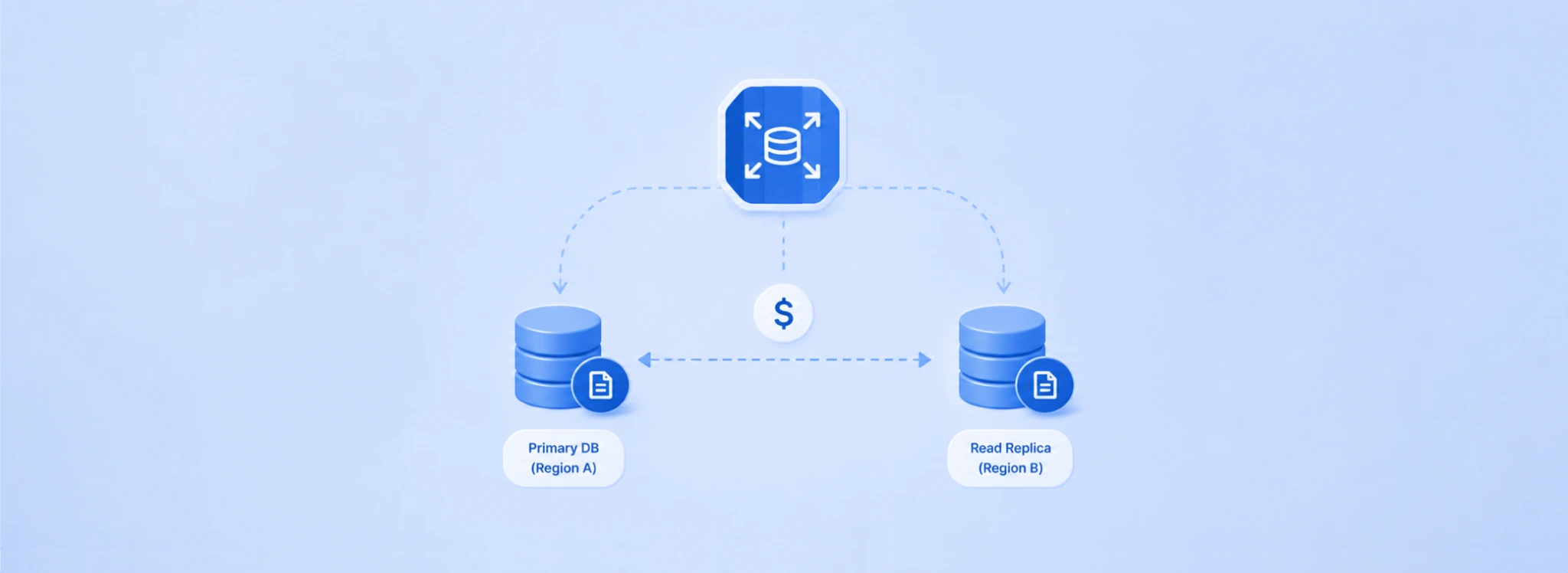
An RDS blue/green deployment creates a complete copy of your production database environment, keeps it synchronized in near real-time, lets you test your upgrade changes against a live replica, and then switches over in under 5 seconds with no application endpoint changes required. During the window between green environment creation and deletion of the old blue instance, you pay for both environments in full.
Most guides stop at ‘you pay double.’ This one goes further: the actual dollar impact for common instance sizes, the hidden reserved instance gap during deployment, the storage shrink ROI calculation, and the two scenarios where the temporary cost doubles are genuinely worth every cent versus the alternative.
What Is an RDS Blue/Green Deployment?
An RDS blue/green deployment is a managed upgrade mechanism where AWS creates a staging copy of your production database (the green environment), synchronizes it continuously via logical replication, and then performs a near-instant switchover when you are ready. The production environment is blue. The staging copy is green. At switchover, AWS promotes the green environment to production and renames the endpoints, requiring no application changes.
The feature supports: major engine version upgrades (e.g., MySQL 8.0 to MySQL 8.4, PostgreSQL 15 to PostgreSQL 16), minor version upgrades, parameter group changes, storage type modifications (e.g., gp2 to gp3), instance class changes, and storage shrink (reducing allocated storage below the current provisioned size). Since November 2024, storage volume shrink has been added as a use case, which is the only native way to reduce RDS allocated storage without a full migration.
The switchover time was updated in January 2026: writer node downtime is now typically 5 seconds or lower for single-region configurations, down from the previous under-1-minute benchmark. Applications using the AWS Advanced JDBC Driver experience approximately 2 seconds of downtime due to faster driver-level topology detection.
Also read: RDS Reserved Instances: 1-Year vs 3-Year Break-Even Across All Engines
What Is the Exact Cost of an RDS Blue/Green Deployment?
The cost of an RDS blue/green deployment has two components: the temporary doubled infrastructure during the deployment window, and any changes to the long-term cost profile after switchover. Here is the exact calculation for common instance types.
The green environment is billed at full on-demand rates for compute, storage, and I/O. The green environment includes the same topology as the blue environment: if your blue has Multi-AZ and two read replicas, the green also has Multi-AZ and two read replicas, all billed at on-demand rates for the deployment duration.
| Instance / Engine | On-Demand Rate | 1-Day Cost (Green) | 3-Day Cost (Green) | 7-Day Cost (Green) | 30-Day Cost (Green) |
| db.r8g.large MySQL Single-AZ | $0.240/hr | $5.76 | $17.28 | $40.32 | $172.80 |
| db.r8g.xlarge PostgreSQL Single-AZ | $0.480/hr | $11.52 | $34.56 | $80.64 | $345.60 |
| db.r8g.xlarge PostgreSQL Multi-AZ | $0.960/hr | $23.04 | $69.12 | $161.28 | $691.20 |
| db.r8g.2xlarge MySQL Multi-AZ | $1.920/hr | $46.08 | $138.24 | $322.56 | $1,382.40 |
| db.r8g.4xlarge PostgreSQL Multi-AZ | $3.840/hr | $92.16 | $276.48 | $645.12 | $2,764.80 |
| SQL Server SE db.r8g.xlarge Multi-AZ | $2.448/hr | $58.75 | $176.26 | $411.26 | $1,762.56 |
For most teams running major version upgrades with 1-3 day test windows, the temporary cost of the green environment is modest: $11-92 for a single-instance deployment. The cost only becomes significant if the green environment is left running for weeks without a switchover decision.
How Does the Reserved Instance Gap Affect Blue/Green Deployment Cost?
This is the hidden cost that no competitor addresses. RDS reserved instances apply to specific DB instance identifiers based on the engine, instance family, region, and deployment type. When a blue/green deployment creates the green environment, the green instance gets a new DB instance identifier with a different name (the original identifier appended with -green-randomcharacters).
If a reserved instance covers your blue instance, the green environment almost certainly is not. Reserved instances do not automatically extend to new instance identifiers created during a blue/green deployment. The green environment runs at full on-demand rates regardless of your existing reserved instance coverage.
The reserved instance gap cost: for a db.r8g.xlarge PostgreSQL Multi-AZ with a 3-year All Upfront reserved instance (effective rate ~$0.470/hr), the on-demand rate is $0.960/hr. The green environment costs $0.490/hr more than the blue per hour, or $11.76/day of additional premium cost beyond what you would pay if the reservation applied. For a 7-day test window: $82.32 extra due to the reserved instance gap.
This gap is expected and unavoidable for the duration of the deployment. After switchover, the new production instance (formerly the green environment) inherits the original blue instance’s endpoint and configuration, and AWS automatically reassigns your reserved instance discount to the new instance identifier. The gap only exists during the deployment window.
What Is the RDS Blue/Green Storage Shrink Use Case and Its ROI?
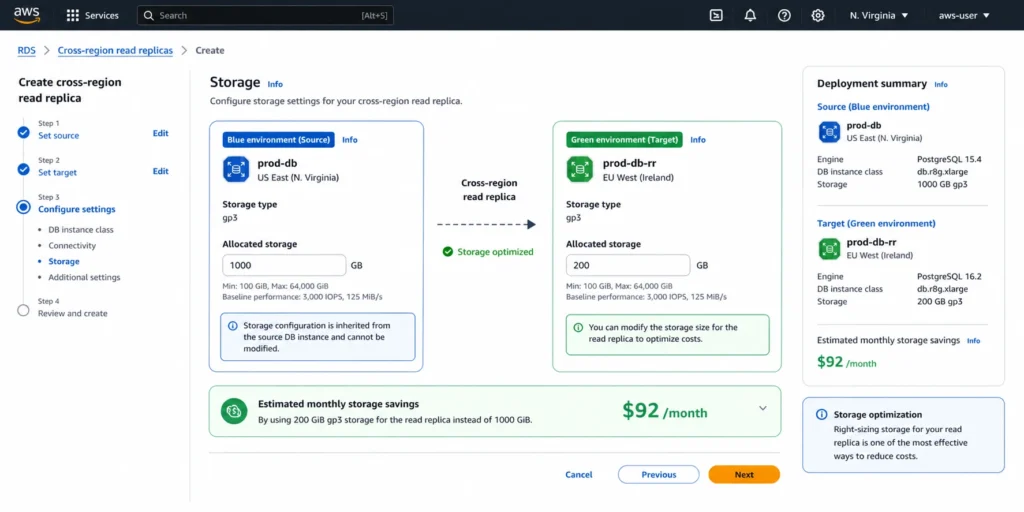
RDS does not allow you to reduce allocated storage directly. Once you allocate 1,000 GB for an RDS instance, you cannot simply set it to 200 GB through a modify command. The only native path to downsize RDS storage is a blue/green deployment with the target-allocated-storage parameter set to a smaller value.
This matters because teams frequently end up with over-provisioned storage. Common scenarios: AWS storage autoscaling triggered during a traffic spike and expanded the allocation, a developer provisioned a large disk ‘to be safe’ and the database never filled it, or a cleanup operation removed 80% of historical data but the allocated storage remained at the pre-cleanup level.
Storage Shrink Requirements
The target allocated storage must be at least 20% greater than the FreeStorageSpace metric in CloudWatch. If your database uses 100 GB of actual data on a 1,000 GB allocation, the minimum target storage is 100 GB x 1.2 = 120 GB (not 1,000 GB x 0.2 = 200 GB). This is a common source of confusion — the 20% buffer is calculated against actual data size, not current allocation.
Critical requirement: disable storage autoscaling before initiating the blue/green deployment. If autoscaling is enabled, AWS may aggressively increase the green environment’s storage during the replication setup phase to speed up the sync, which locks the green at a larger size and defeats the purpose of the shrink. After switchover, re-enable autoscaling on the new production instance with appropriate thresholds.
Storage Shrink ROI Calculation
RDS gp3 storage costs $0.115/GB-month. Shrinking from 1,000 GB to 200 GB: storage cost reduction = 800 GB x $0.115 = $92/month, $1,104/year. The temporary cost of running the green environment during the shrink operation: storage shrink via blue/green can take hours to days for large volumes (the storage configuration upgrade runs before replication starts). Assuming 3 days at $0.960/hr for a db.r8g.xlarge Multi-AZ: $69.12 in additional compute charges. Break-even vs the permanent storage savings: $69.12 / ($92/month) = 0.75 months. The blue/green storage shrink pays for its own temporary cost premium in under one month and delivers $1,104/year in permanent savings thereafter. This is one of the highest-ROI uses of blue/green deployment.
What Can and Cannot Be Changed in the Green Environment?
Understanding what changes are permitted in the green environment determines whether a blue/green deployment is the right approach for your upgrade scenario.
Changes You Can Make in the Green Environment
Major engine version upgrade (e.g., MySQL 8.0 to 8.4, PostgreSQL 15 to 16). Minor engine version upgrade. DB parameter group changes. Storage type change (gp2 to gp3, io1 to gp3). Storage size reduction (via the storage shrink feature). Storage IOPS and throughput changes. Instance class change (e.g., db.r8g.large to db.r8g.xlarge). Backup retention period changes.
Changes You Cannot Make in the Green Environment
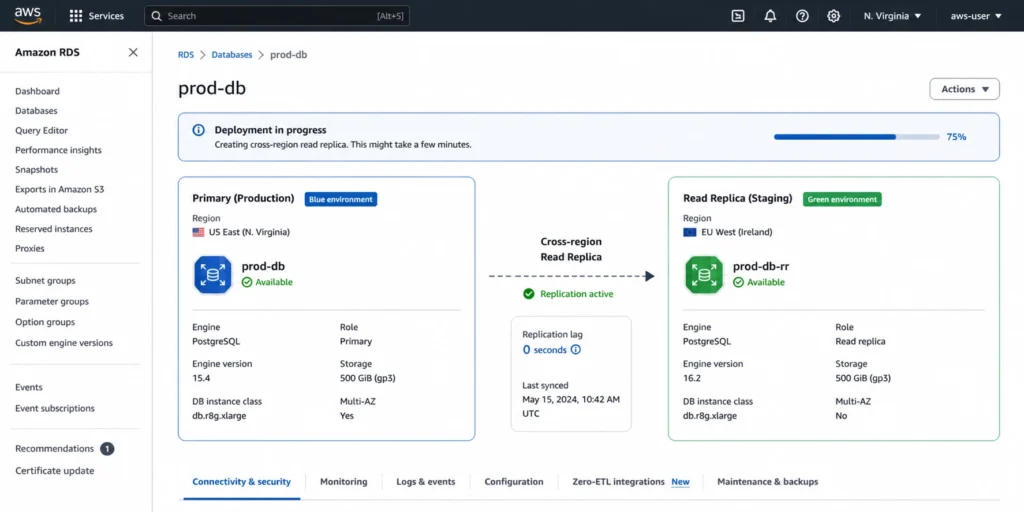
Storage size increase during deployment (defeats the shrink purpose and risks autoscaling expansion). Engine family change (cannot go from MySQL to PostgreSQL). Cross-region deployment (blue and green must be in the same region). Cross-account deployment. Enabling Multi-AZ if the blue does not have it. Changing from Multi-AZ to Single-AZ. Changing the storage type for read replicas independently from the primary.
Schema Changes and the Write-on-Green Warning
The green environment is kept read-only by default. You can enable writes on the green for testing, but this carries significant risk: write operations on the green create data that will be merged into production at switchover.
If your test writes include different data than what would normally be there, you get unexpected data in production. The recommended approach is to test schema changes against the green using read operations and a separate staging dataset, not by writing directly to the green environment.
How Does RDS Blue/Green Deployment Work for PostgreSQL Upgrades?
For RDS PostgreSQL blue/green deployments, the replication mechanism depends on whether you are performing a major version upgrade. For minor version upgrades and configuration changes: physical streaming replication is used, which provides byte-for-byte synchronization with minimal lag. For major version upgrades: logical replication is used, which replicates data changes at the SQL statement level and supports replication across different PostgreSQL major versions.
Logical replication for PostgreSQL has specific requirements. Your source instance must have the wal_level parameter set to logical (this is the default on RDS for PostgreSQL). Tables must have primary keys or a non-null unique key for logical replication to work on all tables. Tables without primary keys are replicated for inserts and updates but deletes may not propagate correctly, which can cause data drift before switchover.
Before initiating an RDS postgres blue/green deployment for a major version upgrade, run a query to identify tables without primary keys. If any exist, either add primary keys before the deployment or accept that those tables will require a manual check after switchover.
Query to identify tables without primary keys on PostgreSQL: SELECT tablename FROM pg_tables WHERE schemaname = ‘public’ AND tablename NOT IN (SELECT tc.table_name FROM information_schema.table_constraints tc WHERE tc.constraint_type = ‘PRIMARY KEY’);
Also read: RDS Reserved Instances: Engine-by-Engine Pricing and Commitment Guide
How Does RDS Blue/Green Deployment Work for MySQL Upgrades?
For RDS MySQL blue/green deployments, AWS uses MySQL logical replication (binary log replication) to synchronize the green environment with the blue. The binary log (binlog) must be enabled on the source instance. On RDS for MySQL, binlog is enabled by setting the binlog_format parameter to ROW in the parameter group.
For RDS mysql blue/green deployments during major version upgrades (e.g., MySQL 8.0 to MySQL 8.4), the blue instance continues running MySQL 8.0 while the green runs MySQL 8.4. Logical replication bridges the version gap, keeping them synchronized until switchover.
MySQL blue/green deployments support write operations on the green environment (unlike the strict read-only default for PostgreSQL physical replication). Set the read_only parameter to 0 in the green environment’s parameter group to enable writes. However, as with PostgreSQL, writing to the green environment risks replication conflicts if the same rows are modified on both blue and green before switchover. Only enable writes on green if you have a specific reason and understand the conflict implications.
RDS Proxy and Blue/Green MySQL
RDS Proxy works with blue/green deployments and provides additional switchover speed benefits. During switchover, connections through RDS Proxy are redirected to the new production instance faster than direct DNS connections because the proxy maintains connection pooling at the application level.
The proxy endpoint remains constant while the proxy re-routes connections to the green environment, effectively making the switchover transparent to connection-pooled applications. For high-traffic MySQL deployments, RDS Proxy eliminates the connection storm that can occur when thousands of connections simultaneously attempt to reconnect after a DNS change.
How Do You Use Terraform for RDS Blue/Green Deployments?
Terraform’s AWS provider supports blue/green deployments via the aws_rds_blue_green_deployment resource and lifecycle configuration on the aws_db_instance resource. The most important consideration is state management during switchover.
When you create a blue/green deployment in Terraform and then switchover, the new production instance (formerly green) has a different AWS resource identifier than the original blue instance. Terraform’s state file still references the original blue instance identifier. After switchover, you need to update the Terraform state to reflect the new instance identifier, or Terraform will attempt to create a new instance to match its expected state on the next apply.
Recommended approach for rds blue/green deployment terraform workflows: use the aws_db_instance lifecycle configuration with the ignore_changes block to prevent Terraform from detecting instance identifier changes during switchover. After the deployment is complete and the blue instance is deleted, update the Terraform state using terraform state mv to point to the new instance. Use a Terraform module with explicit switchover steps to manage the state transition cleanly.
Example Terraform configuration fragment for creating a blue/green deployment: use the aws_rds_blue_green_deployment resource with source set to the ARN of the blue db instance. Specify target_engine_version for version upgrades and target_allocated_storage for storage shrink. Tag the deployment for cost tracking. After switchover, the deployment resource can be deleted, and the original aws_db_instance resource updated to reflect the new configuration.
How Do You Perform an RDS Blue/Green Deployment Rollback?
The aws rds blue/green deployment rollback capability exists in two forms: pre-switchover rollback (simply delete the green environment) and post-switchover rollback (promote the old blue back to production).
Pre-Switchover Rollback
If your testing reveals that the upgrade is not ready, delete the green environment from the RDS console or with the AWS CLI (aws rds delete-blue-green-deployment). No state changes were made to your production blue environment during testing. The rollback is immediate and free beyond the compute and storage charges already incurred while the green was running.
Post-Switchover Rollback
After switchover, the old blue environment continues running and is available for rollback. AWS renames the original blue instance and keeps it available for a configurable window. You can issue another switchover to revert. However, any data written to the new production (formerly green) environment after switchover must be reconciled. This is why minimizing the time between switchover and blue deletion is recommended: if an issue is discovered within minutes, the post-switchover rollback is clean. If hours of production traffic have been written to the new environment and a rollback is needed, data reconciliation becomes complex.
Best practice: keep the old blue running for 24-48 hours post-switchover as a safety net, then delete it. Monitor application behavior and database metrics closely during this window. Once deleted, the blue instance cannot be recovered. The endpoint previously used by the blue instance no longer exists.
When Is an RDS Blue/Green Deployment Worth the Double Cost?
Two scenarios make the temporary doubled infrastructure cost clearly worth it. Two scenarios make it questionable.
Clearly Worth It: Major Version Upgrades with Zero Tolerance for Downtime
A major PostgreSQL or MySQL version upgrade via in-place upgrade requires a maintenance window with downtime ranging from 15 minutes to several hours depending on instance size, data volume, and the version gap being bridged. For a production database serving a SaaS application, 30 minutes of downtime during a maintenance window could violate your SLA and generate customer credits or churn.
A blue/green deployment costs $11-92 in temporary infrastructure for a 3-day test window and delivers a 5-second switchover. For any database where downtime costs more than $100 per hour, the blue/green approach is the economically rational choice even before counting the risk reduction value.
Clearly Worth It: Storage Shrink to Recover Over-Provisioned Allocation
Over-provisioned RDS storage cannot be reduced by any other means without a full database migration. If you have a 2,000 GB allocation on a database with 300 GB of actual data, you are paying $172.50/month ($2,070/year) for unused storage. A blue/green deployment with target-allocated-storage set to 360 GB costs approximately $70 for a 3-day deployment and saves $194.25/month permanently. The payback period is under 2 weeks.
Questionable: Minor Version Upgrades on Non-Critical Databases
For minor version upgrades on staging or internal databases where 15-30 minutes of maintenance window downtime is acceptable, the blue/green overhead (doubled infrastructure plus the management complexity) may not be justified. A standard in-place minor version upgrade with an appropriately scheduled maintenance window is simpler and cheaper.
Questionable: Keeping the Green Running for Extended Testing
If the green environment runs for 30 days while teams conduct extended testing, the additional compute cost becomes significant: $345-2,765/month depending on instance size. Teams should set a hard deadline for the switchover decision (typically 7-14 days) and treat it as a governance gate. An extended green environment is essentially paying for a permanent staging environment at on-demand rates.
What Are the Limitations of RDS Blue/Green Deployments?
Understanding the constraints before initiating a deployment prevents mid-process surprises that extend the deployment window and increase cost.
Engine and Version Limitations
Blue/green deployments are supported for Amazon RDS for MySQL (version 5.7.40 and higher, 8.0.28 and higher), RDS for PostgreSQL (version 11.21 and higher, 12.16 and higher, 13.12 and higher, 14.9 and higher, 15 and higher), and RDS for MariaDB (version 10.6.10 and higher, 10.11.2 and higher). SQL Server is not supported for blue/green deployments. Oracle is not supported. Aurora has its own blue/green deployment path with separate constraints.
Replication and Schema Limitations
Bi-directional replication is not supported. DDL operations (ALTER TABLE, CREATE INDEX) that modify large tables are not recommended while the deployment is active because they can cause significant replication lag, delaying the switchover readiness window. For PostgreSQL major version upgrades using logical replication, tables without primary keys may not replicate deletes correctly. Schema changes to tables that affect replication (like adding NOT NULL columns without defaults) should be staged carefully.
Storage Autoscaling Interaction
Storage autoscaling must be disabled before initiating a deployment intended for storage shrink. If autoscaling is left enabled, AWS may automatically expand the green environment storage to match or exceed the blue during the initial replication setup, which defeats the shrink purpose and leaves you with an expanded allocation you then cannot reduce. After switchover, re-enable autoscaling on the new production instance with appropriate maximum storage thresholds.
Multi-Region and Cross-Account Constraints
Blue/green deployments operate within a single AWS region and account. For multi-region architectures, you cannot use a single blue/green deployment to upgrade all regional instances simultaneously. Each region requires a separate deployment. Cross-account deployments are not supported. If your architecture uses multiple accounts for production workloads, coordinate deployments separately per account.
Dedicated Log Volume
If Dedicated Log Volume (DLV) is enabled on your blue instance, it must also be enabled on all related instances, including replicas. If DLV configuration is inconsistent across the cluster, the blue/green deployment creation will fail. Verify DLV configuration consistency before initiating the deployment to avoid an immediate failure and the associated debugging time.
Also read: AWS Database Savings Plans Explained for DB Teams
How Does Usage.ai Help After a Blue/Green Deployment?
An RDS blue/green deployment often changes the configuration that your reserved instances were purchased against. After a major version upgrade, the new instance runs a different engine version. After an instance class change, the instance size has changed. After a switchover, the DB instance identifier changes even if the configuration is identical.
Usage.ai Flex Reserved Instances monitor the post-switchover RDS inventory and verify that existing reserved instances still match the running instances. If a blue/green deployment changed the instance class (e.g., scaling up from db.r8g.xlarge to db.r8g.2xlarge during the green environment setup), the existing xlarge reserved instance no longer fully covers the 2xlarge running in production.
Usage.ai identifies the coverage gap and purchases the additional reservation needed. The platform refreshes its analysis every 24 hours versus AWS Cost Explorer’s 72+ hour cycle, ensuring the post-upgrade reservation state is optimized quickly. If a reservation becomes mismatched or underutilized, Usage.ai provides cashback and credits. The fee is a percentage of realized savings only.
See how much you can save on RDS with Usage.ai
Frequently Asked Questions
1. What is blue-green deployment for RDS?
RDS blue/green deployment is a managed upgrade mechanism that creates a copy of your production database (green environment), keeps it synchronized via logical replication, lets you test changes, and switches over in under 5 seconds with no application changes required. It supports major and minor version upgrades, instance class changes, parameter group changes, and storage shrink. Both environments run simultaneously during the deployment window at double the normal cost.
2. Is blue-green deployment costly?
Temporarily yes. The green environment runs at full on-demand rates while it exists, doubling your infrastructure cost. For a db.r8g.xlarge Multi-AZ PostgreSQL, a 3-day deployment costs approximately $69 extra. A 30-day deployment costs approximately $691 extra. Keeping the deployment short and switching over promptly minimizes cost. The permanent savings from storage shrink typically pay back the temporary cost within weeks.
3. What is the blue-green upgrade approach for RDS?
Create the green environment from the blue production environment (AWS clones the topology automatically). Configure the green with the desired changes (new engine version, smaller storage, different instance class). AWS replicates all production changes to the green in real time. Test against the green using its temporary endpoint. Issue the switchover command. AWS promotes green to production in under 5 seconds. Delete the old blue environment to end the double billing.
4. How do you reduce AWS RDS costs with blue/green deployments?
Use the storage shrink capability to reduce over-provisioned storage (the only native way to downsize RDS allocation). After major version upgrades that improve engine performance, you may be able to downsize the instance class in the same green environment before switchover. After the deployment completes, verify reserved instance coverage matches the new instance configuration and adjust reservations to capture full discounts.
5. Does the green environment get reserved instance discounts?
No. Reserved instances apply to specific DB instance identifiers. The green environment has a new identifier appended with -green-randomcharacters and runs at on-demand rates. After switchover, the new production instance inherits the original endpoint and AWS reassigns the reserved instance discount automatically. The reserved instance gap exists only during the deployment window.
6. What is the switchover time for RDS blue/green deployments?
As of January 2026, writer node downtime during RDS blue/green switchover is typically 5 seconds or lower for single-region configurations. Applications using the AWS Advanced JDBC Driver typically see 2 seconds or lower. Multi-AZ deployments may have slightly longer switchover times. The switchover timeout is configurable from 30 seconds to 3,600 seconds (1 hour).
7. How does RDS blue/green deployment handle read replicas?
Read replicas are automatically included in the green environment topology. AWS creates corresponding green replicas for every blue read replica. During switchover, all replicas switch simultaneously with the primary. You do not need to manage replicas separately. Each replica in the green environment is billed at its on-demand rate independently, so a deployment with 3 replicas costs 4x the primary instance rate (1 primary + 3 replicas) for both environments simultaneously.
8. Can you use blue/green deployment for Aurora?
Yes, with limitations. Aurora blue/green deployments are supported for Aurora MySQL and Aurora PostgreSQL. Some schema changes that use DDL operations may have limitations with Aurora logical replication. Aurora Global Database and multi-master configurations have additional constraints.